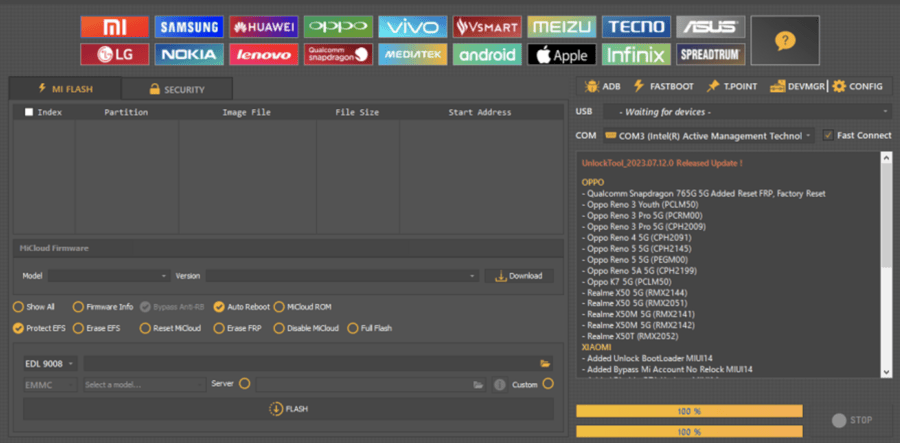
Android smartphones come with powerful security layers designed to protect user data. Features such as Factory Reset Protection (FRP), OEM locks, and chipset-level restrictions help prevent unauthorized access. However, these same protections can become obstacles for legitimate users, especially after a factory reset, forgotten credentials, or purchasing a second-hand device.
This is where tools like Unlock Tool Pro v18 latest version are often discussed in the smartphone repair and mobile software community.
Unlock Tool Pro is widely recognized as a smartphone repair software that combines flashing, unlocking, and device communication features in one platform. This article explains what UnlockTool Pro v18 is, what it supports, and how beginners should understand it safely, without violating Google policies or legal boundaries.
ZeroKnox Removal 2.2 Latest Version – Free FRP & Knox Removal Tool
What Is Unlock Tool Pro?
Unlock Tool Pro is a Windows-based Android unlock tool designed to assist technicians and informed users with device servicing tasks. It supports various Android brands and chipsets and is commonly categorized as flashing and unlocking software.
Rather than focusing on shortcuts, Unlock Tool Pro is best understood as a device communication and servicing utility that interacts with Android phones through official modes like ADB, Fastboot, and EDL—depending on the device.
Important: Unlock Tool Pro is intended for legitimate phone servicing, data recovery, and ownership-verified unlocking scenarios only.
What’s New in UnlockTool Pro v18?
The UnlockTool Pro v18 release focuses on compatibility, performance, and expanded device recognition.
Key Improvements in v18
- Updated support libraries for newer Android versions
- Improved Qualcomm unlock support and MediaTek unlock support
- Enhanced stability on modern Windows systems
- Faster device detection in ADB Fastboot tool modes
- Expanded list of supported Android devices
Key Features of Unlock Tool Pro
Unlock Tool Pro organizes its capabilities into clearly defined function categories. Each supported device model on the Supported Models page lists exactly which functions apply to it, so you always know what is available before starting any operation.
FRP Erase
Removes Google account lock (Factory Reset Protection) from supported devices without requiring the original Google credentials. This works across Samsung, Xiaomi, Huawei, OPPO, Realme, and Vivo models depending on the device’s chipset.
Bootloader Unlock
Unlocks the bootloader on supported Qualcomm and MediaTek devices, enabling custom ROM installation, root access, and deeper device modifications.
Factory Reset
Performs a full factory reset directly through the tool, bypassing the need to access device settings or enter account credentials.
Auth Flash and Testpoint Flash
Auth Flash writes firmware to a device using a standard authenticated connection. Testpoint Flash uses hardware-level test points on the circuit board to flash devices that are soft-bricked or unresponsive through normal methods.
EFS Operations
EFS (Encrypted File System) operations allow reading, writing, and backing up the EFS partition, which stores critical device identity data including IMEI numbers. This function is essential for IMEI repair.
OEMINFO Operations
OEMINFO holds manufacturer-specific configuration data on Huawei devices. Unlock Tool Pro can read and write this partition on supported Huawei and Honor models.
Additional Functions
- MiCloud Reset: Removes Xiaomi account lock and disables Mi Cloud binding
- Huawei ID Remove: Erases Huawei account lock on supported models
- Dead Boot Repair: Recovers devices stuck in a boot loop or completely unresponsive
- IMEI Repair: Restores or repairs lost IMEI numbers
- Carrier Unlock: Removes network lock on many carrier-locked devices
Why Unlock Tool Pro Is Popular
1. All-in-One Android Unlock Tool
Unlock Tool Pro combines multiple servicing functions into one platform, making it useful for phone repair workflows.
2. Supports Qualcomm and MediaTek Devices
The tool offers structured support for:
- Qualcomm unlock support
- MediaTek unlock support
This makes it flexible across different smartphone brands.
3. FRP-Related Servicing Awareness
Unlock Tool Pro is often discussed in relation to FRP bypass tool functionality, helping users understand Factory Reset Protection and its implications.
4. Multiple Connection Modes
It communicates with phones using:
- ADB
- Fastboot
- EDL mode support
These are official Android communication modes used by manufacturers and service centers.
5. Widely Used in Smartphone Repair
Many technicians categorize it as professional smartphone repair software, not just a consumer unlock app.
What Is FRP and Why Does It Get in the Way?
Before covering what the tool does, understanding FRP helps beginners make sense of why this software exists.
What Is Factory Reset Protection?
Factory Reset Protection is a security feature built into Android 5.1 and later. When a device linked to a Google account is factory reset without first removing that account, FRP activates. The device then requires the original Google credentials to proceed past the setup screen.
FRP protects against theft but becomes a genuine obstacle when someone forgets their credentials, purchases a second-hand device, or inherits a phone previously owned by someone else. Unlock Tool Pro provides technicians with a software-level method to remove FRP locks on supported devices.
[How Android Factory Reset Protection works]Supported Brands and Devices
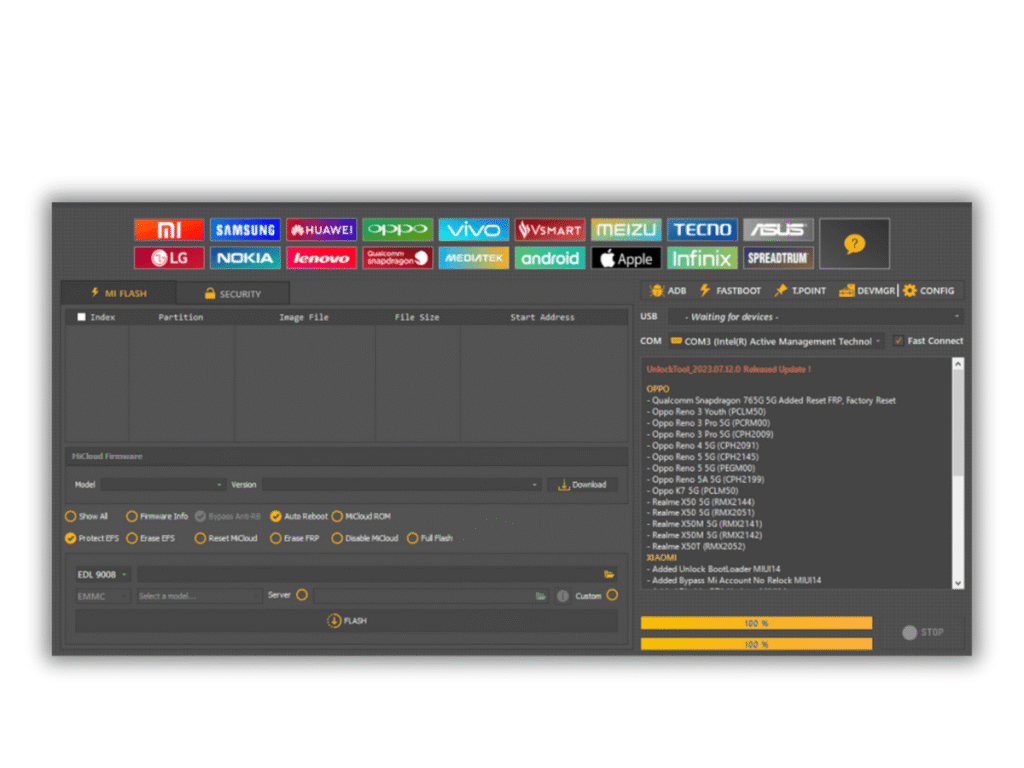
Unlock Tool Pro currently supports 1,250+ device models across multiple Android brands.
Supported Brands
Samsung, Xiaomi (Redmi, POCO, MI), Huawei, Honor, OPPO, Realme, Vivo, Vsmart, Lenovo, Nokia, and more.
Chipset Support Explained
Supported Chipsets
- Qualcomm Snapdragon — all major generations
- MediaTek (MTK) — including latest MTK V5 and V6 series
- Spreadtrum (SPD) — including UniSOC processors
Supported Android Versions
Android 5.1 (Lollipop) through the latest Android releases currently in active use.
Special Note on Broken-Screen Devices
Unlock Tool Pro supports many unlock operations on devices with broken or non-functional screens. Special procedures that do not require touchscreen interaction are available for qualifying models, provided the device can power on and enter the required connection mode such as Download Mode or EDL Mode.
System Requirements (Beginner Friendly)
System Requirements
Confirm your PC meets these minimum specifications before downloading.
| Requirement | Specification |
|---|---|
| Operating System | Windows 7, 8, 8.1, 10, or 11 |
| Architecture | 32-bit or 64-bit |
| RAM | Minimum 2 GB (4 GB recommended) |
| Storage | Minimum 500 MB free disk space |
| Internet Connection | Required for activation and updates |
| USB Port | Required for device communication |
Windows 10 or newer is recommended for the best performance and compatibility. Always run the software as Administrator. Failing to do so prevents the login window from loading correctly.
Phone Requirements
- Android smartphone
- Original or good-quality USB cable
- Adequate battery charge (50%+)
USB Drivers
Unlock Tool Pro requires the correct USB driver to communicate with a connected phone. Missing or incorrect drivers are the leading cause of device detection failures.
Install the driver that matches your phone’s chipset before launching the tool:
- Qualcomm USB Driver — for all Qualcomm Snapdragon-based phones
- MediaTek (MTK) USB Driver — for all MTK-based phones
- Spreadtrum / SPD USB Driver — for UniSOC and Spreadtrum devices
- Samsung USB Driver — for all Samsung models regardless of chipset
The Unlock Tool Pro installer includes the necessary drivers for most supported devices. If device detection still fails after installation, check Windows Device Manager to confirm the driver is installed and not showing an error flag.
[Download USB drivers for Qualcomm, MTK, Samsung, and SPD devices]General Workflow Overview (High-Level & Safe)
To remain Google-compliant, this section explains conceptual steps only, not exploit instructions.
- Install the software on Windows
- Ensure required drivers are present
- Connect phone to PC for unlocking using a USB cable
- Allow the tool to detect the device via supported modes
- Follow on-screen prompts provided by the software
This overview helps beginners understand how the tool works, without promoting misuse.
Unlock Tool Pro License – What Beginners Should Know
Many users ask about activate unlock tool pro license.
Key Points
- Unlock Tool Pro typically operates on a license system
- License activation confirms access to advanced features
- License terms vary by provider
Always review the official license policy before using paid software.
Use Cases (Educational & Legitimate)
✔ Device Servicing
Technicians use Unlock Tool Pro for diagnosing and servicing customer phones.
✔ Second-Hand Phone Awareness
Buyers can better understand lock conditions before purchase.
✔ Software Repair & Flashing
As flashing and unlocking software, it helps restore firmware in supported scenarios.
Advantages of Unlock Tool Pro
- Supports multiple Android brands
- Combines flashing and unlocking features
- Beginner-friendly interface
- Active development and updates
- Useful for professional repair environments
Limitations You Should Know
- Not all devices are supported
- Results vary by Android security level
- Some functions require paid licensing
- Cannot legally override enterprise or stolen device locks
Is Unlock Tool Pro Safe?
Safety depends on:
- Downloading from reputable sources
- Using verified drivers
- Scanning files with antivirus software
- Using it only on legally owned devices
Always prioritize data protection and legality.
Video Tutorial: How To Free Registration Unlock Tool Pro
Password: www.easyflashing.com
Create Free Account (Link)
External Resources (Educational)
For official and safe learning, beginners should also explore:
- Google Android Help Center (FRP & security)
- Android Developers documentation
- Manufacturer support pages (Samsung, Xiaomi, Oppo)
These resources provide context on Android security systems.
(FAQ)
Is Unlock Tool Pro v18 free?
Some features may require a paid license.
Does it unlock all Android phones?
No, support depends on chipset, model, and Android version.
Can beginners use Unlock Tool Pro?
Yes, but only after understanding Android security basics.
Does it work on Windows?
Yes, users commonly use unlock tool pro on Windows systems.
Conclusion
Unlock Tool Pro delivers a focused, structured set of mobile repair functions covering FRP erase, bootloader unlock, firmware flashing, IMEI repair, and more across 1,250+ Android devices. Its support for Qualcomm, MediaTek, and Spreadtrum chipsets makes it a practical choice for technicians handling a wide range of brands.



3 thoughts on “Unlock Tool Pro Latest Version Download (FREE 2026)”