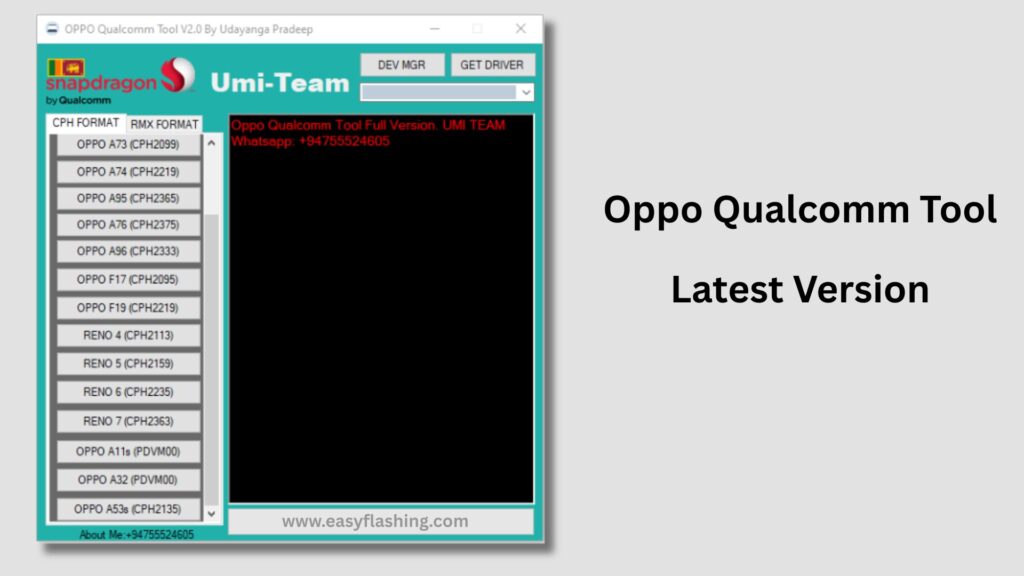
I will tell you today why Oppo Qualcomm Tool v2.0 latest version is one of the most searched repair utilities for Oppo smartphones worldwide. Those who don’t know much about mobile repairing often get confused when an Oppo phone suddenly stops working, shows a black screen, or gets stuck on the logo. This is where the Oppo Qualcomm Tool becomes extremely useful.
Within this article, I will try to give you complete information about this powerful tool in very easy language. By reading this article, you will understand what the tool is, how it works, which Oppo models it supports, and how beginners can use the AUTO method safely.
What Is Oppo Qualcomm Tool v2.0 Latest Version?
Oppo Qualcomm Tool v2.0 is an official-type service utility designed to work with Oppo smartphones that use Qualcomm chipsets. The tool helps users and technicians fix software-related issues by communicating with the phone in EDL (Emergency Download) mode.
In simple words, it allows you to:
- Flash official firmware
- Fix dead boot problems
- Remove software corruption
- Repair IMEI (in supported cases)
- Unlock or relock devices (service-level)
Unlike regular flashing tools, this tool works at a deeper level, making it useful when the phone does not power on normally.
Why Oppo Qualcomm Tool v2.0 Latest Version Is Important in 2026
Many older flashing tools no longer support new Oppo models or updated security patches. The latest version of Oppo Qualcomm Tool v2.0 improves compatibility, stability, and automation.
Here’s why professionals prefer it:
- Updated Qualcomm drivers support
- Improved AUTO detection system
- Better success rate on dead devices
- Works with newer Oppo firmware protections
If you work with Oppo phones or want to fix your own device, this tool saves time and effort.
Everything You Need to Know About Oppo Qualcomm Tool v2.0 Latest Version
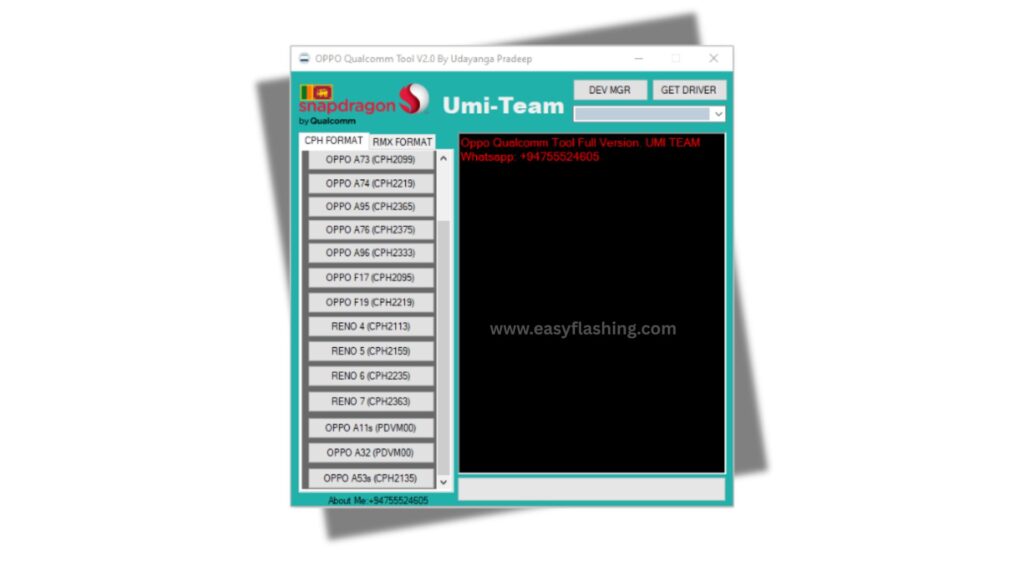
1. AUTO Mode – Best Feature for Beginners
The AUTO function is one of the most beginner-friendly features.
What AUTO Mode Does:
- Automatically detects the connected Oppo device
- Selects the correct flashing protocol
- Reduces manual configuration errors
Benefits:
- No deep technical knowledge required
- Faster repair process
- Lower risk of device damage
You to just connect the phone in EDL mode, open the tool, and let AUTO handle the rest.
2. Supported Oppo Devices and Qualcomm Chipsets
The tool supports a wide range of Oppo phones with Qualcomm processors.
Commonly Supported Chipsets:
- Snapdragon 450 / 460
- Snapdragon 625 / 660
- Snapdragon 710 / 712
- Snapdragon 730 / 750
- Snapdragon 855 / 865
Popular Oppo Series:
- Oppo A Series
- Oppo F Series
- Oppo Reno Series
- Oppo Find Series (Qualcomm variants)
Support may vary depending on firmware and security patch level.
3. Dead Boot Repair Explained in Simple Words
Dead boot means the phone:
- Does not power on
- Shows no logo
- Does not charge visibly
How Oppo Qualcomm Tool Helps:
- Forces communication via EDL mode
- Rewrites corrupted boot partitions
- Restores original system files
Those who don’t know much about EDL mode should understand that it is a special emergency state built into Qualcomm chips for recovery.
4. Flashing Firmware Using Oppo Qualcomm Tool v2.0
Flashing firmware means reinstalling the phone’s software.
Common Reasons to Flash:
- Bootloop issues
- Stuck on logo
- Software update failure
- Virus or malware infection
Basic Flashing Flow:
- Install Qualcomm USB drivers
- Boot phone into EDL mode
- Load firmware in tool
- Use AUTO or manual start
- Wait until completion
This process restores the phone to factory software condition.
5. IMEI Repair – What Is Possible and What Is Not
IMEI repair depends on:
- Device model
- Region
- Firmware security
Possible Scenarios:
- IMEI lost due to software corruption
- Baseband unknown issue after flashing
Important Note:
IMEI repair should only be done for restoring original IMEI. Changing IMEI illegally is not recommended and may be unlawful in some regions.
6. Oppo Qualcomm Tool v2.0 vs Older Versions
Improvements in Latest Version:
- Faster device recognition
- Better Windows 10/11 compatibility
- Reduced crash issues
- Improved AUTO detection
Older versions often fail with newer Oppo firmware, which is why upgrading is important.
7. System Requirements (Beginner-Friendly)
Before using the tool, ensure your PC meets these requirements:
Minimum Requirements:
- Windows 7, 8, 10, or 11 (64-bit recommended)
- 4 GB RAM (8 GB better)
- Qualcomm USB Drivers installed
- Stable USB cable
No high-end PC is required, which makes it accessible globally.
8. Step-by-Step: How to Use Oppo Qualcomm Tool v2.0 Latest Version
I will tell you today a simple step-by-step overview (no risky commands).
Steps:
- Install Qualcomm drivers on PC
- Extract Oppo Qualcomm Tool v2.0
- Open tool as Administrator
- Connect Oppo phone in EDL mode
- Select firmware (if required)
- Choose AUTO mode
- Click Start and wait
Tried and tested by many technicians worldwide.
9. Common Errors and How to Fix Them
Tool Not Detecting Device
- Reinstall drivers
- Change USB port
- Use original cable
Stuck at Authentication
- Internet connection required
- Try different version
- Check firewall settings
Flash Failed Error
- Use correct firmware
- Ensure stable connection
- Reboot PC and retry
10. Safety Tips Before Using the Tool
To avoid problems:
- Backup data if possible
- Use official firmware only
- Do not interrupt flashing
- Ensure battery is at least 30%
These steps protect your device from permanent damage.
11. Is Oppo Qualcomm Tool v2.0 Safe?
Yes, when used correctly.
Why It’s Safe:
- Designed for Qualcomm-based Oppo phones
- Uses official flashing protocols
- Widely used by service centers
Problems usually occur due to wrong firmware or interrupted process.
12. Advantages and Limitations
Advantages:
- Deep-level repair
- AUTO mode support
- Wide device compatibility
- Beginner-friendly
Limitations:
- Qualcomm devices only
- Authentication may fail sometimes
- Not officially released for public users
Understanding both sides builds trust and transparency.
13. Trusted Resource
For Qualcomm EDL and driver understanding, this trusted reference may help:
Qualcomm Official Website:https://www.qualcomm.com
This source explains Qualcomm technologies used by tools like Oppo Qualcomm Tool.
Video Tutorial: How to Install/Use Oppo Qualcomm Tool Latest version 2026
Oppo Qualcomm Tool latest version 2026
Free (Tool)
Frequently Asked Questions (FAQ)
Q1. What is Oppo Qualcomm Tool v2.0 latest version used for?
It is used to flash firmware, repair dead boot, fix software issues, and recover Oppo phones with Qualcomm chipsets.
Q2. Can beginners use Oppo Qualcomm Tool safely?
Yes. AUTO mode makes it beginner-friendly if instructions are followed carefully.
Q3. Does Oppo Qualcomm Tool support all Oppo phones?
No. It only supports Oppo devices powered by Qualcomm processors.
Q4. Is internet required to use Oppo Qualcomm Tool?
In many cases, yes. Authentication and AUTO detection may require an internet connection.
Q5. Can this tool unlock Oppo phones?
It may help with service-level unlocking in supported scenarios, but results depend on model and firmware.
Final Thoughts
Within this article, I tried to give you complete information about Oppo Qualcomm Tool v2.0 latest version in the simplest way possible. Those who don’t know much about mobile flashing can still understand and use this guide confidently.
By reading this article, you now know what the tool does, how AUTO mode works, and how to use it safely. If you follow the steps carefully, this tool can save you time, money, and frustration when dealing with Oppo software issues.


