By reading this article, I will try to give you complete information about the Lizard Tool V1.0.7 Latest version 2026 — what it is, how it works, and why technicians and mobile repair beginners are talking about it worldwide.
Lizard Tool is a Windows-based mobile servicing utility used for unlocking, bypassing security protections, and repairing Android devices. It combines many functions in one platform so that users don’t need multiple tools. This tool is especially popular for bypassing FRP locks, Samsung MDM, IT Admin, and advanced ADB operations without requiring server logins or paid licenses.
Whether you’re a beginner or a technician, this guide breaks down everything in a simple, practical listicle format.
1. What Is Lizard Tool V1.0.7 Latest Version?
Lizard Tool V1.0.7 Latest version is an updated mobile utility software designed for Android service tasks including security lock removal, device info reading, bypassing protections, and repair functions. This all-in-one software brings multiple advanced tools into a single interface for easier operation.
Why Beginners Should Care
- You to perform advanced mobile servicing with fewer tools.
- The interface is beginner-friendly compared to complex command-only tools.
- Useful for technicians and DIY users who want to learn mobile repair basics.
2. Key Features of Lizard Tool V1.0.7
Below, I will tell you about the most important features those who don’t know much about mobile tools should understand first.
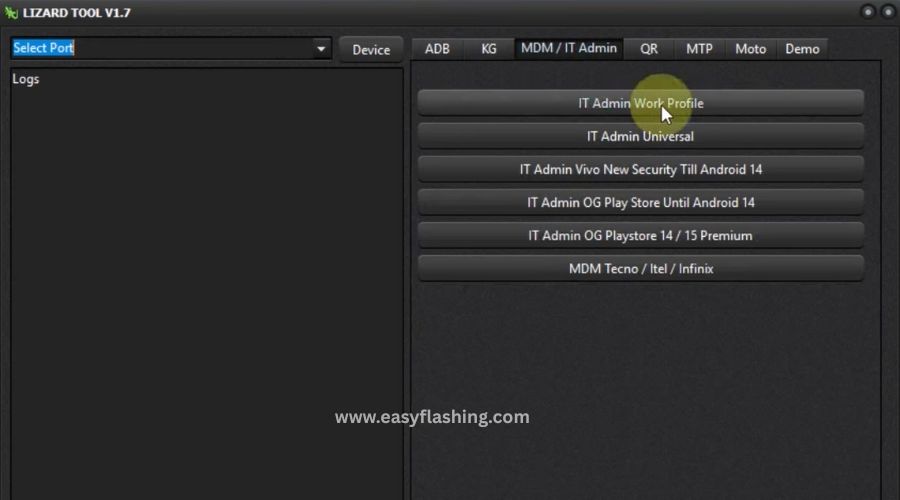
ADB Operation Tools
- Read Device Info: View device specifications and status.
- Live Screen ADB: Mirror the Android screen via ADB.
- Disable Factory Reset Protection via ADB: Helps when a device is stuck in FRP mode.
- Universal ADB OTA Disable: Stops over-the-air updates during repair.
Benefit: Helps with basic data retrieval and repair functions.
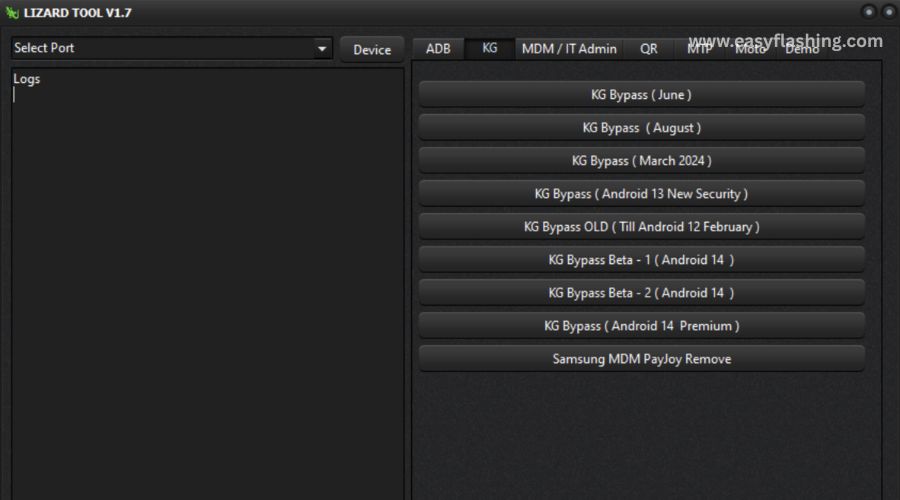
KG (KnoxGuard) Bypass Tools
- It supports bypass for Samsung KG Lock across various Android versions.
- Works with Android 13 new security, Android 14, and older KnoxGuard protections.
Benefit: Allows removal of Samsung security layers that block access.
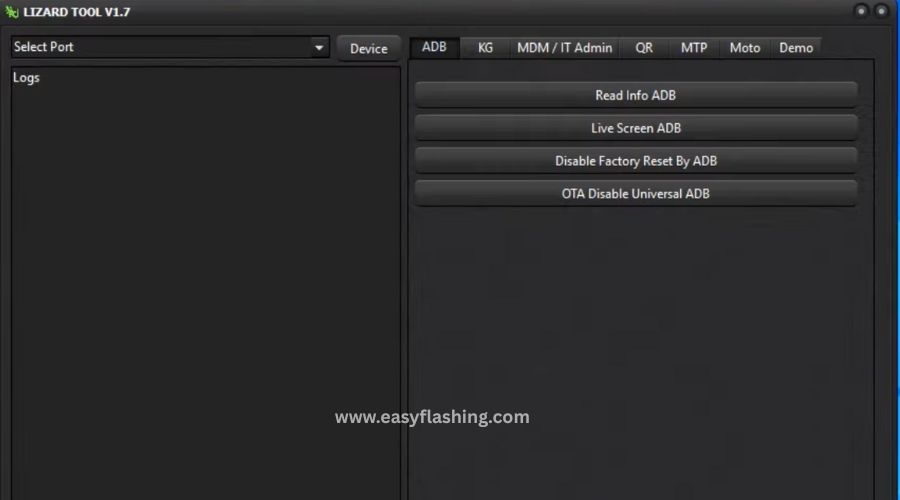
MDM & IT Admin Bypass
- Removes Manufacturer Device Management (MDM) profiles.
- Bypasses IT Admin restrictions even on newer Android versions.
Benefit: Useful when corporate policies prevent device access.
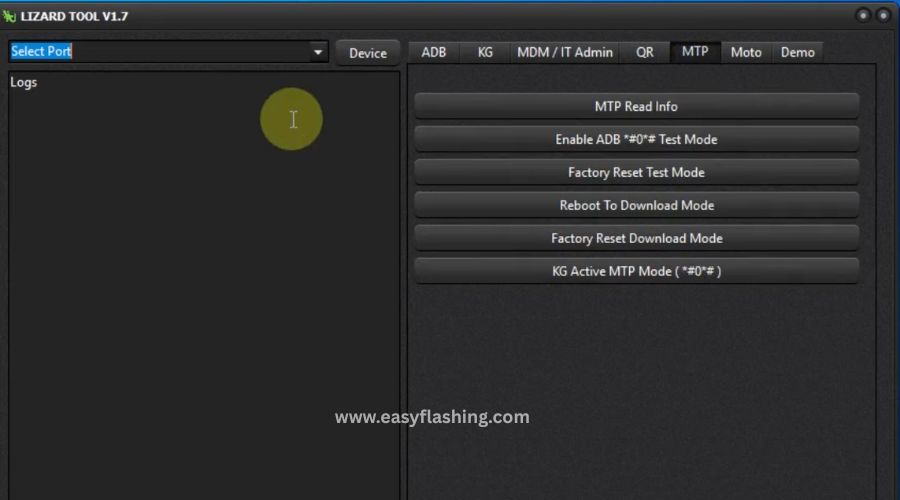
QR & MTP Tools
- QR Generation: Generates QR codes for Android setup bypass.
- MTP Mode: Enables test mode or factory reset from MTP.
Benefit: Lets you enter device modes needed for advanced operations.
Motorola & Repair Tools
- Repair Fastboot System: Helps flash or fix Motorola devices.
- IMEI Repair & Factory Mode: Useful for network and activation issues.
Benefit: Adds valuable fix functions beyond simple unlocks.
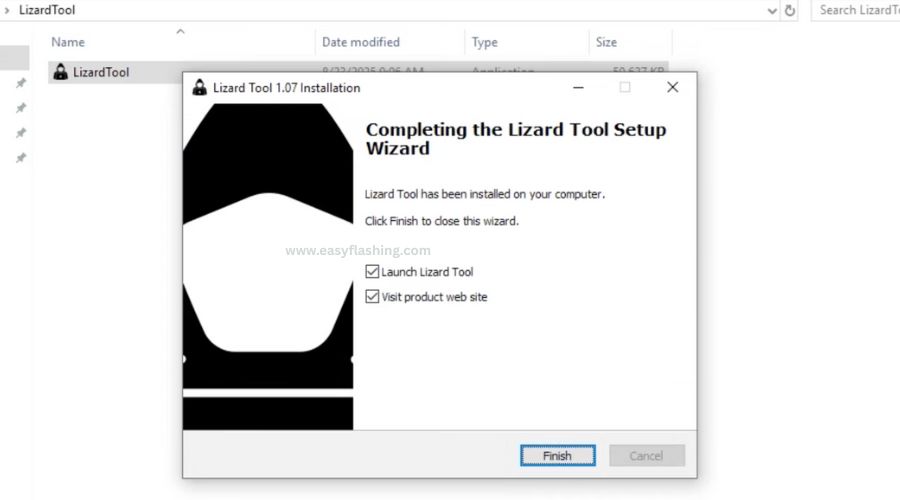
How to Install Lizard Tool V1.0.7 on Windows
Here’s a beginner-friendly installation guide:
- Download the Lizard Tool V1.0.7 compressed file (RAR).
- Extract using WinRAR or 7-Zip to a folder on your PC.
- Right-click LizardTool.exe → select Run as administrator.
- Follow setup steps and install the tool.
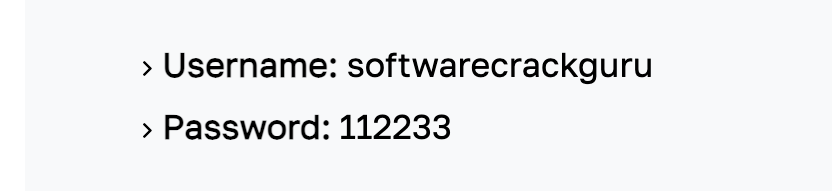
- On the first run, log in if required with provided credentials (if no login option exists).
- Ensure your Android USB drivers are installed for device recognition.
- Connect your Android device via USB with USB debugging enabled (if needed).
Tip: Antivirus software may block some operations, so temporarily disabling it (carefully) can help during installation.
4. How to Use Lizard Tool’s Top Functions
Removing FRP Lock
- Step 1: Connect your Android phone to PC.
- Step 2: Enable ADB debugging (or use MTP mode if ADB isn’t available).
- Step 3: Choose the FRP remove option.
- Step 4: Follow prompts to bypass the Google verification screen.
Example: Useful when you’ve forgotten the Google account tied to a phone after a reset.
Bypassing Samsung MDM or Knox
- Pick the relevant KG Bypass based on Android version.
- Start the bypass and wait for the tool to complete the process.
Example: Helps regain control when corporate controls block access.
Reading Device Info
- Use the Read Info tool to check device model, Android version, and security patch.
Example: Handy for support diagnostics before attempting repair tasks.
Safety & Best Practices (Important)
While using tools like Lizard Tool can be effective, understanding safety is vital:
- Data Backup: Always backup data before any security bypass or reset.
- Use Trusted Sources: Download tools from official or verified developer sites to avoid malware.
- Legal Use Only: Ensure you have legal ownership or permission to work on a device.
- Driver Installation: Install the correct USB drivers for your device brand.
- Antivirus Caution: Some tools may be flagged; verify before ignoring warnings.
6. Pros and Cons of Lizard Tool V1.0.7
Pros
- Combines multiple servicing tools in one interface.
- Beginner-friendly compared to complex command-line alternatives.
- Supports many Android versions and models.
- No paid license needed in some versions.
Cons
- Advanced features are technical — not every user may need them.
- Some virus scanners flag it as risky (verify source).
- Not an official OEM tool — use with caution and responsibility.
Video Tutorial: How To Install Lizard Tool
7. Comparing Lizard Tool to Other Unlock Tools
| Feature | Lizard Tool V1.0.7 | Other Unlock Tools |
| All-in-one suite | Yes | Sometimes only specific functions |
| No paid license | Depends on distribution | Often paid license |
| Samsung Knox/MDM bypass | Yes | Varies |
| Beginner-friendly | Moderate | Depends on UI |
| Device support | Broad | Varies by tool |
Lizard Tool: (File)

Loder: (File)
Summary: Lizard Tool offers a versatile option for many needs, but no single tool fits every situation is always assess your specific device and task.
(Q&A)
Q1: What is the Lizard Tool V1.0.7 Latest version used for?
A1: Lizard Tool V1.0.7 is used for mobile servicing like FRP removal, Knox/MDM bypass, ADB operations, device repair, and more on Android devices.
Q2: Does Lizard Tool work on all phones?
A2: It supports many Android brands but may not work on every model and security patch; always check compatibility before use.
Q3: Is it safe to use Lizard Tool for unlocking?
A3: Using such tools requires care — download from trusted sources and understand risks like warranty void or data loss.
Q4: Can beginners use Lizard Tool easily?
A4: Yes, basic functions like reading info or simple unlocks can be learned with practice; advanced functions may require experience.
Q5: Where can I find official updates?
A5: Always refer to verified developer sites or trusted community forums for safer, up-to-date tool versions.
Trusted Resource
For general understanding of Android security protection layers like FRP and why tools are needed:
Android Factory Reset Protection (FRP) Guide – Google Support


