By reading this article, I will try to give you complete information about the minimal adb and fastboot latest version download, especially for those who don’t know much about Android command-line tools.
Minimal ADB and Fastboot is a lightweight Windows utility that installs only the essential Android Debug Bridge (ADB) and Fastboot binaries. Unlike the full Android SDK, it avoids large downloads and complex setup. This makes it perfect for beginners, technicians, and everyday users who want to interact with Android devices quickly and reliably.
Within this article, I will try to explain not just how to download and install the tool, but why it matters, how it compares to alternatives, and how you can safely use it for real-world tasks.
Understanding ADB and Fastboot (In Simple Words)
What Is ADB?
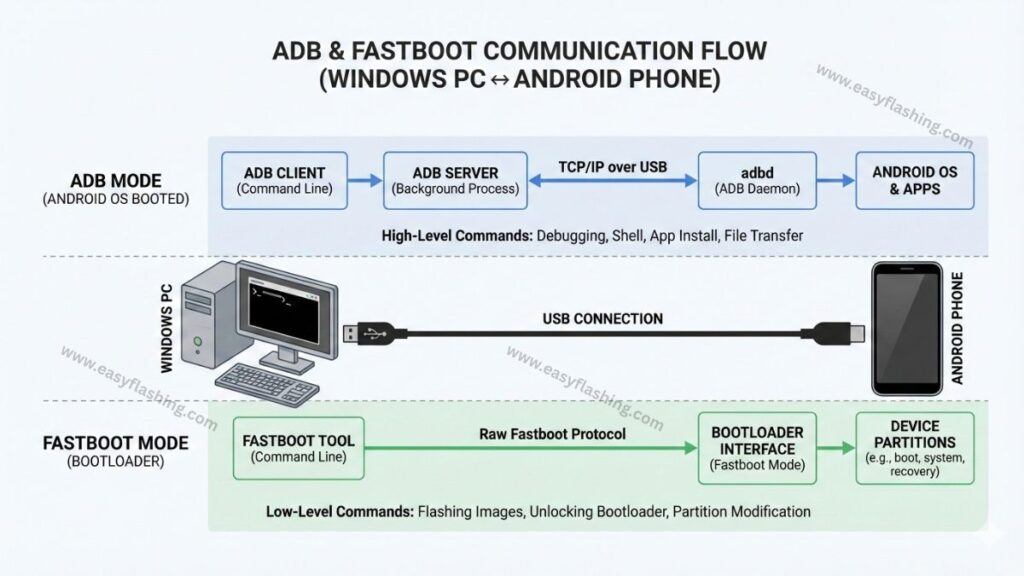
ADB (Android Debug Bridge) is a command-line tool that lets your computer communicate with an Android device while the device is powered on.
ADB allows you to:
- Send commands to your phone
- Install or uninstall apps
- View logs and device information
- Push or pull files
- Reboot into different modes
Example benefit: You to fix small software issues without factory resetting the phone.
What Is Fastboot?
Fastboot works when your device is in bootloader mode, not fully powered on.
Fastboot allows you to:
- Unlock or relock the bootloader
- Flash recovery images
- Flash firmware or partitions
- Reboot system or bootloader
Example benefit: Advanced system-level tasks like flashing recovery images become possible.
What Is Minimal ADB and Fastboot Tool?
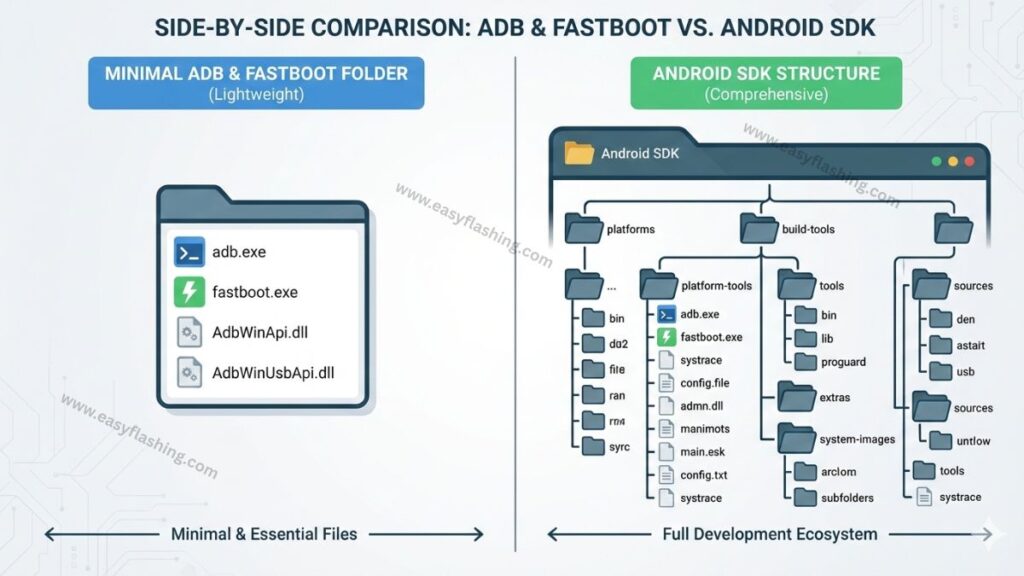
Minimal ADB and Fastboot is a stripped-down version of Google’s Android SDK platform tools. It focuses only on what most users actually need: ADB and Fastboot.
Instead of downloading hundreds of megabytes, this tool installs:
- adb.exe
- fastboot.exe
- Required DLL files
Key idea: Faster setup, fewer complications, beginner-friendly usage.
This is why the minimal adb and fastboot latest version download remains popular years after its original release.
Why Beginners Prefer Minimal ADB and Fastboot
No Complex SDK Setup
Full Android Studio requires environment variables, SDK managers, and updates. Minimal ADB avoids all that.
Benefit: Those who don’t know much about development can still use powerful Android commands.
Lightweight and Fast
The installer is small and installs in seconds.
Benefit: Ideal for repair shops, shared PCs, or low-storage systems.
Works With Most Android Brands
Minimal ADB and Fastboot works with:
- Samsung
- Xiaomi
- Motorola
- OnePlus
- Google Pixel
- MediaTek & Qualcomm devices
As long as USB drivers are installed, compatibility is broad.
Features of Minimal ADB and Fastboot (Listicle Format)
1. Simple Command Environment
- Opens a ready-to-use command window
- No path configuration required
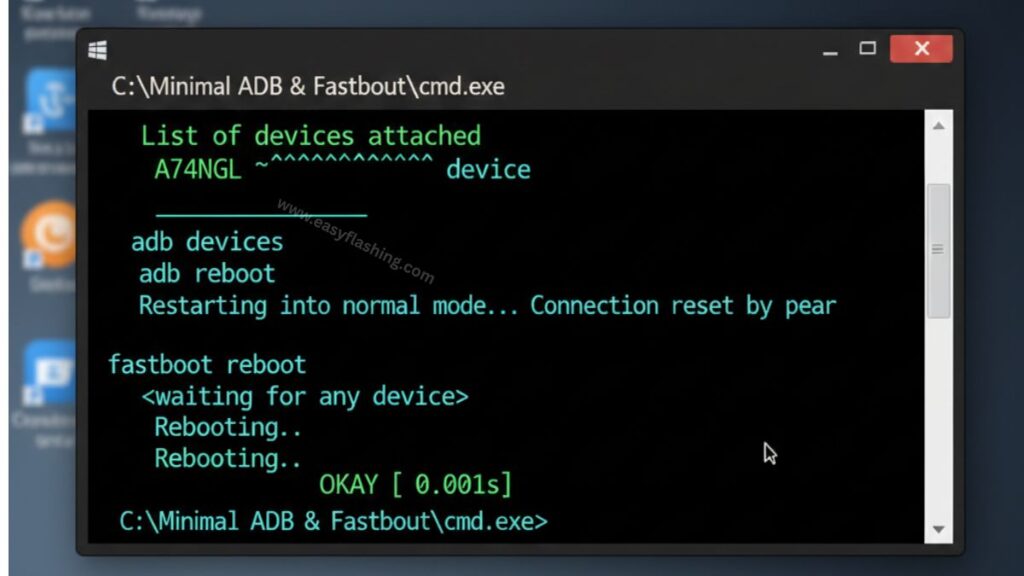
Practical example: Type adb devices immediately after opening.
2. Fastboot Mode Support
- Flash recovery images
- Unlock bootloader commands
- Reboot commands
Practical example: fastboot reboot after flashing.
3. Portable-Style Installation
- Installs in a single folder
- Easy to remove if needed
Benefit: No deep system changes.
4. AUTO Detection (Limited)
While not fully automatic, Windows detects connected devices faster when drivers and tools are cleanly installed.
Benefit: Fewer “device not recognized” errors.
5. Beginner-Friendly Interface
- No clutter
- No advanced SDK confusion
Benefit: Focus on learning commands, not setup.
Minimal ADB and Fastboot Latest Version Download (How to Get It Safely)
I will tell you today something important: Always download tools from trusted sources.
General Download Steps
- Visit a trusted Android tools website or developer forum.
- Download the latest Version v1.4.3 available Minimal ADB and Fastboot installer.
- Scan the file with antivirus software.
- Run the installer as Administrator.
- Complete setup in default location.
Tip: Avoid unknown mirror sites that bundle extra software.
How to Install and Set Up the Tool
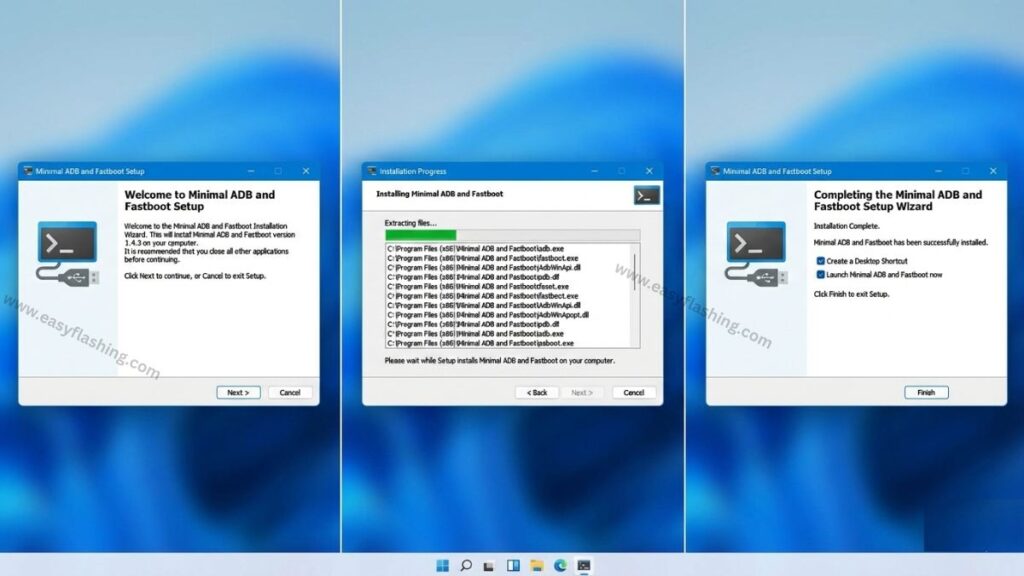
Installation Steps
- Run the installer.
- Choose installation folder.
- Allow driver installation prompts (if shown).
- Finish setup.
- Launch “Minimal ADB and Fastboot”.
Verify Installation
Open the tool and type:
adb version
If version information appears, installation is successful.
How to Use Minimal ADB and Fastboot (Beginner Examples)
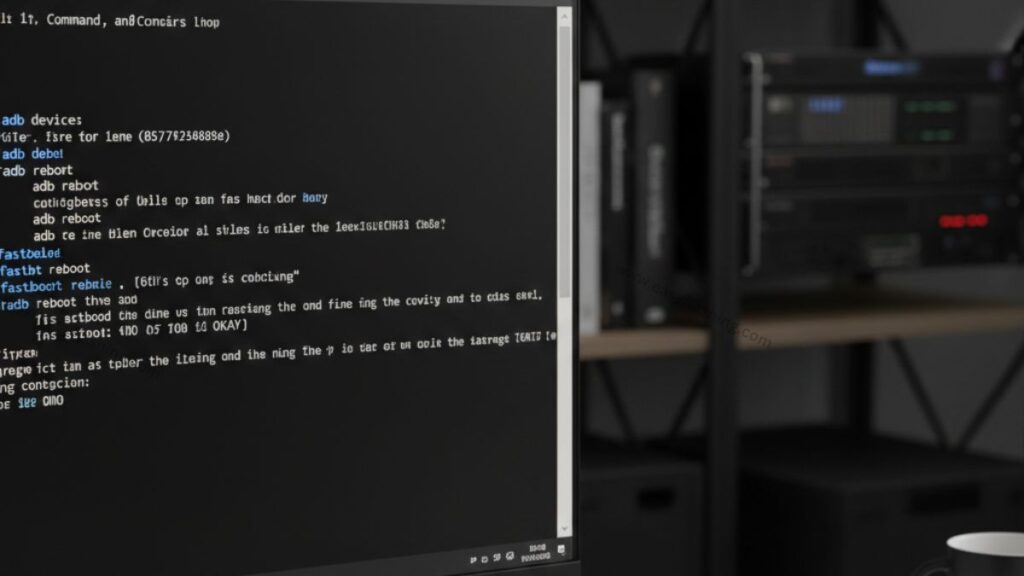
Enable USB Debugging
- Go to Settings → About Phone
- Tap “Build Number” 7 times
- Enable Developer Options
- Turn on USB Debugging
Basic ADB Commands
- adb devices – Check connection
- adb reboot – Reboot device
- adb reboot recovery – Enter recovery
Benefit: Simple system control without rooting.
Basic Fastboot Commands
- fastboot devices – Check fastboot connection
- fastboot reboot – Reboot system
Note: Bootloader unlock commands vary by brand.
Common Issues and Fixes
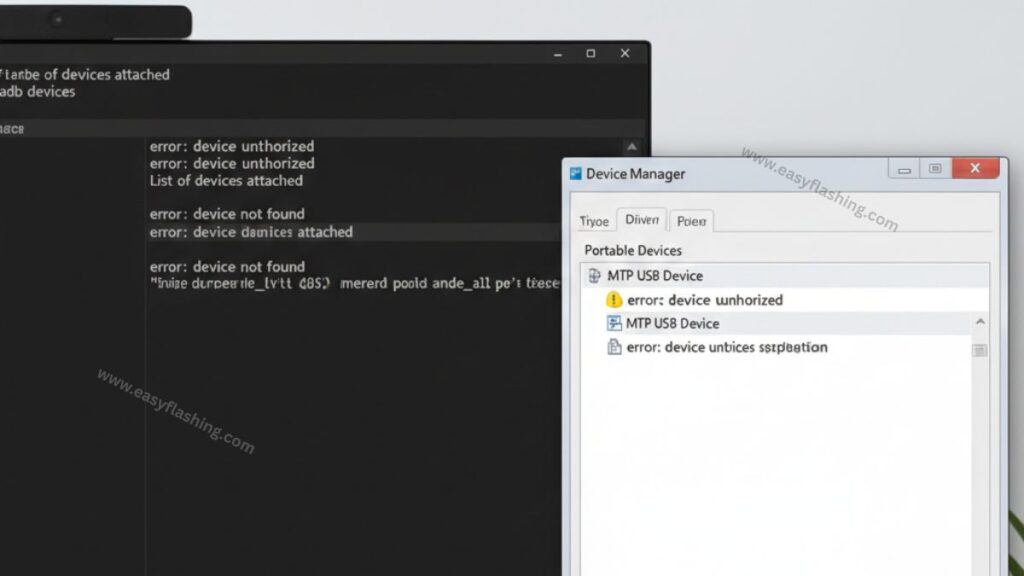
Issue 1: Device Not Detected
- Install proper USB drivers
- Change USB cable
- Try different USB port
- Revoke USB debugging authorization
- Reconnect device
- Accept prompt on phone
Issue 3: Fastboot Not Working
- Boot device properly into fastboot mode
- Install OEM drivers
Minimal ADB and Fastboot vs Full Android SDK
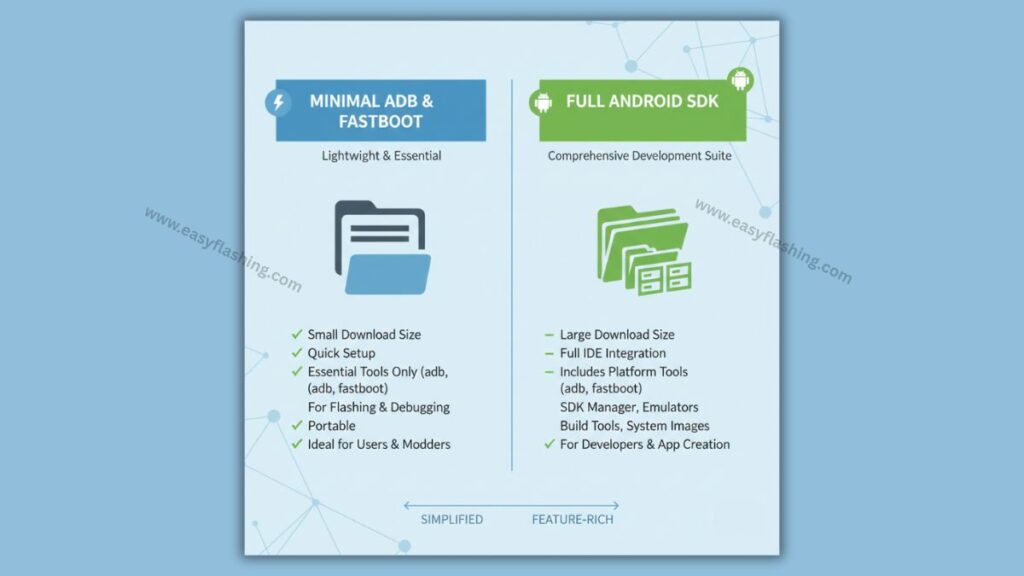
| Feature | Minimal ADB | Full Android SDK |
| File size | Very small | Very large |
| Setup complexity | Easy | Complex |
| Beginner friendly | Yes | No |
| App development | No | Yes |
| Repair & flashing | Yes | Yes |
Conclusion: For non-developers, minimal is usually the better choice.
Safety and Best Practices
- Always back up important data
- Use commands carefully
- Avoid flashing wrong images
- Respect device ownership and local laws
I have tried to keep everything practical and safe for beginners.
Video Tutorial: Minimal ADB and Fastboot Version 2026
(Q&A)
Q1: What is the minimal adb and fastboot latest version download used for?
It is used to install lightweight ADB and Fastboot tools for managing, debugging, and repairing Android devices without the full SDK.
Q2: Is Minimal ADB and Fastboot safe for beginners?
Yes, when downloaded from trusted sources and used carefully with basic commands.
Q3: Do I need Android Studio to use ADB?
No. Minimal ADB and Fastboot works independently.
Q4: Does it work on Windows 10 and Windows 11?
Yes, it works on modern Windows versions with proper USB drivers.
Q5: Can I uninstall it easily?
Yes, it installs like a normal program and can be removed from Control Panel.
Trusted Resource
For official and up-to-date information about ADB and Fastboot:
Android Developers – Platform Tools (ADB & Fastboot)
By reading this article, you should now understand what Minimal ADB and Fastboot is, why it’s useful, and how you to use it safely, even if you’re just starting out.


