Android security has improved a lot over the years, and one of the most important protections is Factory Reset Protection (FRP). With the launch of Android 16, FRP has become even stronger, making it difficult for users to access a device after a reset if the original Google account is not available.
Because of this, many technicians, learners, and mobile software users search for tools that help them understand Android FRP behavior and device communication. One such solution that is often discussed in mobile repair communities is the Easy Flashing FRP 16 Tool.
This article is written only for educational and informational purposes. It explains what the Easy Flashing FRP 16 Tool is, how it is generally used, what type of devices it supports, and why it is useful for beginners who are learning Android servicing concepts.
What Is Easy Flashing FRP 16 Tool?
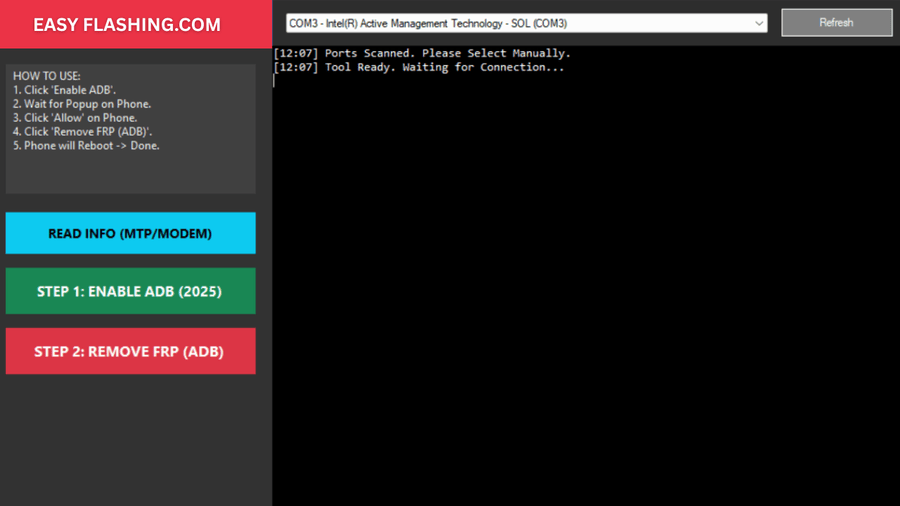
The Easy Flashing FRP 16 Tool is a Windows-based Android service utility that is designed to work with Android 16 devices. It focuses on helping users manage common mobile servicing tasks such as device detection, connection modes, firmware interaction, and FRP-related processes.
Rather than being just a “one-button solution,” this tool represents a simplified workflow system that helps users understand how Android devices communicate with a computer during servicing operations.
It is especially useful for:
- Beginners learning mobile repairing
- Software technicians
- Android flashing learners
- Users dealing with FRP-related device lock situations (with permission)
Understanding FRP on Android 16
Factory Reset Protection (FRP) is a security feature added by Google to prevent unauthorized use of a phone after it has been reset. When a device running Android 16 is reset without first removing the Google account, FRP becomes active.
Android 16 has introduced:
- Stronger account verification
- Improved device binding
- Updated security patch behavior
- Better protection against unauthorized access
Because of these improvements, servicing Android 16 devices now requires better tools, updated workflows, and proper understanding — which is where the Easy Flashing FRP 16 Tool becomes helpful for learning purposes.
Why Easy Flashing FRP 16 Tool Is Popular
Many users prefer the Easy Flashing FRP 16 Tool because of its simple interface and guided approach. It does not overwhelm beginners with complex commands and technical terms.
Key reasons for its popularity include:
- Clean and easy-to-use interface
- Beginner-friendly workflow
- Support for modern Android versions
- No complicated login system
- Works on Windows computers
- Helps understand FRP and flashing logic
This makes it a good learning companion for users who are new to Android servicing.
Supported Android Versions and Devices
The Easy Flashing FRP 16 Tool is mainly discussed for use with Android 16, but it also supports understanding workflows for earlier Android versions.
Android Version Support
- Android 15
- Android 16
Device Categories
- Samsung Android phones
- No Multi-brand Android smartphones
- Devices using modern chipsets
Connection Modes Explained Simply
One of the most important learning points is understanding how a phone connects to a computer.
MTP Mode
- Used for file transfer
- Helps confirm device connectivity
- Limited system access
ADB Mode
- Requires USB debugging
- Used for system-level communication
- Common in Android servicing
Fastboot Mode
- Used for bootloader interaction
- Important for flashing and repair
The Easy Flashing FRP 16 Tool helps beginners visually understand these modes without confusion.
How Easy Flashing FRP 16 Tool Works
Here is a simple and safe explanation of how the tool is generally used:
- Install the tool on a Windows computer
- Install required USB drivers
- Connect the Android device using a USB cable
- Select the correct connection mode
- Let the tool detect the device
- Follow on-screen guidance for supported operations
This guided approach makes it easier for beginners to avoid mistakes.
Important Safety and Legal Notes
It is very important to understand that:
- FRP exists to protect device owners
- Any servicing must be done with owner permission
- Unauthorized access is illegal in many countries
- Always respect privacy and data protection laws
This article does not promote illegal bypassing. It only explains how tools like Easy Flashing FRP 16 Tool are used in learning and authorized servicing environments.
Advantages of Easy Flashing FRP 16 Tool
Some key advantages include:
- Beginner-friendly design
- Clean user interface
- Supports modern Android security concepts
- Helps understand FRP logic
- Saves learning time
- Reduces technical confusion
- Useful for training and practice
Limitations to Keep in Mind
No tool is perfect. Some limitations include:
- Requires proper drivers
- Needs basic Android knowledge
- Not a replacement for official service centers
- Depends on device security patch level
Understanding these limitations helps users set realistic expectations.
Who Should Use This Tool?
The Easy Flashing FRP 16 Tool is ideal for:
- Mobile repair students
- Beginner technicians
- Android learners
- Software servicing enthusiasts
- Training centers
It is not recommended for users looking for shortcuts or unauthorized access.
Best Practices for Beginners
If you are new to Android servicing:
- Learn Android basics first
- Understand FRP purpose
- Practice on test devices
- Keep your system updated
- Follow ethical guidelines
This approach ensures long-term success and safety.
How Does Easy Flashing FRP 16 Tool Work on Mobile?
Password: www.easyflashing.com
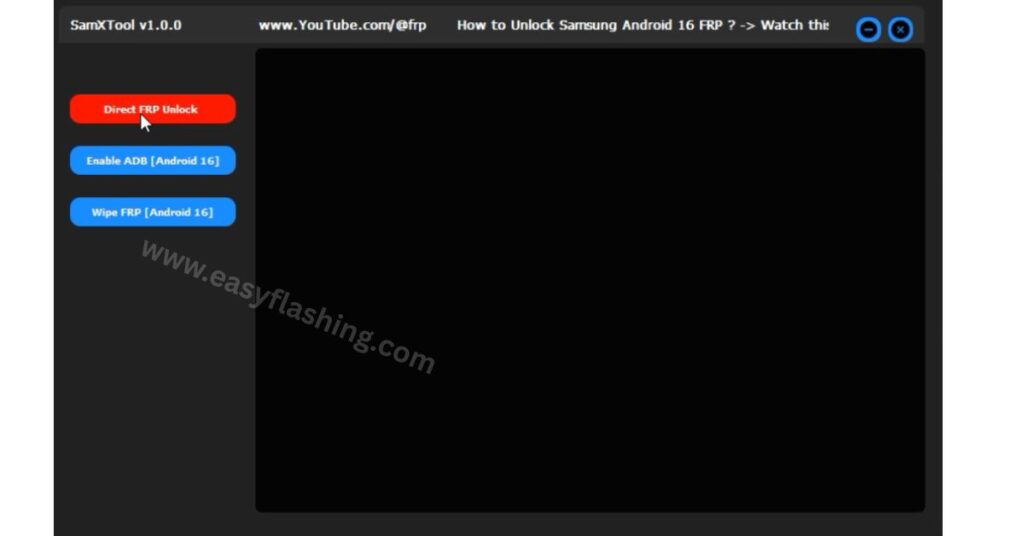
SamX Tool By Easy Flashing Latest Version 2026
FREE ( TOOL )
Pass: easyflashing.com
Final Thoughts
The Easy Flashing FRP 16 Tool is best seen as a learning and servicing assistant, not a magic solution. With Android 16 bringing stronger security, understanding device communication, FRP behavior, and servicing workflows is more important than ever.
When used responsibly, this tool helps beginners gain confidence, improve technical knowledge, and grow their skills in the Android servicing field — all while staying within safe and legal boundaries.
FAQ:
1: Do I need a Google account to use Easy Flashing FRP 16 Tool?
No, you can explore and learn device workflows without a Google account.
2: Does it require an internet connection?
No, the tool works offline for learning and device detection purposes.
3: Can it detect device security patch level?
Yes, it helps beginners see patch information for better understanding.
4: Is it compatible with all Android brands?
It works conceptually with Samsung brands but focuses on Qualcomm and MTK devices.
5: Do I need advanced technical skills to use it?
No, beginners can use it safely to understand Android FRP and connection modes.



4 thoughts on “Easy Flashing FRP 16 Tool Free New Year 2026”