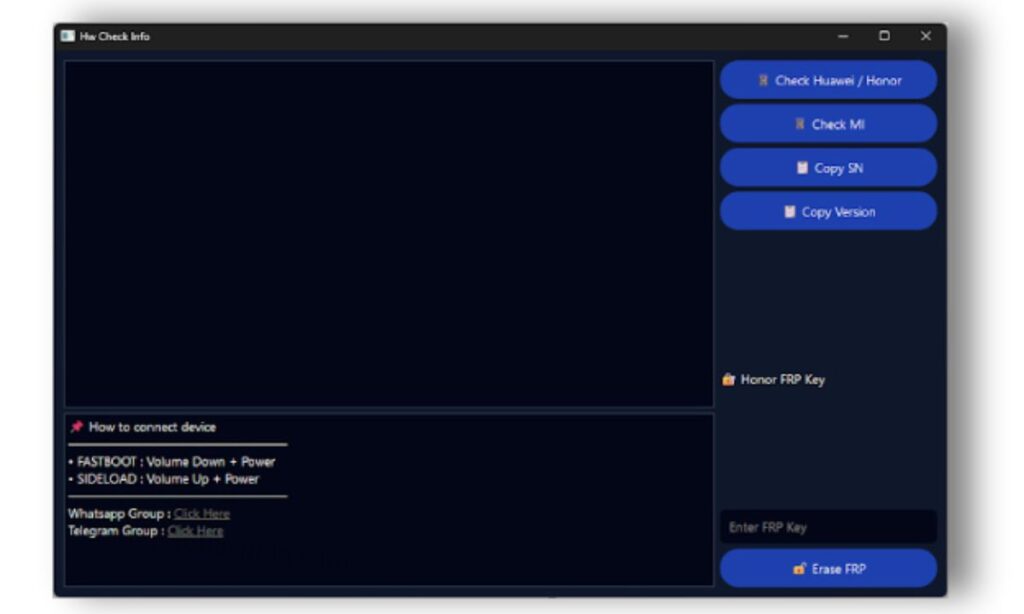
HW Check Info Tool Latest Version is a useful Android utility that helps users check detailed hardware and system information of their smartphones. It is especially popular among users who want to verify device details, troubleshoot basic problems, or prepare a phone for repair-related tasks.
This tool is designed with simplicity in mind, making it suitable for beginners as well as professionals. You do not need advanced technical knowledge to use it. With a clean interface and clear options, the tool allows users to understand their device better in just a few clicks.
In this article, you will find a complete explanation of HW Check Info Tool Latest Version, including its features, benefits, step-by-step usage, and frequently asked questions.
Why HW Check Info Tool Latest Version Is Important
Modern Android smartphones have complex hardware and software. Many users are unaware of what components their phone actually has. Sometimes, device information shown in settings is not detailed enough.
HW Check Info Tool Latest Version helps by:
- Showing real hardware and system information
- Helping users identify device models correctly
- Supporting basic repair and maintenance tasks
- Making technical data easy to understand for beginners
Because of these benefits, the tool is widely used by normal users, technicians, and people buying or selling used phones.
Main Features of HW Check Info Tool Latest Version
Below is a detailed list of the main features that make this tool useful and reliable.
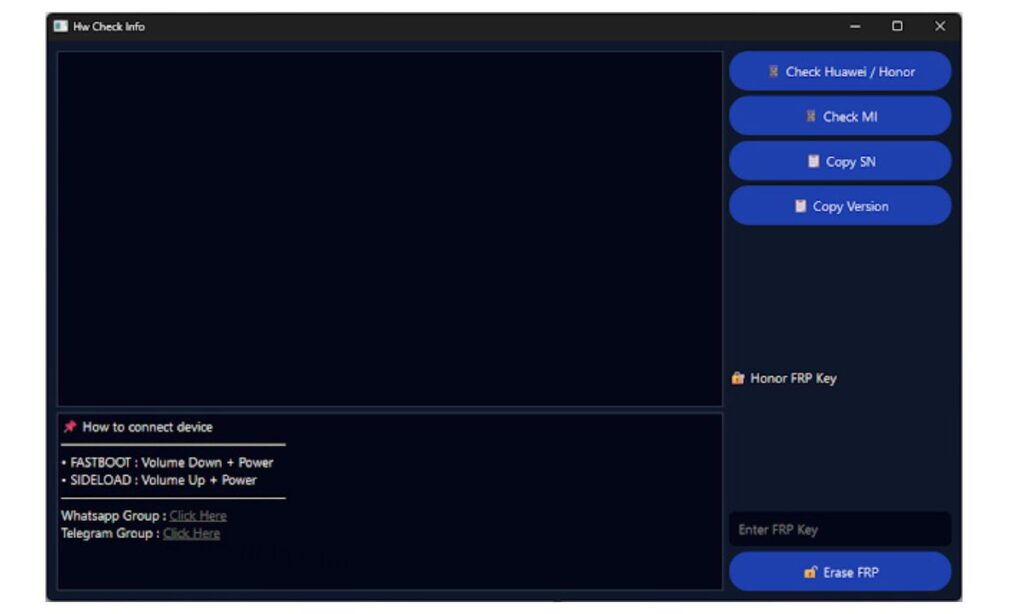
1. Simple Device Information Check
This feature displays basic but important phone details in one place.
What it shows:
- Device model
- Manufacturer
- Hardware version
- Build information
Why it is useful:
Beginners can quickly confirm which device they are using without searching online or opening multiple menus.
2. FRP Lock Detection and Removal Support
FRP (Factory Reset Protection) is a security feature that protects devices after a factory reset.
What this feature does:
- Detects FRP lock status
- Helps remove FRP lock on supported devices
Important note:
This feature should only be used on devices you own or have permission to repair.
3. One-Click Copy Device Information
This option allows users to copy important device data instantly.
Information you can copy:
- Serial number
- Software version
- Device identifiers
Benefit:
Helpful for saving records, sharing details with support teams, or keeping documentation.
4. Beginner-Friendly User Interface
The latest version focuses on ease of use.
Interface highlights:
- Clear buttons
- Simple language
- No confusing technical terms
Why beginners like it:
Even first-time users can understand how to use the tool without guidance.
5. Connection Mode Guidance
The tool provides clear instructions for connecting your phone correctly.
Supported modes:
- USB connection
- Fastboot mode
- Sideload mode (where required)
Advantage:
Users know exactly what to do before starting any check or repair task.
How to Use HW Check Info Tool Latest Version (Step-by-Step)
Follow these simple steps to use the tool safely:
- Install the required USB drivers on your computer
- Open HW Check Info Tool Latest Version on your PC
- Connect your Android phone using a USB cable
- Follow on-screen instructions to enter the required mode
- Select your device brand or model option
- Click the check or action button
- Wait until the process completes
- Do not disconnect the phone during the process
These steps ensure accurate results and reduce the risk of errors.
Benefits of Using HW Check Info Tool Latest Version
Accurate Information
The tool reads real hardware and system data directly from the device.
Easy to Use
No advanced setup, no complicated commands, and no rooting required.
Time-Saving
Quick checks help diagnose issues faster than manual methods.
Lightweight Tool
It runs smoothly on most computers without heavy system requirements.
Who Should Use HW Check Info Tool?
This tool is suitable for:
- Android beginners
- Phone repair technicians
- Mobile shop owners
- Used phone buyers and sellers
- Users facing device lock or verification issues
Its flexibility makes it useful for both personal and professional purposes.
Safety Tips and Best Practices
Before using HW Check Info Tool Latest Version, keep these points in mind:
- Always back up your phone data
- Follow instructions carefully
- Do not interrupt the process once it starts
- Use the tool only for legal and authorized purposes
- Avoid unnecessary actions if you are unsure
These precautions help prevent data loss and device issues.
Common Technical Terms Explained Simply
FRP (Factory Reset Protection)
A security feature that prevents unauthorized access after a factory reset.
Fastboot Mode
A special startup mode used for device diagnostics and repair tasks.
USB Driver
Software that allows your computer to communicate with your phone.
HW Check Info Latest Version 2026
( Tool )
(Q&A)
1. What is HW Check Info Tool Latest Version used for?
It is used to check Android device hardware and system information and assist with supported repair-related tasks.
2. Is HW Check Info Tool safe for beginners?
Yes, the tool is designed with a simple interface and clear instructions, making it safe for beginners.
3. Do I need a computer to use this tool?
Yes, HW Check Info Tool runs on a computer and requires a USB connection to the phone.
4. Does it work on all Android devices?
Basic features may work on many devices, but advanced functions are supported mainly on specific brands and models.
5. Can using this tool damage my phone?
If used correctly and responsibly, it does not harm your device. Problems usually occur only when instructions are ignored.
Final Words
HW Check Info Tool Latest Version is a practical and beginner-friendly solution for checking Android hardware and system information. Its clean design, useful features, and simple workflow make it a reliable choice for users worldwide.
Whether you want to verify device details, prepare a phone for repair, or simply understand your smartphone better, this tool offers a safe and effective way to do so.


