Important Notice (Please Read First)
This article is written for educational and informational purposes only. Mobile Device Management (MDM) is a legitimate security system used by organizations. Attempting to bypass MDM without proper authorization from the device owner or managing organization may violate Apple’s terms and local laws. Always seek official removal through the rightful administrator when possible.
iPhone MDM Bypass Free Methods Explained
Many users search for iPhone MDM bypass free methods because they buy a second-hand iPhone, receive an old company device, or face an MDM screen without knowing what it means. Those who don’t know much about Apple device management often feel stuck and confused.
Within this article, I will try to explain everything in what MDM is, why it appears, what people usually mean by “bypass,” and what safe, realistic options exist. By reading this article, I will give you complete information so you can make an informed and responsible decision.
This guide focuses on education, awareness, and clarity, not illegal activity.
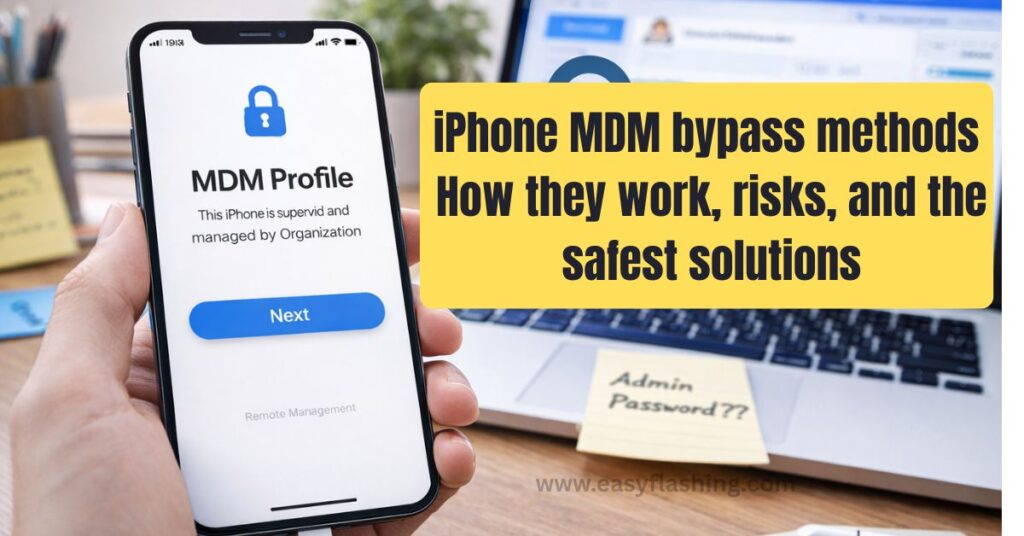
1: What Is iPhone MDM (Mobile Device Management)?
Definition in Simple Words
MDM (Mobile Device Management) is a system that allows companies, schools, and organizations to manage iPhones remotely. It helps them:
- Enforce security rules
- Install required apps
- Restrict certain features
- Protect company data
When an iPhone is enrolled in MDM, it becomes supervised by an organization.
Why Apple Uses MDM
Apple designed MDM to:
- Prevent data leaks
- Control company-owned devices
- Protect business and educational environments
MDM is not malware. It is a legitimate Apple-supported technology.
2: Why Do People Look for iPhone MDM Bypass Free Methods?
People usually search for this topic because:
- They bought a used iPhone that still shows an MDM screen
- A company forgot to remove management before resale
- The original organization no longer exists
- They don’t know the login credentials
In most cases, users are not trying to break rules—they simply want to use the device they legally own.
3: What “MDM Bypass” Really Means (Important Clarity)
3.1 Bypass vs. Official Removal
- Official removal: The organization removes the device from Apple Business Manager or MDM server (recommended).
- Bypass: Temporary or partial workarounds that allow limited use without fully removing management.
Most free methods discussed online are temporary bypasses, not permanent removal.
4: Understanding AUTO MDM Bypass (What AUTO Means)
You may see the word AUTO used with MDM bypass. AUTO usually refers to:
- Automated tools
- One-click interfaces
- Scripts that reduce manual steps
AUTO does not mean:
- Guaranteed success
- Permanent unlock
- Apple-approved solution
AUTO simply describes automation, not legality or permanence.
5: Commonly Discussed Free iPhone MDM Bypass Approaches (High-Level Overview)
This section explains concepts, not step-by-step instructions.
Temporary Skip Methods
Some desktop utilities are known for offering a temporary “skip” of the MDM setup screen after a device reset.
Key Points:
- Often free
- Usually require a computer
- MDM may return after reset or update
- Not considered permanent solutions
Backup-Based Workarounds
Some users report restoring from older backups created before MDM enrollment.
Reality Check:
- Only works in limited cases
- Requires an existing clean backup
- Not reliable across iOS versions
Jailbreak-Related Discussions
Jailbreaking removes some iOS restrictions and allows deeper system access.
Important for Beginners:
- Complex and risky
- Not supported by Apple
- Can reduce device security
- Not recommended for most users
6: What Free Methods Cannot Do (Very Important)
Free MDM bypass methods cannot:
- Remove the device from Apple servers
- Transfer ownership officially
- Guarantee permanence
- Protect you from future re-locking
- Make the device “new” in Apple’s system
Any website claiming 100% permanent free MDM removal is usually misleading.
7: Legal and Safety Considerations (Google-Safe & User-Safe)
Legal Perspective
Bypassing MDM without permission may:
- Violate Apple’s terms
- Break company policies
- Be illegal in some regions
Always confirm ownership and authorization.
Security Risks
Free tools found online may:
- Contain malware
- Compromise personal data
- Damage the operating system
Data Loss Risk
Most bypass-related actions involve device resets, which erase data.
8: The Safest and Recommended Solution (Apple-Compliant)
If you want zero Google issues and zero legal risk, the best solution is:
- Contact the organization listed on the MDM screen
- Ask them to remove the device from their MDM system
- Request official unenrollment via Apple Business Manager
This is the only truly permanent and safe method.
9. When Educational Knowledge Still Helps
Even if you choose official removal, understanding:
- How MDM works
- Why the lock exists
- What free methods claim to do
helps you avoid scams and make better decisions.
10: Read Before You Act
Within this article, I tried to explain iPhone MDM bypass free methods in a responsible, honest, and beginner-friendly way. You to understand that knowledge is not the same as action.
This guide exists so users:
- Don’t panic
- Don’t fall for scams
- Understand risks clearly
- Choose safe paths
(FAQ)
Q1. Can iPhone MDM be removed for free permanently?
In most cases, no. Permanent removal requires the original organization to unenroll the device officially.
Q2. Is reading about MDM bypass illegal?
No. Educational information is legal. Illegal actions depend on how the information is used.
Q3. Are AUTO MDM bypass tools safe?
Safety depends on the source. Many AUTO tools are temporary and unofficial.
Q4. Will MDM return after iOS update or reset?
Yes. Temporary bypasses often reappear after updates or factory resets.
Q5. What should beginners do first?
Confirm device ownership and contact the managing organization before attempting anything else.
Reference
For an official explanation of Mobile Device Management and how it works on Apple devices, refer to Apple’s MDM overview documentation:
Apple – Mobile Device Management Overview



2 thoughts on “iPhone MDM Bypass Free Methods (information for Beginners)”