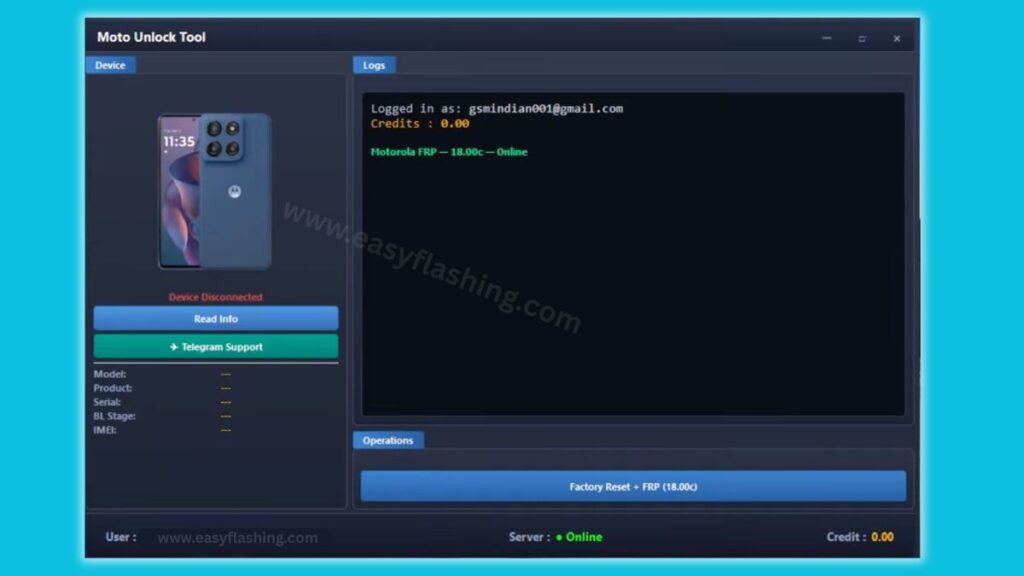
The Moto Unlock Tool latest version is one of the most reliable solutions available today for anyone who services or repairs Motorola smartphones. Within this article, I will tell you today everything you need to know about this tool, from what it does to how you download and use it correctly. Those who don’t know much about phone unlocking software will find this guide especially useful, because every step is explained in plain language. By reading this article, you will get complete information about features, supported devices, pricing, and setup, so you can start using the tool with confidence.
This guide covers the 2026 release of the tool, which currently runs on version 1.2 and supports over 150 Motorola models. Whether you run a mobile repair shop or simply need to unlock your own device, this article gives you everything in one place.
1. What Is Moto Unlock Tool?
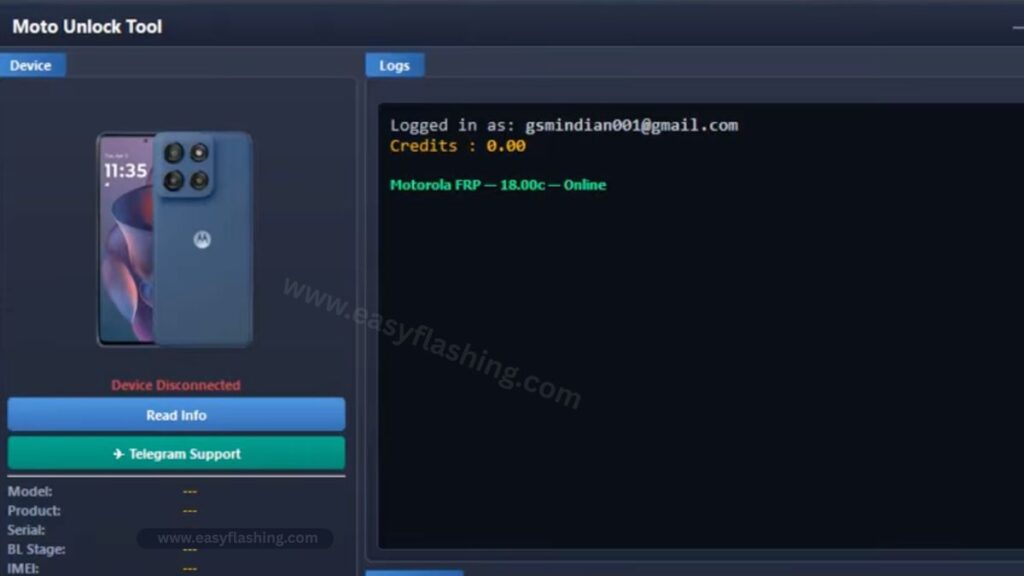
Moto Unlock Tool is a professional Windows-based mobile device service tool built specifically for Motorola devices. It brings multiple repair and unlock functions into a single lightweight application, which saves technicians time and eliminates the need to juggle multiple programs.
The tool handles six core operations: FRP bypass, bootloader unlock, network unlock, firmware flashing, IMEI repair, and device diagnostics. Each function works through a credit-based system, meaning you pay only for the services you actually use.
Repair shops across the USA and globally trust this Android unlock tool because it works with a wide range of Motorola chipsets and device generations.
2. Key Features of Moto Unlock Tool Latest Version
FRP Bypass
Factory reset protection removal is the most used feature in the tool. When a Motorola device gets locked to a Google account after a factory reset, this function removes that lock quickly and without erasing user data on supported chipsets. This makes it the go-to feature for any professional doing Google account verification removal work.
Bootloader Unlock
The bootloader unlock feature gives you full root access to your Motorola device. Once unlocked, you can install a custom ROM, load a custom recovery image, or modify system files. This is useful for developers and advanced users who want complete control over their device.
Network and Carrier Unlock
The carrier restriction removal function strips SIM locks from Motorola phones so they work on any network worldwide. This is a permanent unlock, not a temporary workaround, and it supports all major carriers. The tool handles this as an offline process, which means faster results and no dependency on server queues.
Firmware Flashing
The smartphone flashing tool function lets you flash stock firmware directly onto your Motorola device. This is the right choice when a phone is soft-bricked, stuck on a boot loop, or needs a clean OS installation. You can also use it to downgrade firmware to an older version if needed.
IMEI Repair
IMEI restore is a critical function for phones that show a null or corrupted IMEI number. The tool repairs the IMEI using safe, tested methods across supported Motorola chipsets including both Qualcomm chipset and MTK chipset devices.
Device Diagnostics
Before running any service operation, the phone diagnostics software section lets you read full device information. You can check unlock eligibility, verify the current firmware version, and generate a hardware report. This prevents errors and confirms the device is ready for service.
3. Supported Motorola Models in 2026
The tool supports over 150 Motorola supported models across multiple product lines. Here is a breakdown by series:
Moto G Series: Moto G Power, Moto G Stylus, Moto G Play, Moto G Fast, Moto G 5G, Moto G Pure, Moto G200, Moto G82, Moto G73, Moto G53, Moto G32, Moto G22, Moto G84, Moto G54, Moto G14
Moto Edge Series: Moto Edge 30, Moto Edge 40, Moto Edge 50, Moto Edge+ (2023)
Moto Razr Series: Moto Razr (2023), Moto Razr+ (2023), Moto Razr 40, Moto Razr 40 Ultra
Moto E Series: Moto E13, Moto E22, Moto E32, Moto E40
Other Supported Models: Moto X30 Pro, Moto S30 Pro, Moto One 5G, Moto One Fusion, Moto ThinkPhone
New models are added with each software update, so the list continues to grow throughout 2026. full list of supported Motorola models.
4. System Requirements
Before downloading, confirm your computer meets these requirements:
- Operating system: Windows 7, 8, 10, or 11 (64-bit only)
- A working USB cable compatible with your Motorola device
- A registered account on the official Moto Unlock Tool website
- An active credit balance purchased through an authorized reseller
The tool does not run on macOS or Linux. It is a dedicated Windows tool only.
5. How to Download and Install Moto Unlock Tool Latest Version
Follow these steps to get started:
- Visit the official website at motounlocktool.com [Download Moto Unlock Tool]
- Click the “Download Tool” button to get the latest installer file
- Run the installer on your Windows PC and complete the setup
- Open the application and log in with your registered account credentials
- Connect your Motorola device to the PC using a USB cable
- Select the service you need from the menu and follow the on-screen steps
The entire process takes only a few minutes. Most operations complete in under 60 seconds once the device is connected and the service is selected.
Video Tutorial: How to Create a Moto Unlock Tool-Free Account
6. How the Credit System Works
The tool uses a pay-per-use credit model. You do not pay a monthly subscription. Instead, you purchase Motorola service credits through authorized resellers and use them only when you need a specific service.
Here is the current credit pricing structure:
- FRP Bypass: 18 credits (India pricing) / varies globally
- Network/Carrier Unlock: 1 credit
- IMEI Repair (CPID): 1 credit
- Bootloader Unlock: 1 credit
Credits never expire, so there is no pressure to use them within a set timeframe. If an operation fails, the system does not deduct credits from your balance.
This pay-per-use mobile tool model works well for both full-time repair shops and occasional users. [How to buy credits for phone unlock tools]
7. How to Purchase Credits Through Authorized Resellers
You cannot purchase credits directly on the main website. Instead, the tool works through a global network of verified resellers. This system keeps pricing flexible for different regions.
Authorized resellers are available worldwide, with coverage across the USA, UAE, Brazil, Mexico, Bangladesh, Europe, and more. Each reseller offers contact through WhatsApp, Telegram, or email, so getting support before and after purchase is straightforward.
To find a trusted reseller, visit the Resellers section on the official site and choose one that serves your country or region. Always buy from the verified list to avoid unauthorized sources.
8. Is Moto Unlock Tool Safe to Use?
Safety is a reasonable concern for anyone running operations on a smartphone. The tool addresses this in several direct ways.
All firmware used in the flashing function comes from verified Motorola stock packages, which means there is no risk of loading corrupted or third-party software. The bootloader unlock process follows standard Android service protocols and does not damage the device hardware. IMEI repair uses methods that are tested across supported chipsets and described as safe and reversible by the developers.
The server operates with 99.9% uptime, and the development team releases regular updates to support new models and security patches. Credits are only deducted after a confirmed successful result, so failed operations do not cost you anything.
For further context on Android device security best practices, refer to Android security overview from the official Android Open Source Project.
9. Expert Tips for Getting the Best Results
These tips are not covered elsewhere in the guide but genuinely improve your experience with the tool:
Enable USB debugging before connecting. Many operations require USB debugging to be active on the Motorola device. Go to Settings, then About Phone, tap Build Number seven times to unlock Developer Options, then enable USB Debugging inside that menu.
Use a quality USB cable. A damaged or low-quality cable causes connection drops mid-operation. Use the original Motorola cable or a certified replacement.
Check device eligibility first. Always run the device diagnostics function before attempting any unlock or repair. This confirms the device is supported and shows the current firmware version, which helps you select the correct service.
Join the Telegram community. The tool has an active Telegram group where thousands of technicians share tips, troubleshoot issues, and get support directly from the team. It is a practical resource for anyone new to phone repair.
Keep the tool updated. The development team pushes updates frequently. Running an outdated version may mean missing support for newer Motorola models or recent Android security patches.
Verify reseller legitimacy. Only buy credits from resellers listed on the official site. Unauthorized sellers may offer fake credits or charge unfair prices.
For guidance on responsible IMEI handling and mobile device regulations, refer to [FCC mobile device resources ] from the Federal Communications Commission.
FAQ:
Q1: Does Moto Unlock Tool work on Mac or Linux? No. The tool only runs on Windows 7, 8, 10, and 11 in 64-bit mode. Mac and Linux are not supported at this time.
Q2: Can a beginner use this tool without prior phone repair experience? Yes. The interface is straightforward, and each operation follows a simple step-by-step process. The Telegram support group also helps new users get through their first service.
Q3: What happens if the unlocking process fails halfway? Credits are only deducted when the server confirms a successful result. If the operation fails, your credit balance stays the same.
Q4: How often does the tool add support for new Motorola models? New models and chipset support are added with every software update, which the team releases on a weekly basis.
Q5: Can I use the tool on multiple devices with one account? Yes. Your account is not locked to a single device. You can service as many Motorola phones as your credit balance allows.
Q6: Is an internet connection required during the operation? Some services like FRP bypass are processed online through the server. Others such as carrier unlock and bootloader unlock run offline. The tool will indicate which mode applies before you begin.
Q7: What should I do if my device is not on the supported models list? Check back after the next update, as new models are added weekly. You can also contact support through Telegram or email to ask about upcoming support for your specific model.
Q8: Are there any hidden fees beyond the credit cost? No. The credit price shown for each service is the total cost. There are no subscription fees, activation fees, or renewal charges.
Conclusion
Moto Unlock Tool latest version is a practical, well-built solution for anyone who needs to unlock, repair, or service Motorola devices in 2026. It covers FRP bypass, carrier unlock, IMEI repair, firmware flashing, bootloader unlock, and device diagnostics, all inside one lightweight Windows application. The pay-per-use credit model keeps costs honest, and the global reseller network makes access easy from almost any country.
Those who don’t know much about phone repair will find the tool approachable, and experienced technicians will appreciate how much it handles in a single platform. By reading this article, you now have complete information to download, set up, and start using the tool today. Visit the official website, create a free account, purchase credits from a verified reseller, and run your first operation in minutes.


