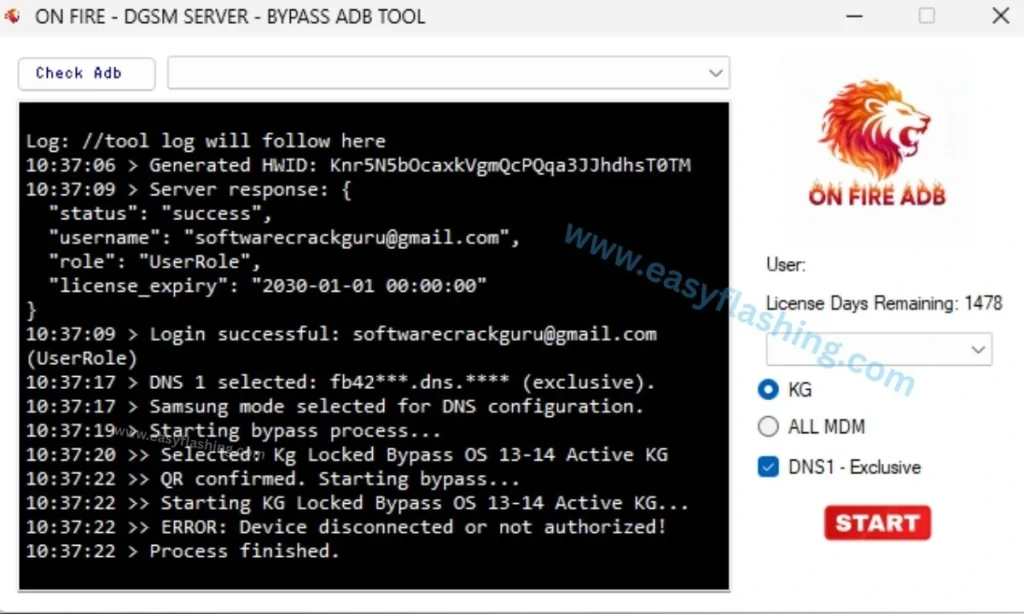
Why is the latest version of the On Fire Bypass ADB tool important? Android smartphones have become an essential part of daily life, storing personal data, work files, photos, and sensitive information. To protect this data, Google introduced Factory Reset Protection (FRP). While FRP is useful for security, it can become a major obstacle for legitimate users who forget their Google account credentials after a reset.
This is where the On Fire Bypass ADB Tool becomes extremely helpful. The On Fire Bypass ADB Tool Latest Version is a powerful mobile utility designed to bypass FRP locks and certain screen restrictions on Android devices using ADB (Android Debug Bridge) commands.
What Is On Fire Bypass ADB Tool?
On Fire Bypass ADB Tool is a Windows-based Android utility that uses ADB protocol to communicate with Android devices. It allows users to bypass Google FRP locks, disable certain system restrictions, and regain access to their smartphones after a factory reset.
Core Purpose of the Tool
- Bypass Google FRP lock via ADB
- Communicate with Android devices using USB debugging
- Provide quick access recovery for locked devices
- Help technicians and genuine users restore access
The latest version of On Fire Bypass ADB Tool improves compatibility, stability, and success rate on newer Android OS versions.
Understanding ADB (Android Debug Bridge)
Before using the tool, beginners should understand ADB.
Android Debug Bridge (ADB) is a command-line interface that allows a computer to communicate with an Android device. It is commonly used by developers, technicians, and repair experts.
Why ADB Is Important for FRP Bypass
- Allows direct system communication
- Can execute commands without full system access
- Works without rooting in many cases
- Faster and safer than flashing firmware
The On Fire Bypass ADB Tool automates complex ADB commands into a simple interface.
Why FRP Lock Causes Problems for Users
FRP activates automatically when:
- A Google account is added to the device
- The phone is factory reset without removing the account
Common situations where FRP becomes an issue:
- Forgotten Google account credentials
- Buying a second-hand phone
- Phone repaired or flashed
- Device reset accidentally
For these scenarios, On Fire Bypass ADB Tool Latest Version offers a reliable solution.
Top Features of On Fire Bypass ADB Tool Latest Version
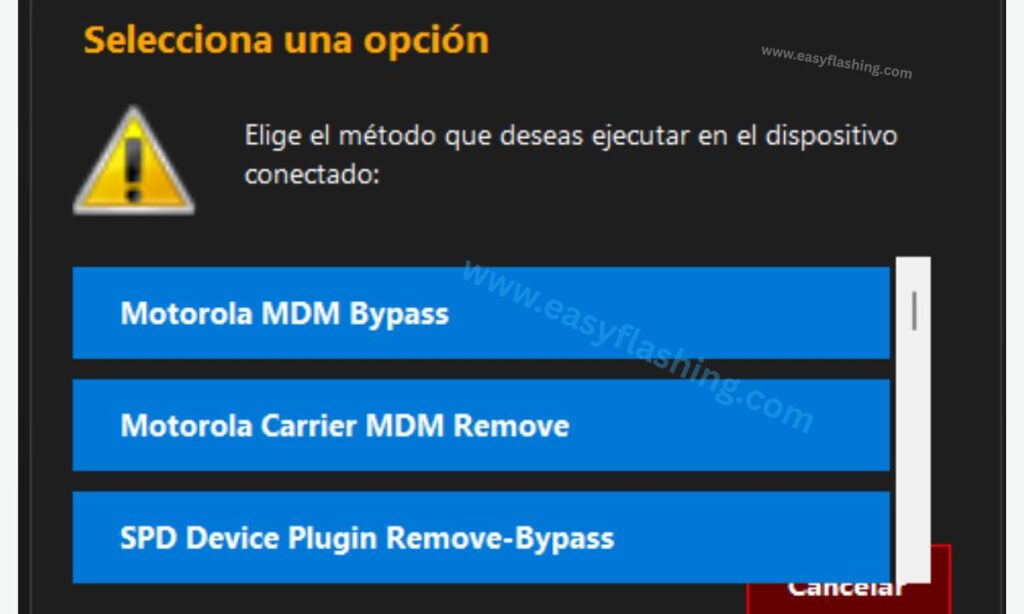
1. Latest Android OS Compatibility
Supports multiple Android versions, including:
- Android 8 (Oreo)
- Android 9 (Pie)
- Android 10
- Android 11
- Android 12
- Android 13
- Android 14 (limited support)
2. Simple One-Click Interface
- No command-line knowledge needed
- Clear buttons and instructions
- Designed for beginners
3. No Root Required
- Works on stock firmware
- Preserves device integrity
- Lower risk compared to rooting
4. Fast FRP Bypass Process
- Average process time: 3–10 minutes
- Minimal reboots required
- Stable USB communication
5. Lightweight and Portable
- Small file size
- No heavy installation
- Works on low-end PCs
6. ADB-Based Secure Method
- Uses official Android communication protocol
- Lower chance of system corruption
- Cleaner bypass method
System Requirements
Before using the tool, ensure your system meets these requirements:
- OS: Windows 7, 8, 10, or 11
- RAM: Minimum 4GB
- Storage: 150MB free space
- USB Cable: Original or high-quality
- Android USB drivers installed
Supported Android Devices
The On Fire Bypass ADB Tool supports a wide range of Android smartphones:
Samsung Devices
- Galaxy S Series
- Galaxy A Series
- Galaxy M Series
- Galaxy Note Series
Other Android Brands
- Xiaomi
- Oppo
- Vivo
- Realme
- Tecno
- Infinix
- Huawei (limited)
Device compatibility depends on USB debugging availability and firmware security patch.
How On Fire Bypass ADB Tool Works
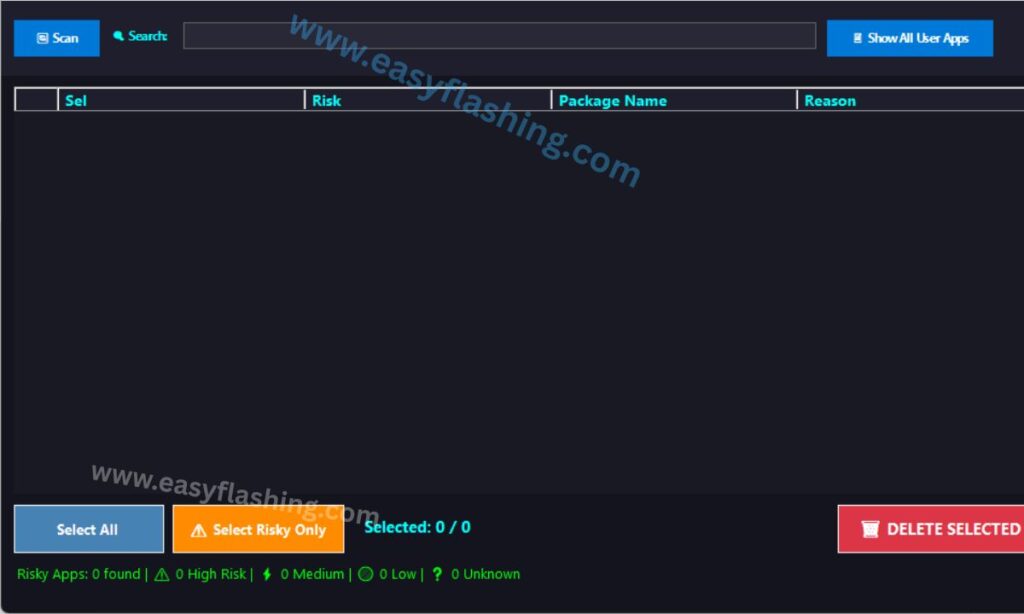
The tool works by:
- Establishing ADB connection
- Sending system-level commands
- Disabling FRP-related services
- Restarting device into setup
- Allowing new Google account login
This process does not permanently modify system partitions.
How to Use On Fire Bypass ADB Tool (Beginners)
Step 1: Prepare Your Android Device
- Charge device to at least 50%
- Connect device to Wi-Fi
- Reach the Google verification screen
Step 2: Enable USB Debugging (If Accessible)
- Open device settings (if possible)
- Enable Developer Options
- Turn on USB Debugging
Some devices allow limited ADB access even without full setup.
Step 3: Install USB Drivers
- Install latest Android USB drivers
- Restart your PC
Step 4: Download and Extract the Tool
- Download On Fire Bypass ADB Tool Latest Version
- Extract ZIP file using WinRAR or 7-Zip
Step 5: Connect Device to PC
- Use USB cable
- Allow ADB authorization if prompted
Step 6: Run the Tool as Administrator
- Right-click → Run as Administrator
Step 7: Start FRP Bypass Process
- Click on “Bypass FRP”
- Wait for commands to execute
Step 8: Reboot and Complete Setup
- Device will reboot automatically
- Add new Google account
- Complete Android setup
Safety and Legal Guidelines
Using FRP bypass tools responsibly is essential:
- Only use on devices you own
- Do not unlock stolen phones
- Respect local laws
- Use for educational or recovery purposes
This article does not promote illegal activities.
Common Errors and Solutions
Error 1: Device Not Detected
- Reinstall USB drivers
- Change USB port
- Use original USB cable
Error 2: ADB Authorization Failed
- Reconnect device
- Allow USB debugging prompt
Error 3: Process Stuck
- Restart PC and device
- Disable antivirus temporarily
Advantages of On Fire Bypass ADB Tool
- Beginner-friendly interface
- No flashing required
- Faster than manual ADB commands
- Free to use
- Compatible with many brands
On Fire Bypass ADB Tool Free 2026

Best Practices for Successful FRP Bypass
- Keep phone battery charged
- Use stable USB connection
- Disable antivirus temporarily
- Always use latest version
Alternatives to On Fire Bypass ADB Tool
- SamFW Tool
- GSM Flasher Tool
- TFT Unlock Tool
- Miracle ADB Tool
Some alternatives may require paid licenses.
Frequently Asked Questions (FAQs)
Is On Fire Bypass ADB Tool free?
Yes, it is generally available for free educational use.
Does it support latest Android versions?
Yes, limited support is available for Android 14 depending on firmware.
Is rooting required?
No, rooting is not required.
Is it safe for beginners?
Yes, the interface is designed for non-technical users.
Resources (Learning Only)
- Android Developers – ADB Overview
- Google Android Security Documentation
- Official Android Help Center
Final Verdict
The On Fire Bypass ADB Tool Latest Version is a reliable and beginner-friendly solution for bypassing FRP locks using ADB technology. With its simple interface, wide compatibility, and fast execution, it stands out as a valuable utility in the mobile technology niche.
When used responsibly, this tool can save time and reduce frustration for genuine Android users and technicians worldwide.
Disclaimer: This article is for educational purposes only. Unauthorized access to devices is strictly prohibited.


