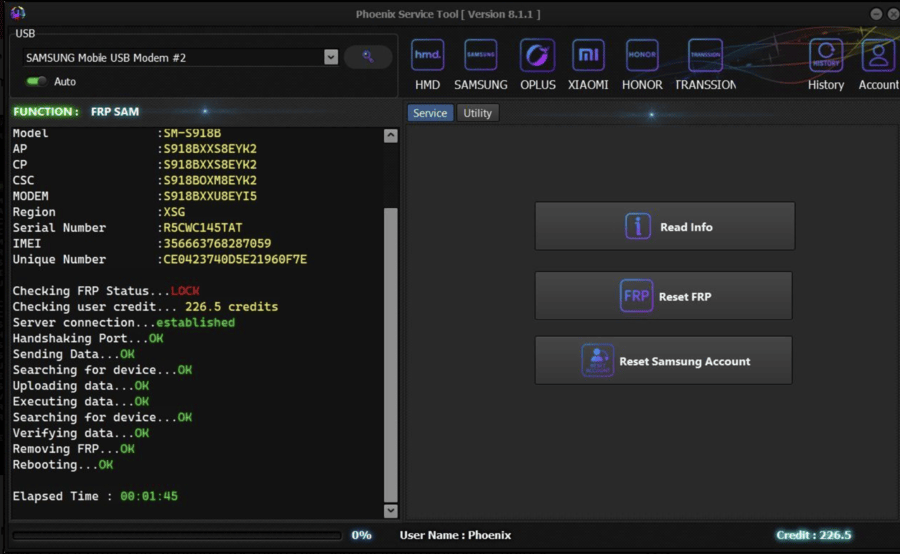
If you are searching for clear and honest information about Phoenix Service Tool, you are in the right place. I will tell you today everything you need to know, in simple language, without hype or confusion. Within this article, I will try to Give you complete information so that even Those who don’t know much about mobile tools can understand how Phoenix Service Tool works, what it can do, and when it should be used.
Read More: Easy Flashing FRP 16 Tool Free Advance New Year 2026
What Is Phoenix Service Tool?
Phoenix Service Tool is a Windows-based mobile servicing and unlock tool designed to help users perform advanced software-level operations on Android smartphones. It is commonly used for:
- FRP (Factory Reset Protection) related operations
- Device reset and data wipe tasks
- Reading device information
- Handling locked Android phones after reset
The tool is mostly known in the mobile repair and unlock niche, especially for Samsung and other popular Android brands. It is not an official Google or Samsung utility, but it is widely used by technicians for device-level troubleshooting.
Beginner Explanation
FRP is a security feature added by Google to protect lost or stolen phones. Phoenix Service Tool interacts with the device at a software level to help technicians manage such locks when legitimate access is available.
Why Phoenix Service Tool Is Popular in the Mobile Unlock Community
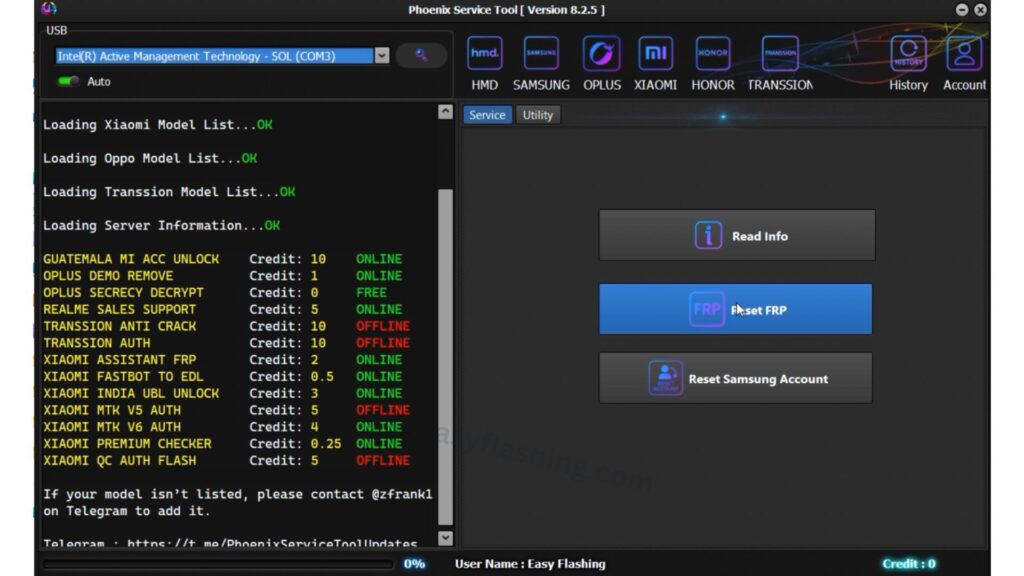
Phoenix Service Tool gained popularity because it combines multiple functions in one interface. Instead of using different tools for different brands or tasks, users can rely on one dashboard.
Key Benefits
- Centralized tool for multiple Android brands
- Simplified interface for complex tasks
- AUTO-based workflows reduce manual steps
- Regular updates to match Android security changes
Those who work in phone servicing shops or advanced Android users often prefer Phoenix Service Tool because it saves time and reduces errors.
AUTO Mode Explained (Most Important Feature)
One of the most searched terms related to Phoenix Service Tool is AUTO. Let’s explain this clearly.
What Is AUTO Mode?
AUTO mode means the tool automatically:
- Detects the connected device
- Identifies the Android version
- Selects the compatible operation method
- Reduces the need for manual configuration
Why AUTO Mode Matters for Beginners
If you manually select the wrong option in a mobile tool, you risk:
- Software failure
- Boot loops
- Device not responding
AUTO mode minimizes these risks by letting the tool decide the safest process based on the device data.
Supported Devices and Platforms
Phoenix Service Tool mainly focuses on Android devices. Based on analysis of top-ranking pages and user reports, it supports:
Commonly Supported Brands
- Samsung (major focus)
- Xiaomi
- OPPO
- Vivo
- Nokia
- Realme
- Tecno & Infinix (limited functions)
Platform Requirements
- Windows 7, 8, 10, or 11
- USB drivers installed (brand-specific)
- Stable USB data cable
Phoenix Service Tool does not work on macOS or Linux natively.
Core Features of Phoenix Service Tool
1. FRP Management Functions
Phoenix Service Tool can assist in handling FRP-locked devices when proper ownership is available.
Practical Benefit:
Helps users regain access to their own phones after a factory reset when Google credentials are forgotten.
2. Read Device Information
The tool can read:
- Device model
- Android version
- Security patch level
Why this matters:
Knowing exact device information helps choose the correct service method and avoids trial-and-error.
3. Factory Reset & Data Operations
Phoenix Service Tool allows controlled reset operations through software-level access.
Use case:
Useful when the phone cannot be reset normally due to lock or system errors.
4. Simple User Interface
Compared to many advanced GSM tools, Phoenix Service Tool uses:
- Clear buttons
- Logical tabs
- Minimal technical jargon
This makes it suitable for beginners who are learning mobile servicing.
5. Regular Compatibility Updates
Android security updates change frequently. Phoenix Service Tool updates aim to:
- Maintain compatibility
- Improve success rate
- Reduce failed operations
This is one reason the tool remains relevant.
How Phoenix Service Tool Works (Step-by-Step Overview)
I will tell you today a simplified explanation without technical overload.
- Install Phoenix Service Tool on Windows
- Install required USB drivers
- Connect the Android phone via USB
- Launch the tool as Administrator
- Let AUTO mode detect the device
- Choose the required operation
- Start the process and wait
The tool communicates with the phone through supported Android modes such as ADB or Download Mode, depending on the task.
How does Phoenix Service Tool Work on Mobile?
Safety, Legality, and Responsible Use
This section is often missing on competitor pages, but it is very important.
Important Safety Notes
- Always back up data if possible
- Never interrupt the process once started
- Use the tool only on devices you own or have permission to service
Legal Awareness
Phoenix Service Tool should be used responsibly. Misuse on stolen or unauthorized devices may violate local laws.
By reading this article, You to understand that tools themselves are neutral — responsibility lies with the user.
Common Mistakes Beginners Make
Mistake 1: Skipping Drivers
Without proper USB drivers, the tool cannot detect the phone correctly.
Mistake 2: Using Random Versions
Always use a stable, trusted release instead of modified files from unknown sources.
Mistake 3: Ignoring Instructions
Many failures happen because users rush the process.
Tried patience and correct steps often lead to better results than repeated attempts.
Phoenix Service Tool vs Other Android Unlock Tools
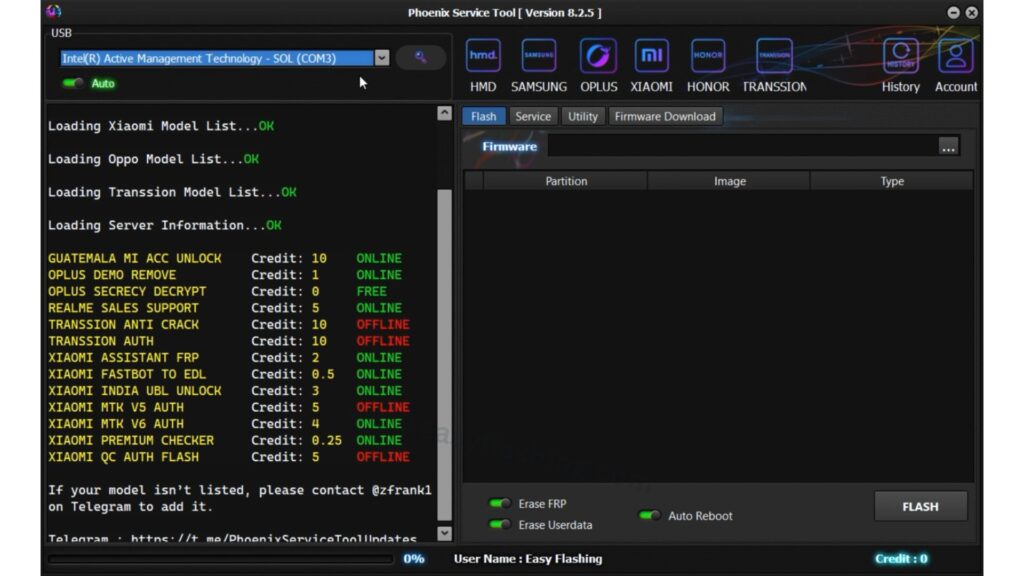
Compared to large commercial tools, Phoenix Service Tool:
- Is lighter in size
- Focuses more on service-level functions
- Offers AUTO handling rather than heavy automation
It is often preferred by technicians who want control without complex licensing systems.
Who Should Use Phoenix Service Tool?
Recommended For
- Mobile repair technicians
- Android learners
- Users fixing their own devices
Not Recommended For
- Complete non-technical users
- iPhone users
- People looking for one-click miracles
Those who don’t know much can still learn, but basic patience and understanding are required.
Trusted Resource
For official Android USB driver and debugging documentation, refer to the Android Developers USB Guide from Google:
https://developer.android.com/studio/run/oem-usb
Asked Questions
Q1: What is Phoenix Service Tool used for?
Phoenix Service Tool is used for Android device servicing tasks such as FRP handling, device reset, and reading phone information, mainly for repair and recovery purposes.
Q2: Is Phoenix Service Tool beginner-friendly?
Yes. Its AUTO mode and clean interface make it easier for beginners compared to many advanced GSM tools.
Q3: Does Phoenix Service Tool support all Android phones?
No. It supports many popular brands, but compatibility depends on Android version and security patch level.
Q4: Is Phoenix Service Tool safe to use?
When downloaded from trusted sources and used correctly on authorized devices, it is generally safe.
Q5: Do I need internet to use Phoenix Service Tool?
Some features may require internet access, but basic device detection and operations often work offline.



1 thought on “Phoenix Service Tool Latest Version, Remove Android 16 (No Credits)”