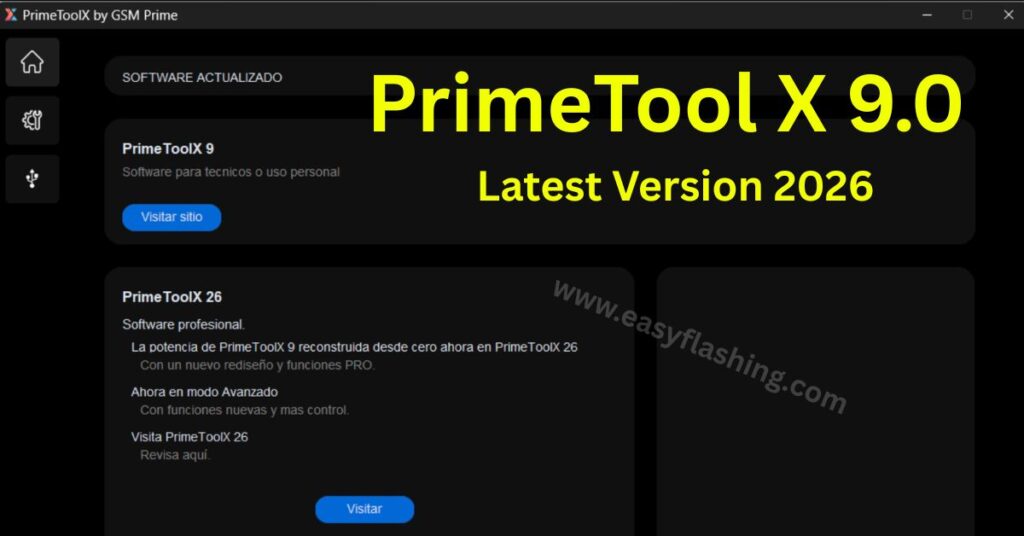
PrimeTool X V9.0 latest version 2026 is one of the most reliable Android FRP unlock tools available for free download in 2026. Those who don’t know much about FRP locks or phone unlock software often feel confused about where to start. Within this article, I will give you complete information about PrimeTool X Latest Update— what it does, how it works, which devices it supports, and exactly how to use it step by step. By reading this article, you will understand everything from driver installation to one-click FRP removal, without needing any technical background.
What Is PrimeTool X and Why Do Technicians Use It?

PrimeTool X is a mobile repair tool built specifically for FRP removal on Android devices. FRP stands for Factory Reset Protection. Android activates this security feature automatically after a factory reset when a Google account was previously set up on the device. Without bypassing it, the phone stays locked.
This GSM tool handles that problem. It connects to your phone through a PC, installs the necessary drivers, detects the device, and removes the FRP lock in a few steps. Mobile technicians and repair shops worldwide rely on it because it works consistently across a wide range of Samsung, Xiaomi, and Motorola models.
The tool is built by the GSM Prime team and comes in two versions. PrimeTool X 9.0 is the stable release designed for personal use and professional technicians. PrimeToolX 26 is a professional-grade rebuild currently in development, featuring a redesigned interface, advanced mode, and expanded controls.
[What is FRP Lock and How to Bypass It]Key Features of PrimeTool X 9.0
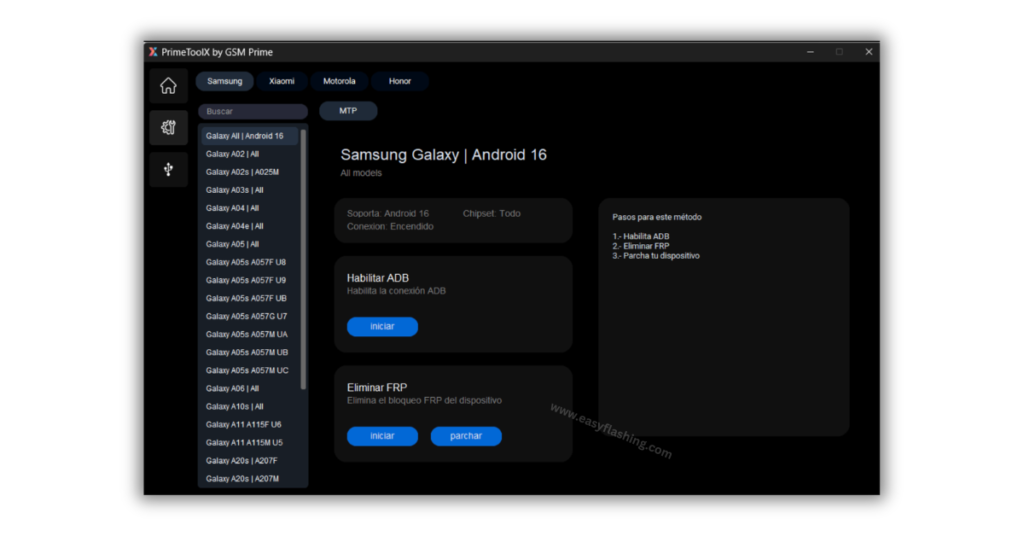
PrimeTool X 9.0 includes several features that make it practical for both beginners and experienced repair professionals.
- FRP removal support for Samsung Galaxy and Xiaomi Redmi devices
- One-click FRP removal with a single button press after setup
- MediaTek driver installation built directly into the tool
- UsbDk driver installation without needing third-party software
- Preloader Mode and Brom Mode support for MediaTek-based devices
- Qualcomm HS-USB QDLoader 9008 port support for Qualcomm chipsets, with no Zadig required
- ADB enable function to activate ADB on supported Samsung models
- Patch device option to stabilize the phone after FRP removal
- Clean, modern GUI that any beginner can navigate
Supported Devices in PrimeTool VX 9.0 Latest Version 2026
Samsung Galaxy Models
PrimeTool X supports a wide range of Samsung Galaxy devices across multiple Android versions, including full Android 16 support. Here are the confirmed supported models:
| Model | Variant / Bit Support |
| Galaxy A02 | All variants |
| Galaxy A02s | A025M — Bit 9 |
| Galaxy A03s | All variants |
| Galaxy A04 / A04e / A05 | All variants |
| Galaxy A05s | A057F (Bit 8/9), A057G (U7), A057M (UA/UB) |
| Galaxy A06 | All variants |
| Galaxy A10s | All variants |
| Galaxy A11 | A115F (Bit 6), A115M (Bit 5) |
| Galaxy A20s | A207F (Bit 5), A207M (Bit 4) |
| Galaxy A23 | A235F (UA), A235M (UB) |
| Galaxy A32 | All variants |
Samsung Android 16 bypass is fully supported across all chipsets in version 9.0.
Xiaomi Redmi Models
Xiaomi Redmi unlock is supported for the following models:
| Model | Android Version |
| Redmi A1 | Android 12 |
| Redmi A2 | Android 13 |
| Redmi A3 | Android 15 |
| Redmi 9A | Android 11 |
| Redmi 10 (2022) | Android 13 |
| Redmi 12C | Android 15 |
| Redmi Note 12S | Android 15 |
| Redmi 13C | Android 15 |
| Redmi 14C | Android 14 |
Motorola Models
| Model | Android Version |
| Moto E22 | Android 12 |
| Moto E22i | Android 12 |
| Moto G05 | Android 15 |
| Moto G15 | Android 15 |
How to Install PrimeTool X 9.0 — Step-by-Step Guide
Step 1: Download the Tool
Download PrimeTool X 9.0 from the official link provided on At the end of the article. The file comes as a RAR archive. Extract it using WinRAR or 7-Zip before proceeding.
Step 2: Install the Required Drivers
Driver installation is the most important step before anything else. Without the correct drivers, your PC will not detect your phone properly.
- Open PrimeTool X 9.0 on your PC.
- Click on the Drivers tab inside the tool.
- Click the Instalar button next to Driver MediaTek and wait for it to finish.
- Then click Instalar next to Driver UsbDk and wait again.
Both the MediaTek driver and UsbDk driver must be installed before you connect any phone.
For Qualcomm-based devices, connect through the Qualcomm HS-USB QDLoader 9008 port. No additional Zadig installation is needed in version V9.0.
[Official MediaTek USB Driver Download]Step 3: Select Your Device Brand
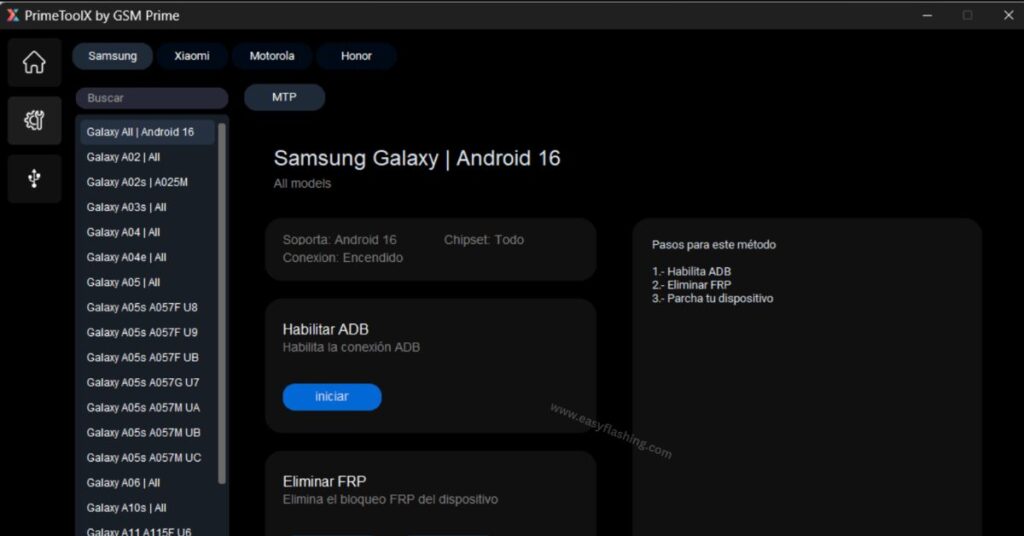
After drivers are ready, open the tool and select your device brand from the top navigation. Choose either Samsung or Xiaomi depending on the phone you are working on. A list of compatible models will appear on the left sidebar.
Step 4: Choose Your Device Model
Click on the exact model of your phone from the sidebar. The tool will display the device-specific information and available actions in the main window.
Step 5: Put the Device in Preloader or Brom Mode
This step applies to MediaTek devices. Power off the phone completely. Then press and hold the correct boot key combination for your model while connecting the phone to the PC via USB cable. The tool will detect the device automatically in Preloader Mode or Brom Mode.
For Samsung Galaxy FRP removal on powered-on devices, simply keep the phone on and connected.
[How Android Debug Bridge (ADB) Works]Step 6: Enable ADB (Samsung Devices)
For supported Samsung models, click the Enable ADB button first. This activates the Android Debug Bridge on the device, which is required before the FRP removal can run.
Step 7: Remove FRP
Click the Erase FRP or Remove FRP button. The tool will run the bypass process automatically. Wait for it to complete without disconnecting the phone.
Step 8: Patch the Device
After FRP removal, click Patch Device to finalize the process and stabilize ADB on the phone. The device will reboot with the FRP lock fully removed.
If you need to cancel at any point, use the Detener button to stop the process safely.
Video Tutorial: How To Install & Use PrimeTool V9.0 2026
PrimeTool X Version History and Changelog
Understanding what changed across versions helps you know exactly what the current build offers.
PrimeTool X 9.0 (Latest)
- Stable release for personal and professional use
- Full Android 16 support for Samsung
- Motorola FRP support added
- Qualcomm QDLoader 9008 support with no Zadig needed
- Lighter and faster than previous builds
PrimeToolX 8.8
- Removed community tab to reduce software weight
- Direct Qualcomm connection support introduced
- New Samsung binaries added
PrimeToolX 8.7
- Zadig dependency removed for Qualcomm models
- Interface optimized
PrimeToolX 8.2
- Samsung Android 16 bypass introduced
- Enable ADB, Remove FRP, and Patch Device workflow introduced
- Support for all chipsets added
PrimeToolX 8.1
- Community tab added (later removed in 8.8)
- Samsung Galaxy A05s full support added
- Qualcomm QDLoader 9008 support first introduced
PrimeToolX 7.4.2
- Expanded Samsung and Xiaomi model support
- Android 15 firmware compatibility improved
Expert Tips for Using PrimeTool X Correctly
These tips go beyond the basic steps and address real problems beginners run into.
Always install drivers before connecting the phone. Many users plug in the device first and then try to install drivers. The tool will not detect the phone correctly if drivers are not already active on the system.
Use a direct USB port, not a hub. USB hubs reduce connection stability. Connect the phone directly to a USB port on your PC for reliable device detection.
Check Windows compatibility. PrimeTool X works best on Windows 10 and Windows 11 (64-bit). Running it on older operating systems can cause driver errors or detection failures.
Disable antivirus before extracting. Because this is a phone unlock software, some antivirus programs flag it as a false positive. Temporarily disable your antivirus before extracting the RAR file to avoid files being deleted automatically.
Confirm the Android version of the target device before running. Samsung Android 16 bypass requires the device to be powered on. Older Samsung models may need a different boot key combination for Preloader Mode entry.
Never disconnect the phone mid-process. Interrupting an active FRP removal can cause the device to enter a bootloop. Wait for the process to complete fully before touching the cable.
[Google’s Official FRP Documentation][Download PrimeTool X 9.0 — Latest Version 2026]FAQ:
What is FRP and why does my phone ask for it after a reset? FRP stands for Factory Reset Protection. Android requires the original Google account login after a factory reset to prevent unauthorized access to the device.
Does PrimeTool X 9.0 work on Windows 11? Yes, the tool runs on both Windows 10 and Windows 11 (64-bit). Make sure you run it as an administrator for proper driver access.
Do I need to pay anything to use PrimeTool X 9.0? PrimeTool X 9.0 is available as a free download. No subscription or activation key is required for this version.
What is the difference between Preloader Mode and Brom Mode? Both are low-level connection modes for MediaTek chipsets. Brom Mode is a deeper hardware mode used when Preloader Mode fails to detect the device.
Why is my Samsung phone not detected by the tool? Make sure the UsbDk driver is installed, the phone is powered on, and you are using a direct USB port. Also confirm your Samsung model is listed in the supported device table.
Can I use PrimeTool X on a Mac or Linux computer? No. PrimeTool X is a Windows-only tool and does not have a Mac or Linux version at this time.
What should I do if the FRP removal process freezes halfway? Click the Detener button to stop the process, disconnect the phone, restart the tool, and try again. Also verify you selected the correct device model before starting.
Is PrimeToolX 26 available for download now? PrimeToolX 26 is described as the next professional-grade version and was announced alongside version 9.0. Check the official release page for the latest update on its availability.
Conclusion
PrimeTool X 9.0 is a practical, beginner-friendly Android unlock tool that handles FRP removal across Samsung, Xiaomi, and Motorola devices without requiring advanced technical knowledge. I will tell you today that this tool stands out because it includes built-in driver installation, supports Android 16, and removes the need for additional software like Zadig.
By reading this article, you now have a complete understanding of how to download, set up, and use the tool correctly from start to finish. Download PrimeTool X 9.0, follow the steps in the guide above, and get your device unlocked quickly and safely.



1 thought on “PrimeTool X V9.0 Latest Version Download”