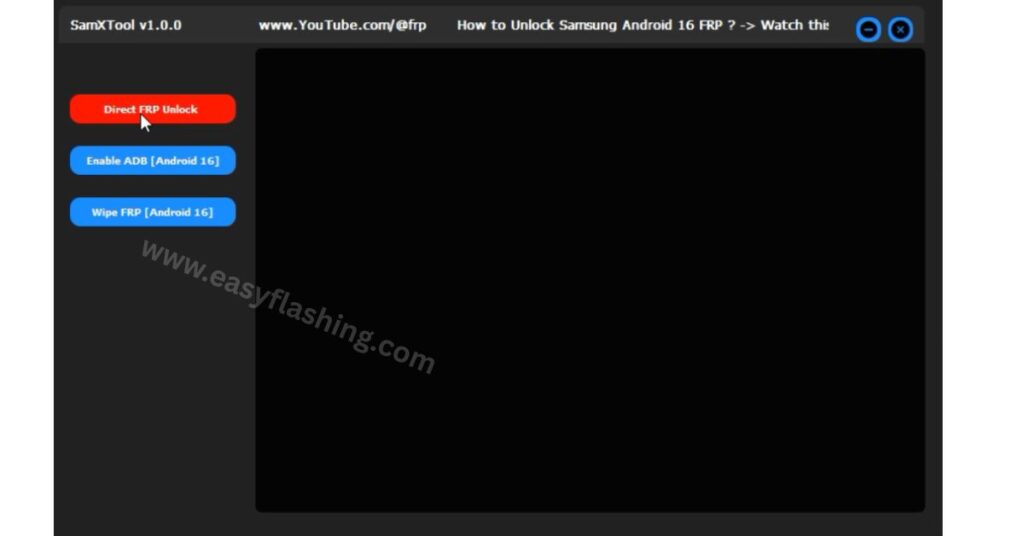
Are you locked out of your Samsung phone after a factory reset and seeing a Google account lock screen? If yes, SamXTool Latest Version might be the tool you need. I will tell you today that this tool is designed for Samsung Android 16 devices to help you bypass the Factory Reset Protection (FRP) lock safely and efficiently. Within this article, I will try to explain it in simple terms so that even beginners can understand how it works and when to use it. Those who don’t know much about FRP or Samsung unlocking can follow this guide easily.
By reading this article, you’ll get complete information on:
- What SamXTool is and how it works
- Key features of the latest version
- How to use the tool step by step
- Compatibility and requirements
- Safety tips and troubleshooting
- FAQs based on real-world scenarios
Understanding FRP (Factory Reset Protection)
What is FRP?
Factory Reset Protection (FRP) is a security feature on Android devices, designed to prevent unauthorized access after a reset. When FRP is triggered, your phone asks for the previously synced Google account before allowing access to the device.
Why FRP exists
FRP protects your device and data in case it gets lost or stolen, making it harder for anyone else to use it without permission.
When FRP becomes a problem
Sometimes FRP triggers even if you legitimately reset your own device, and then you forget the account or password, which is where tools like SamXTool become useful.
What Is SamXTool Latest Version (V1.0.0)?
Overview
SamXTool Latest Version refers to a newly released software utility that helps unlock Samsung devices running Android 16 by bypassing the FRP lock. The tool aims to support the latest Android security protocols that make older FRP bypass methods ineffective.
How it differs from similar tools
Unlike older Samsung FRP tools that may only work up to certain security patches (e.g., Android 12 or earlier), SamXTool claims support for Android 16 devices — including new security updates — which many existing solutions struggle with.
Examples of similar tools:
- SamFw FRP Tool (older versions; works primarily on Android 9–12)
- SAM FRP Tool by VG (unofficial bypass tool but may not support Android 16 security)
Key Features of SamXTool Latest Version
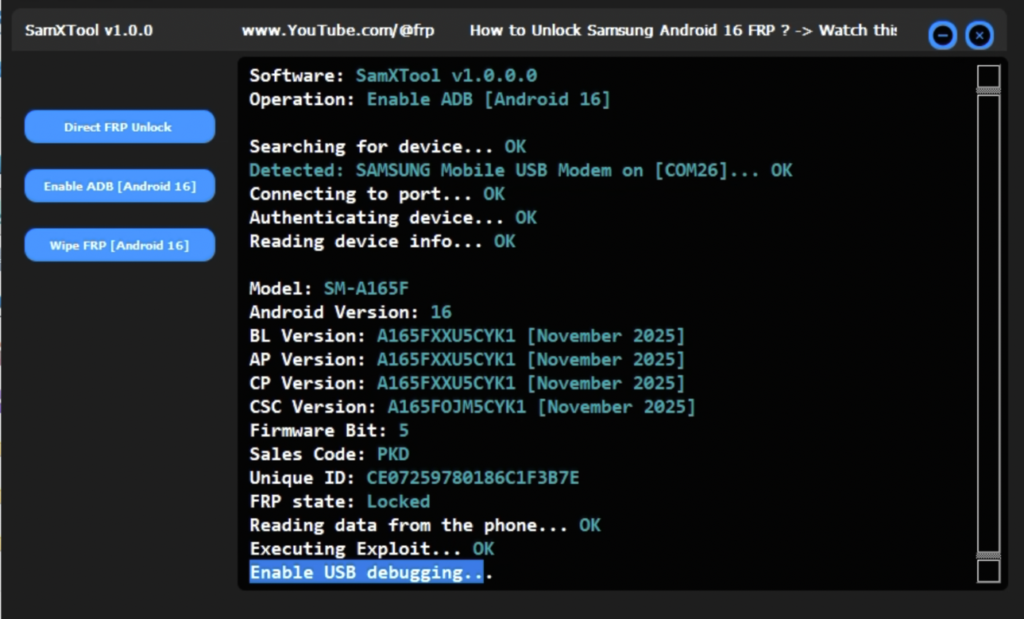
Here are the main features of the SamXTool Latest Version explained clearly:
Direct FRP Unlock
SamXTool allows you to remove Google FRP protection with a single action, streamlining the unlocking process for many Samsung models running Android 16.
Benefit: Saves time compared to manual FRP bypass steps.
USB Debugging (ADB) Enabler
The tool can activate ADB (Android Debug Bridge) mode on supported devices, which is necessary for certain FRP removal operations.
Benefit: Helps unlock phones that otherwise wouldn’t communicate properly with the PC.
Wipe FRP Data
SamXTool offers a wipe function that clears FRP lock data, allowing you to regain access to the phone.
Benefit: Helps restore normal access without requiring login to the previously synced Google account.
System Requirements
Before using SamXTool Latest Version, make sure your setup meets the following:
Device Requirements
- Samsung phone running Android 16
- FRP lock screen active
- Wi-Fi connection on the phone
Computer Requirements
- Windows PC (Windows 7 or later)
- Samsung USB drivers installed
- Functional USB cable
Additional Notes
Although SamXTool claims Android 16 support, real-world community experiences show that many FRP tools perform better on devices with older security patches, and success may vary depending on device model and patch level.
Step-by-Step Guide to Use SamXTool Latest Version
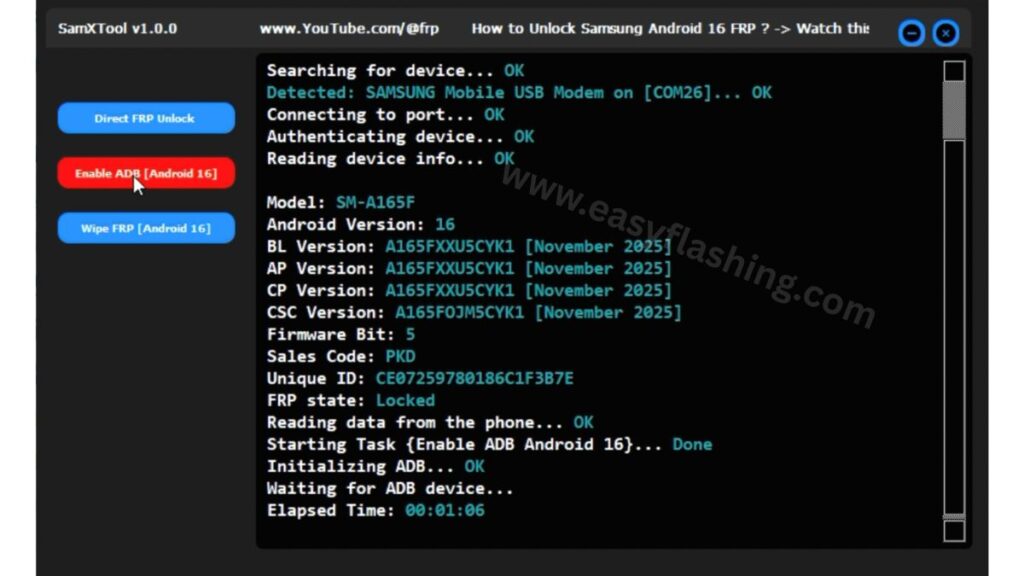
Here is the simplified beginner-friendly process:
Step 1: Prepare Your Devices
- Connect your Samsung phone to Wi-Fi.
- Connect the phone to your Windows PC via USB cable.
Step 2: Open SamXTool
- Extract the downloaded SamXTool setup file.
- Run SamXTool.exe on your PC.
Step 3: Detecting Your Phone
- Ensure the phone is recognized by the computer.
- If not, install the Samsung USB drivers.
Step 4: Start the FRP Unlock
- In the tool interface, click “Direct FRP Unlock.”
- Do not disconnect the phone during the process.
Step 5: Wait for Completion
- The tool will process and restart your device once done.
- After reboot, you should be able to set up the phone without FRP.
Video Tutorial: How to use SamXTool
Benefits of Using SamXTool
Here’s why many users try this tool:
- Simplified one-click process for FRP bypass
- No need to remember the old Google account
- Supports the latest Android security (Android 16)
- Beginner-friendly setup for PC users
Note: Results may vary across models and security patches.
FREE ( TOOL )
Password: easyflashing.com
Comparison With Other Tools (2026)
Below is a practical comparison to other popular Samsung FRP bypass utilities:
| Feature | Samxtool V1.0.0 | SamFw Tool | SamFlash | TSM Tool Pro |
| Android 16 Support | ✓ | Partial | Old security support | Broad |
| AUTO ADB | ✓ | No | Limited | No |
| Beginner Friendly | High | Medium | Medium | Advanced |
| FREE | Usually yes | Yes | Yes | Mixed |
Explanation: Tools like SamFw and SamFlash are well-known but often struggle with latest security or require complex steps. In contrast, samxtool V1.0.0 focuses on Android 16 and AUTO functions, making it easier for beginners and global use.
Safety Tips & Best Practices
When using SamXTool Latest Version:
- Backup Data: Always back up important data before starting.
- Use Official Drivers: Ensure Samsung USB drivers are properly installed.
- Avoid Suspicious Sources: Only use trusted downloads (scan file with antivirus).
- Avoid Unsafe Modifications: Rooting or flashing firmware can void warranty.
Common Issues
Even with the best tools, some problems can occur:
Phone Not Detected
If your PC doesn’t recognize the phone:
- Check USB cable and port
- Reinstall Samsung USB drivers
Process Fails
If FRP bypass failure happens:
- Try enabling debug or test modes
- Some tools may not work on latest security patches)
Older Tool Works Better
Many users find older FRP tools more effective on older devices.
Trusted Resource
For official device protection information and guidance from Google on Factory Reset Protection (FRP), see:
Google Support – Factory Reset Protection Overview:
https://support.google.com/android/answer/2818883
FAQs
1. What is SamXTool Latest Version?
SamXTool Latest Version is a software tool designed to help bypass FRP lock on Samsung devices running Android 16 with a simplified unlocking process.
2. Does SamXTool work on all Samsung models?
It supports many Android 16 devices, but effectiveness can vary depending on device security patch levels and model type.
3. Is using SamXTool safe?
Using any FRP bypass tool has risks; always backup data and use trusted downloads.
4. Do I need special drivers?
Yes. Samsung USB drivers must be installed on your PC for the tool to detect the device.
5. Can I use it without a computer?
No. SamXTool requires a Windows PC to run and perform the unlock process.
Conclusion
SamXTool Latest Version V1.0.0 is a promising tool for Samsung Android 16 FRP bypass. Within this article, I have tried to explain what it does, how to use it safely, and what beginners should expect. Unlike many outdated FRP tools, SamXTool aims to support modern security layers but success can vary by model and security patch.



1 thought on “SamXTool V1.0.0 Latest Version – Bypass Android 16”