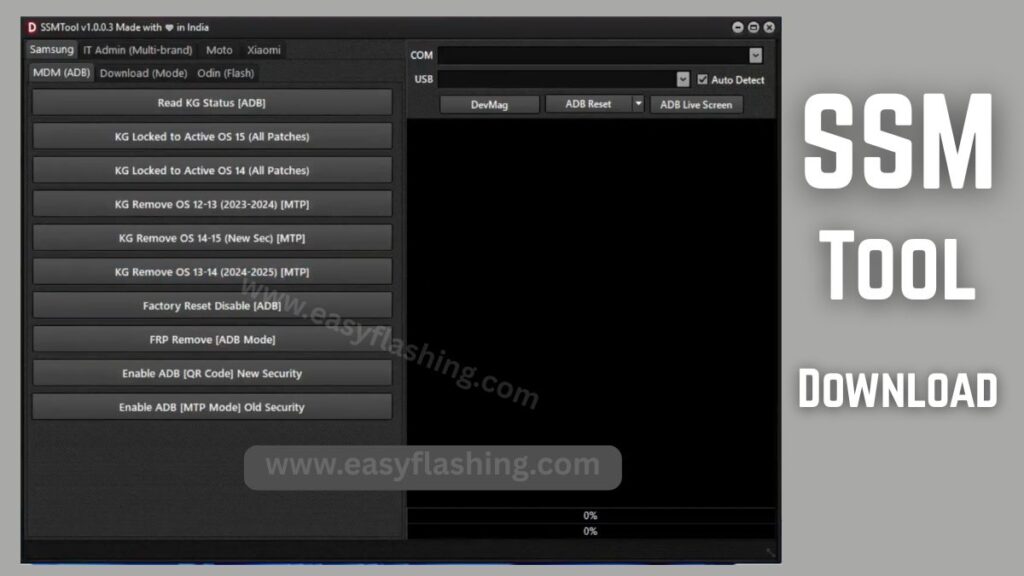
SSM Tool V1.0.0.3 has become a widely discussed mobile repair tool among technicians and learners who want to understand how modern Android servicing software works. Because it combines several device maintenance and diagnostic functions into a single Windows utility, many beginners explore it to learn how unlocking workflows and firmware processes operate in real environments.
I will tell you today how this GSM service tool works, what its major functions are, and why it is often described as a multi-brand mobile repair tool. Within this article, I will try to explain each concept clearly so those who don’t know much about device servicing can still follow without confusion.
By reading this article, I will try to give you complete information about features, technical concepts, practical benefits, and safe learning approaches so you can understand how a device servicing program fits into the modern Android ecosystem.
1. What Is SSM Tool V1.0.0.3?
SSM Tool V1.0.0.3 is a mobile unlocking software and firmware flashing tool designed to assist technicians in interacting with Android devices through system communication modes such as ADB operations, MTP mode, and reboot device commands.
Concept Explanation
Android devices include multiple security layers created by companies like Google and hardware manufacturers such as Samsung. Tools like SSM Tool help professionals observe how those layers behave when performing maintenance or diagnostic tasks.
Practical Benefit
For beginners, it acts as a learning interface to understand how devices respond to commands such as device info read, reset and repair, or flashing firmware files.
2. Why SSM Tool Is Popular Among Beginners
Many service utilities require command-line knowledge, but SSM Tool provides a graphical interface that makes complex workflows easier to understand.
Key Reasons for Popularity
- Combines multiple service features in one dashboard
- Helps visualize processes like FRP removal and KG status check
- Provides structured options for firmware flashing
- Works as a learning environment for mobile technicians
Example
A learner can connect a device and see how switching from ADB operations to MTP mode changes communication behavior.
3. Core Features Explained
FRP Removal and Security Functions
Factory Reset Protection is a security feature that activates after a device reset. SSM Tool includes functions related to FRP removal, factory reset disable, and authentication checks.
Benefits
- Demonstrates how security layers trigger
- Helps technicians understand account protection workflows
- Useful for controlled repair environments
KG Status Check and KG Lock Removal
KG (Knox Guard) status determines whether certain system actions are restricted.
Concept
- KG status check shows device lock state
- KG lock removal functions illustrate how device restrictions are managed
Practical Use
Helps learners understand how enterprise security policies affect device behavior.
IT Admin and MDM Bypass Concepts
Enterprise devices often use Mobile Device Management (MDM) policies.
Explanation
- IT Admin removal demonstrates how management profiles interact with the system
- MDM bypass workflows show device configuration layers
Benefit
Provides insight into corporate device security structures.
Firmware Flashing and Odin Support
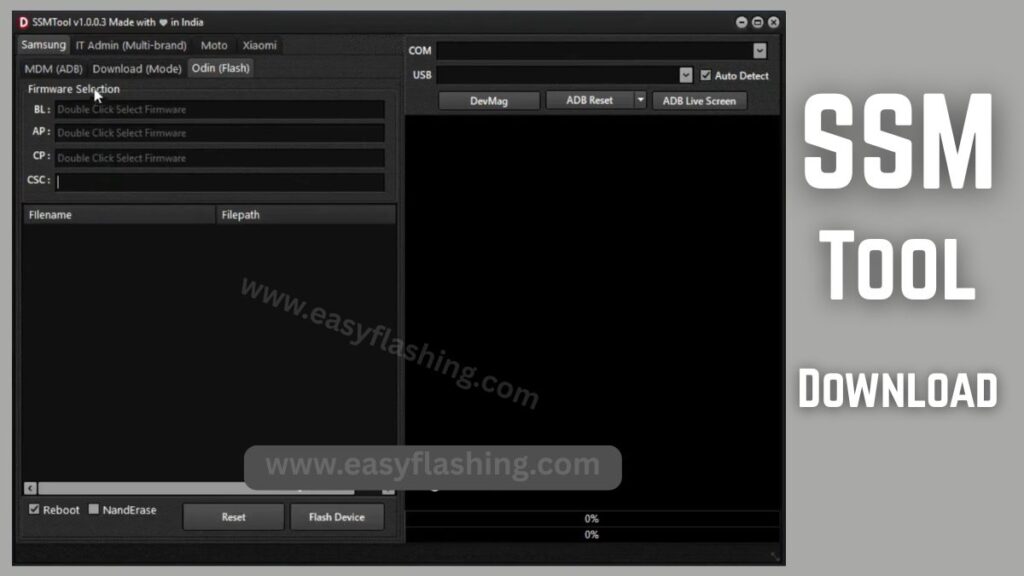
SSM Tool supports flashing firmware files, including structures commonly associated with Odin flash support.
Key Components
- Bootloader files
- System partitions
- Configuration packages
Practical Example
Flashing a firmware package helps learners see how software restoration works after system corruption.
NAND Erase and Repair Utilities
NAND erase functions interact with internal storage partitions.
Benefits
- Helps understand device memory structure
- Demonstrates how data partitions are reset
- Useful for troubleshooting persistent system errors
Device Information and Diagnostic Tools
The device info read feature provides technical details such as:
- Model information
- Firmware version
- Security patch level
This helps technicians identify compatibility and troubleshooting steps.
Important Technical Terms Explained
FRP (Factory Reset Protection)
A security mechanism requiring original credentials after reset.
MTP Mode
Allows file transfer communication between device and computer.
ADB Operations
Command interface enabling advanced device control.
Firmware Flashing
Process of installing system software on a device.
Understanding these terms helps beginners interpret tutorials more confidently.
5. How SSM Tool Fits into the Mobile Repair Ecosystem
Modern smartphones operate on layered architecture including hardware drivers, operating systems, and security services. A mobile technician software like SSM Tool provides visibility into these layers.
Educational Value
- Shows authentication flow
- Demonstrates system partition interaction
- Helps visualize troubleshooting logic
This makes it useful both for learning and professional servicing contexts.
6. Typical Workflow Overview
To help beginners understand the general process, here is a simplified workflow.
- Install USB drivers
- Connect device to PC
- Launch the Windows utility
- Select a function (e.g., device info read or reboot device)
- Execute command
- Verify results
This step-by-step structure helps users see how actions affect device behavior.
7. Advantages of Using SSM Tool for Learning
Practical Understanding
Seeing commands execute in real time bridges the gap between theory and practice.
Skill Development
Users build knowledge in:
- Troubleshooting logic
- Firmware architecture
- Device communication protocols
Career Relevance
Mobile repair remains a global industry, and learning service workflows improves technical confidence.
8. Limitations and Considerations
While SSM Tool provides valuable learning insights, it does not replace formal training.
Key Considerations
- Compatibility varies by device
- Security updates may change tool behavior
- Understanding risks is essential
Responsible usage ensures safe and accurate outcomes.
9. Tips for Beginners
If you are new to mobile servicing:
- Learn basic Android architecture first
- Understand system partitions and boot modes
- Practice on test devices
- Study official documentation
You to focus on understanding concepts rather than memorizing steps because this builds long-term technical knowledge.
10. Future Trends in Mobile Service Tools
The mobile servicing landscape continues to evolve with stronger security and smarter diagnostics.
Emerging Trends
- Enhanced device protection layers
- Cloud-based diagnostics
- Automated repair workflows
- Greater emphasis on authorized servicing
Learning tools like SSM Tool today helps users stay prepared for future developments.
SSM Tool (For Device Owners) Step by Step Guide
FREE ( TOOL )
Trusted Resource
For official Android system architecture and development guidance:
https://developer.android.com
(Q&A)
1. What is SSM Tool V1.0.0.3 used for?
It is used as a mobile repair and diagnostic utility to interact with Android devices, perform maintenance tasks, and understand device communication modes.
2. Is SSM Tool suitable for beginners?
Yes, because its interface organizes complex processes into clear options that help beginners learn servicing workflows.
3. Does SSM Tool support all Android devices?
Support depends on model, chipset, and firmware version. Tutorials often focus on compatible devices.
4. What is firmware flashing in SSM Tool?
Firmware flashing installs or restores device software, helping resolve system issues or update operating systems.
5. Why is KG status important?
KG status indicates device security restrictions and helps technicians understand whether certain operations are allowed.
Conclusion
SSM Tool V1.0.0.3 stands out as a comprehensive Android servicing software because it demonstrates how devices communicate, secure data, and transition between system modes. Within this article, I tried to explain not only the features but also the underlying concepts so readers can build real understanding rather than just follow instructions.
By reading this article, you now have a clearer understanding of how a mobile repair tool functions within the broader Android ecosystem. As technology evolves, focusing on core principles will help you adapt to new tools and workflows with confidence.


