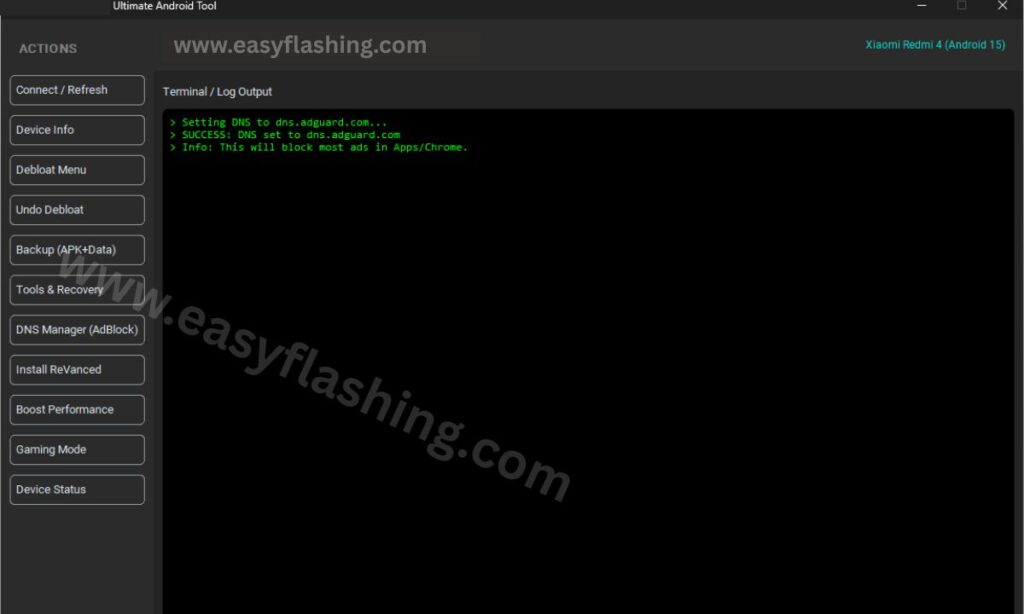
The Ultimate Android Tool has become one of the most talked-about Android utility solutions in recent years. In 2026, Android users face more complex problems than ever—locked devices, forgotten screen patterns, slow performance, software bugs, app errors, boot loops, and failed updates. Many beginners struggle because they do not understand technical terms or advanced Android processes.
This is where the Ultimate Android Tool Latest Free 2026 stands out. It combines multiple Android repair, management, and system-level functions into one easy-to-use desktop tool. Instead of using ten different utilities, users can solve common Android issues from one place.
This article explains everything in simple English, step by step, without exaggeration or confusing jargon. Whether you are new to Android tools or just want a clear understanding, this guide will help you make informed decisions.
What Makes Ultimate Android Tool Different From Other Android Utilities
Before diving into features, it is important to understand why Ultimate Android Tool exists.
Most Android tools focus on one task only, such as flashing firmware or removing locks. Beginners often install multiple tools, which increases risk and confusion. Ultimate Android Tool solves this problem by offering an all-in-one Android solution.
Key differences at a glance
- Combines multiple Android functions in one interface
- Designed for non-technical users
- Simple button-based operations
- Works with many Android brands
- Regular updates to match new Android versions
- Focus on practical, real-world Android problems
This balance of simplicity and power makes it suitable for everyday Android users, technicians, and learners.
Supported Devices and Android Versions (Updated for 2026)
One of the most common beginner questions is compatibility. The Ultimate Android Tool supports a wide range of Android devices, including both old and new models.
Supported Android brands
- Samsung
- Xiaomi
- Oppo
- Vivo
- Realme
- Huawei (limited features)
- Motorola
- Nokia
- Infinix
- Tecno
- OnePlus
- Many generic Android devices
Supported Android versions
- Android 7 (Nougat)
- Android 8, 9, 10
- Android 11, 12
- Android 13
- Android 14
- Android 15 (partial support in 2026)
Support depends on the function being used. Basic tasks like rebooting, ADB commands, and device info usually work across all versions.
How Ultimate Android Tool Works (Beginner Explanation)
Ultimate Android Tool works by connecting your Android phone to a computer using a USB cable. The tool communicates with the device using standard Android protocols such as:
- ADB (Android Debug Bridge)
- Fastboot mode
- Recovery mode
- Download mode (for some brands)
You do not need to understand these terms deeply. The tool handles the technical steps automatically.
Basic workflow
- Install the tool on your computer
- Connect your Android phone via USB
- Enable USB debugging (if required)
- Choose the task you want
- Click the relevant button
- Wait for the process to finish
This approach reduces mistakes and makes the process beginner-friendly.
Core Features of Ultimate Android Tool
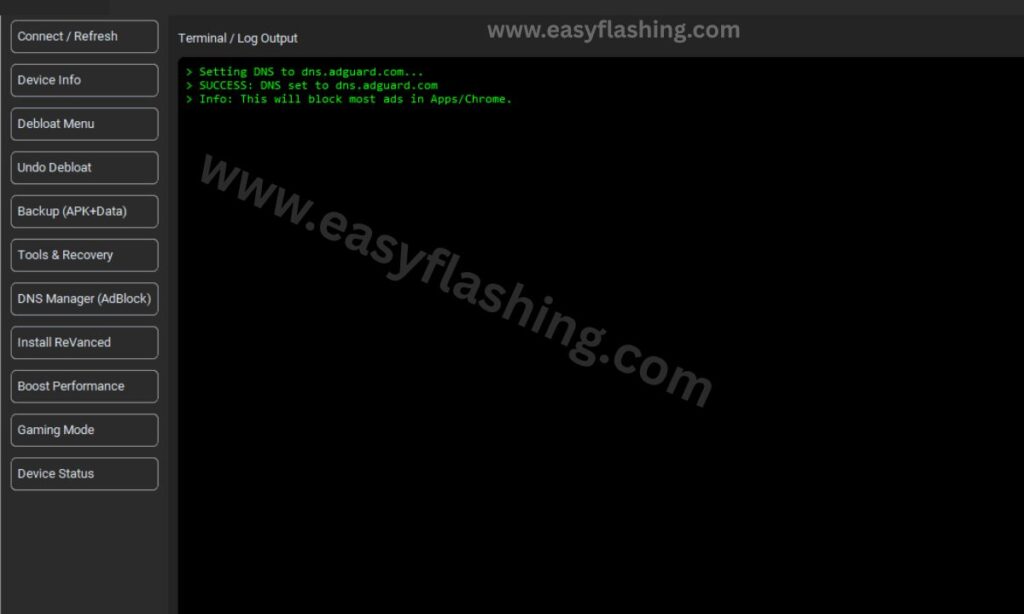
Below is a complete, numbered list of major features, explained clearly with real-world use cases.
1. Android Screen Lock Removal
What this feature does
This feature helps users remove screen locks such as:
- Pattern lock
- PIN lock
- Password lock
- Fingerprint lock (indirectly)
- Face lock (indirectly)
It is especially useful when users forget their lock or buy a second-hand phone.
Why it matters
Many Android users panic after forgetting their screen lock. Factory reset often leads to Google account verification issues. Ultimate Android Tool offers structured lock-handling methods.
Best for
- Beginners who forgot their screen lock
- Second-hand phone users
- Devices stuck at lock screen
2. Factory Reset and Data Wipe Tools
What this feature does
This option resets the device to factory settings and removes:
- User data
- Installed apps
- Cache files
- Temporary system files
Why it matters
A factory reset fixes many Android problems such as freezing, lagging, or random crashes.
Best for
- Slow Android phones
- Phones stuck in boot loop
- Preparing phone for resale
3. FRP (Factory Reset Protection) Management
What this feature does
FRP activates after a factory reset if a Google account was previously used. Ultimate Android Tool provides guided options to handle FRP in supported models.
Why it matters
FRP can lock users out of their own device if they forget their Google account details.
Best for
- Users locked after factory reset
- Beginners who do not understand FRP
- Educational and repair purposes
4. ADB Tools for Beginners
What this feature does
ADB allows communication between a computer and Android device. Ultimate Android Tool simplifies ADB tasks like:
- Reboot device
- Boot into recovery or fastboot
- Check device connection
- Read device info
Why it matters
Manual ADB commands confuse beginners. The tool removes the need to type commands.
Best for
- New Android learners
- Users afraid of command lines
- Basic troubleshooting
5. Fastboot Utilities
What this feature does
Fastboot mode allows deeper system actions. The tool offers button-based Fastboot features such as:
- Reboot bootloader
- Check bootloader status
- Flash limited system images (model-based)
Why it matters
Fastboot is powerful but risky when misused. The tool limits actions to safer options.
Best for
- Users learning Android system basics
- Device recovery scenarios
6. Boot Loop and Soft Brick Fix Tools
What this feature does
Helps recover phones stuck on:
- Logo screen
- Boot animation
- Endless restart loop
Why it matters
Boot loops are common after failed updates or app crashes.
Best for
- Phones not starting properly
- Beginners who want safe recovery
7. Device Information Reader
What this feature does
Displays detailed phone information such as:
- Android version
- Build number
- CPU architecture
- IMEI (where allowed)
- Model and brand
Why it matters
Accurate device information helps avoid mistakes during troubleshooting.
Best for
- Beginners learning phone specs
- Checking device authenticity
8. App Management and System Cleaning
What this feature does
Allows users to:
- Uninstall problematic apps
- Remove leftover cache
- Disable unused system apps (limited)
Why it matters
Cluttered apps slow down Android phones over time.
Best for
- Low-storage devices
- Phones running slow
9. Backup and Restore Support
What this feature does
Creates basic backups of:
- Contacts
- Call logs
- App data (limited)
Why it matters
Data safety is essential before performing resets or repairs.
Best for
- Beginners afraid of data loss
- Pre-repair preparation
10. Driver and Connection Fix Module
What this feature does
Fixes common PC-to-phone connection issues by:
- Installing USB drivers
- Detecting connection errors
- Restarting ADB services
Why it matters
Connection problems are the most common beginner issue.
Best for
- First-time Android tool users
- Windows PC users
Is Ultimate Android Tool Safe to Use in 2026?
Safety depends on how the tool is used. Ultimate Android Tool does not magically bypass Android security. It uses standard Android repair methods.
Safety guidelines for beginners
- Always back up data
- Use original USB cable
- Avoid unknown firmware files
- Follow on-screen instructions
- Do not interrupt processes
When used responsibly, the tool is considered safe for general Android maintenance.
Common Mistakes Beginners Should Avoid
- Disconnecting phone during process
- Ignoring battery level warnings
- Skipping driver installation
- Using wrong device options
- Rushing advanced features
Understanding limitations is key to safe usage.
Ultimate Android Tool for Learning and Skill Building
Many beginners use this tool to learn Android basics without risk. It helps users understand:
- Android system structure
- Boot modes
- Recovery processes
- Device troubleshooting logic
This makes it useful for students and aspiring mobile technicians.
Ultimate Android Tool 2026
(TOOL)
(Q&A)
1. What is Ultimate Android Tool used for?
Ultimate Android Tool is used to manage, repair, and troubleshoot Android devices using simple, guided options.
2. Is Ultimate Android Tool free in 2026?
The core features are available free, with regular updates focused on compatibility and stability.
3. Can beginners use Ultimate Android Tool safely?
Yes. It is designed for beginners with button-based actions and clear instructions.
4. Does Ultimate Android Tool support the latest Android versions?
Yes, it supports most Android versions up to Android 15, depending on the feature.
5. Will it delete my data?
Some features like factory reset and lock removal may erase data. Always back up first.
6. Can it fix a phone stuck on the logo?
Yes, it includes boot loop and soft brick recovery options for supported devices.
7. Do I need technical knowledge to use it?
No. Basic computer and phone usage knowledge is enough.
8. Does it work on all Android brands?
It supports many popular brands, but feature availability may vary.
9. Is USB debugging required?
Some features need USB debugging, while others work in recovery or fastboot mode.
10. Is Ultimate Android Tool good for learning Android repair?
Yes. It is widely used by beginners to understand Android system repair safely.
Is Ultimate Android Tool Worth Using in 2026?
The Ultimate Android Tool Latest Free 2026 stands out because it focuses on real user problems, not flashy promises. It simplifies Android repair, device management, and learning into one practical solution.
For beginners, it removes fear and confusion. For regular users, it saves time. For learners, it builds confidence. When used carefully and responsibly, it remains one of the most useful Android utility tools available in 2026.
If you want a clean, structured, and beginner-friendly Android solution, the Ultimate Android Tool is a reliable place to start.



1 thought on “Ultimate Android Tool Latest Free 2026”