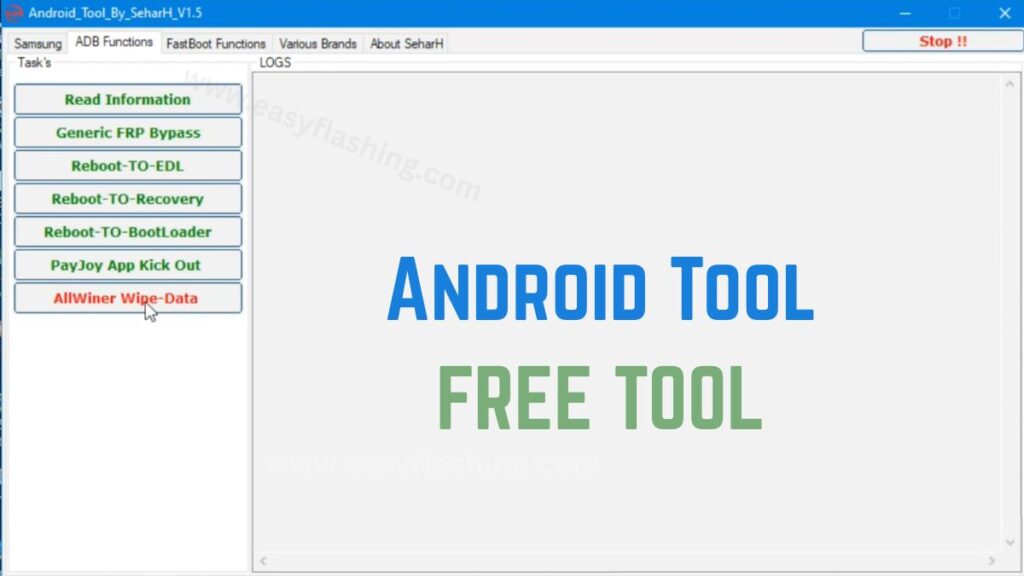
Android Tool By SeharH v1.5 is a lightweight Windows utility designed to help users manage Android devices through ADB and Fastboot functions. It includes multiple service features such as FRP removal, device information reading, reboot options, and software repair support.
I will tell you today how this tool works, what it can do, and whether it is suitable for beginners or not. Those who don’t know much about Android servicing often find such utilities confusing, but by reading this article you will understand the concepts in a simple and practical way.
Within this article, I will try to give you complete information about its features, benefits, and safe usage so you can decide if it fits your needs.
1. What Is Android Tool By SeharH v1.5?
Android Tool By SeharH v1.5 is an ADB and Fastboot-based device management software that helps users interact with Android phones at a system level. Technicians commonly use such tools to perform maintenance tasks that normal settings cannot access.
Key concept explained
ADB (Android Debug Bridge) allows communication between a computer and an Android device, while Fastboot works at a deeper level, enabling bootloader and firmware operations.
Practical benefits
- Helps troubleshoot software issues
- Enables device diagnostics
- Provides quick access to system commands
For beginners, the interface simplifies complex commands into buttons, which reduces the risk of manual errors.
2. Main Features Overview
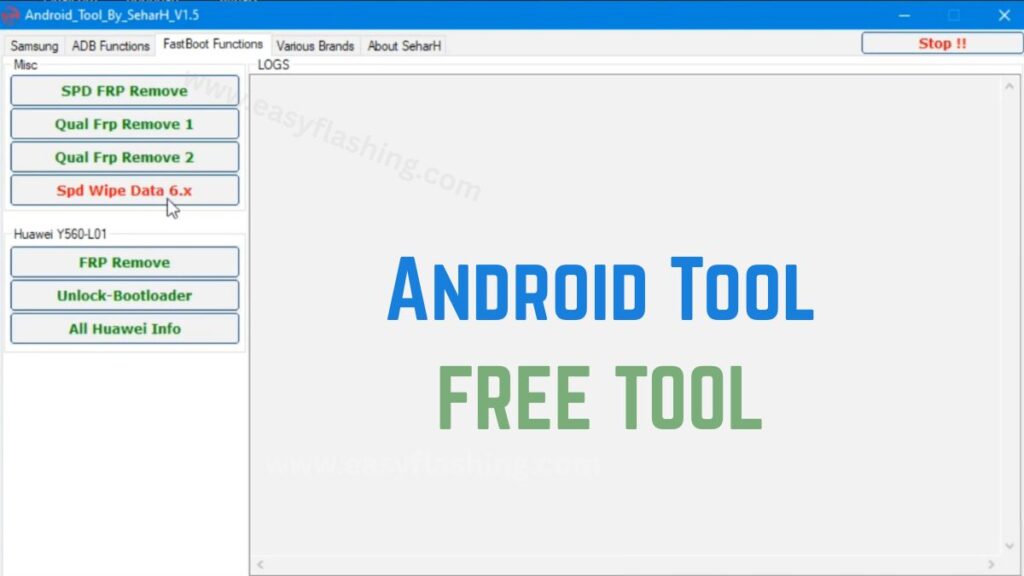
Android Tool By SeharH v1.5 includes multiple modules that focus on device repair and management.
Core features
- FRP remove / FRP unlock options
- Reboot to recovery, bootloader, or EDL
- Pattern and password remove functions
- Device information reading
- Wipe data and reset tools
Why these features matter
These functions allow technicians to restore devices that are locked, malfunctioning, or stuck in boot loops. For example, if a phone fails to boot properly, the reboot tools can quickly switch it into recovery mode for troubleshooting.
3. FRP Bypass and Device Access Functions
Factory Reset Protection (FRP) is a security feature that prevents unauthorized access after a reset. The SeharH FRP tool module provides methods to manage device authentication in service scenarios.
How the feature works
The tool communicates with the device through ADB commands to trigger specific system actions. This process requires proper authorization and should only be used on devices you own or have permission to service.
Benefits for technicians
- Saves time during device setup
- Helps restore usability after forgotten credentials
- Reduces manual command execution
Within this article, I will try to clarify that understanding FRP is important because it protects user data and should always be handled responsibly.
4. Supported Device Platforms
Android Tool By SeharH v1.5 supports multiple chipsets and device brands, making it versatile for repair environments.
Commonly supported categories
- Qualcomm-based devices
- MTK (MediaTek) phones
- SPD (Spreadtrum) models
Brand compatibility
- Many Samsung models
- Several Huawei devices
- Other Android brands with ADB/Fastboot access
Practical example
A technician working in a repair shop can use a single interface instead of switching between multiple tools, which improves efficiency and reduces workflow complexity.
5. Bootloader and Fastboot Utilities
Bootloader operations allow deeper system control, such as unlocking or rebooting to specific modes.
Available functions
- Reboot to bootloader
- Fastboot commands execution
- Device status checks
Why this matters
Bootloader access helps when installing firmware or diagnosing system failures. For beginners, the button-based interface eliminates the need to memorize command-line syntax.
Those who don’t know much about bootloaders often find them intimidating, but simplified tools make the process easier to understand.
6. Device Information and Diagnostic Tools
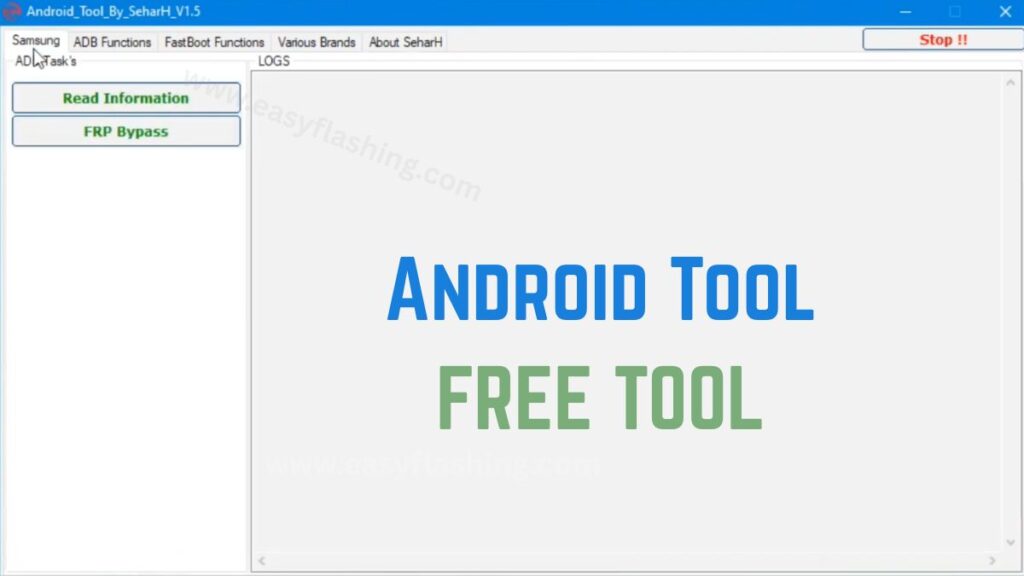
The diagnostic section reads hardware and software data directly from the phone.
Information you can retrieve
- Model number
- Android version
- Hardware identifiers
- Connection status
Real-world benefit
This feature helps confirm compatibility before performing operations, which reduces the risk of errors. For example, checking chipset details ensures you select the correct repair method.
7. Repair and Maintenance Utilities
Android Tool By SeharH v1.5 also includes features that assist with general software repair.
Maintenance options
- Wipe data tool
- Reboot to recovery
- Software troubleshooting support
Example scenario
If a phone becomes slow due to system corruption, a technician can reset and clean the device quickly without navigating complex menus.
I will tell you today that preventive maintenance using such tools can extend device lifespan and improve performance.
8. User Interface and Ease of Use
One of the reasons this tool attracts beginners is its straightforward interface.
Interface highlights
- One-click operation buttons
- Clearly labeled functions
- Minimal setup process
Why it helps beginners
Users can perform advanced operations without deep technical knowledge, which reduces the learning curve and builds confidence.
By reading this article, you will notice that usability plays a major role in tool adoption, especially for new technicians.
Video Tutorial: How To Install Android & Use Tool 2026
Android Tool By SeharH v1.5 Latest Version 2026
FREE ( TOOL )
9. Safety and Best Practices
Using device management tools requires caution because system-level changes can affect data and security.
Recommended precautions
- Always back up important data
- Confirm device ownership and authorization
- Use the correct mode (ADB or Fastboot)
- Avoid interrupting operations
Why safety matters
Improper usage can lead to data loss or system instability. Following best practices ensures reliable and ethical use.
For more information about Android security concepts, you can read this trusted resource:
Android security overview
10. Pros and Limitations
Advantages
- Lightweight and fast utility
- Multiple device management options
- Beginner-friendly interface
- Broad chipset compatibility
Limitations
- Requires a Windows environment
- Some functions depend on device permissions
- Not a replacement for professional firmware tools
Tried carefully, the tool can be helpful, but understanding its scope ensures realistic expectations.
Conclusion
Android Tool By SeharH v1.5 is a practical option for users who need a simple yet capable Android device management utility. It combines FRP handling, reboot functions, diagnostics, and maintenance tools into one interface, making it suitable for beginners and techies alike.
Within this article, we have tried to give you complete information so that you can understand its capabilities, benefits, and responsible use. Whether you want to learn the basics of device servicing or streamline repair tasks, understanding how such tools work is the first step towards safer and more efficient Android management.
(Q&A)
1. What is Android Tool By SeharH v1.5 used for?
It is used for Android device management tasks such as rebooting modes, reading device information, and performing maintenance operations through ADB and Fastboot.
2. How to remove FRP with SeharH tool?
The process typically involves connecting the device in the correct mode and using the FRP option. Always ensure you have authorization to access the device before proceeding.
3. Is SeharH v1.5 suitable for beginners?
Yes. The interface simplifies complex commands into buttons, making it easier for those who don’t have advanced technical knowledge.
4. What devices are supported by the SeharH tool?
It supports many Android phones that allow ADB or Fastboot communication, especially models using common chipsets like Qualcomm and MediaTek.
5. Where can I learn more about Android device security?
You can explore official Android documentation and security guides to understand how protection features like FRP work and why they are important.


