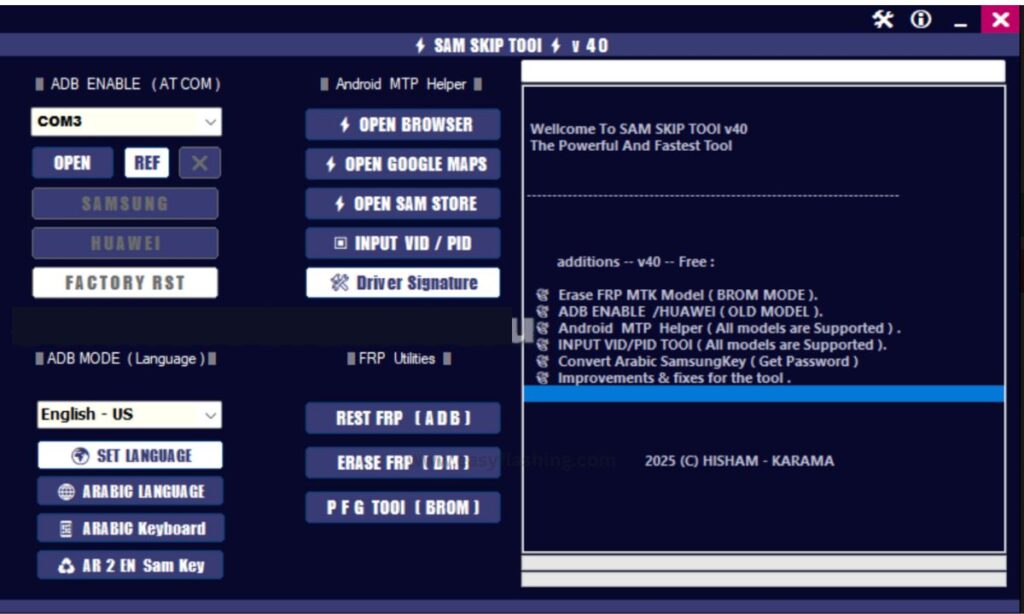
The SAM SKIP TOOL v40 has gained attention among Android users, especially those using Samsung smartphones. As Samsung devices continue to evolve with stronger security layers, many users search for tools that help them understand device access, account verification scenarios, and system-level restrictions. This is where the SAM SKIP TOOL becomes widely discussed in the mobile technology space.
This article explains SAM SKIP TOOL v40 in a clear, simple, and responsible way. It is written for beginners who want to understand what the tool is, why people talk about it, what features it offers, and what limitations and risks users should be aware of—without providing unsafe or step-by-step instructions.
What Is SAM SKIP TOOL v40?
SAM SKIP TOOL v40 is a Windows-based mobile utility associated with Samsung Android devices. It is commonly referenced in discussions related to device setup issues, account verification challenges, and system-level access scenarios.
Samsung smartphones use advanced security systems such as Google account verification and device protection layers. When users forget account details or face verification loops, they often look for educational information about tools like SAM SKIP TOOL to understand available options.
This tool is mainly known for:
- Supporting Samsung smartphones and tablets
- Working with multiple Android versions
- Interacting with Samsung system services
- Providing device-level access options
Why SAM SKIP TOOL v40 Is Popular
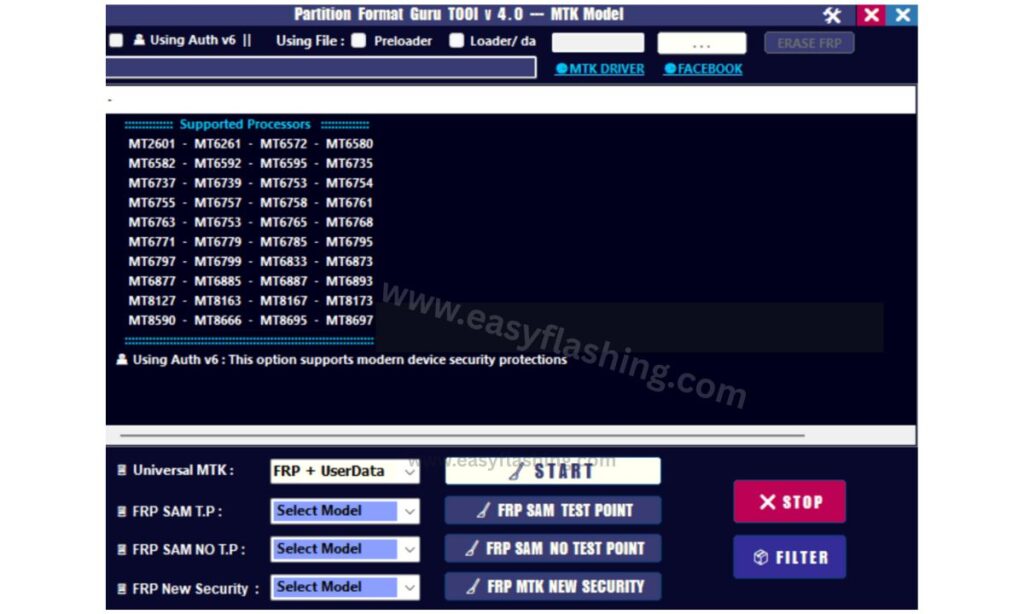
The popularity of SAM SKIP TOOL v40 comes from several practical reasons:
- Samsung devices are widely used worldwide
- Users often forget account credentials after resets
- New security updates create learning gaps
- Beginners search for simple explanations
- Technicians discuss it in mobile repair communities
Because of this, SAM SKIP TOOL v40 is often searched by users trying to understand Samsung device access challenges, not just advanced technicians.
Key Features of SAM SKIP TOOL v40
1. Samsung Device Compatibility
SAM SKIP TOOL v40 focuses specifically on Samsung smartphones and tablets. It supports a wide range of Galaxy models across different series.
Why it matters:
Beginners do not need to deal with multi-brand complexity.
2. Support for Multiple Android Versions
The tool is commonly associated with support for various Android versions, including newer system updates.
Why it matters:
Android updates frequently change security behavior, and compatibility awareness helps users stay informed.
3. Simple User Interface
SAM SKIP TOOL v40 is known for its straightforward interface compared to complex command-line tools.
Why it matters:
Beginners can understand tool layouts more easily without deep technical knowledge.
4. Windows-Based Utility
The tool is typically discussed as a Windows PC utility rather than a mobile app.
Why it matters:
Users can work on larger screens and manage device connections more comfortably.
5. Focused on Samsung System Services
Unlike generic Android tools, SAM SKIP TOOL interacts with Samsung-specific services.
Why it matters:
Samsung devices use customized Android layers that require specialized handling.
Who Should Learn About SAM SKIP TOOL v40
SAM SKIP TOOL v40 is often researched by:
- Beginner Android users
- Samsung smartphone owners
- Mobile repair learners
- Technical support trainees
- Users exploring device recovery concepts
It is not designed for casual experimentation, but for understanding how Samsung device security ecosystems work.
Understanding Samsung Security in Simple Words
To understand SAM SKIP TOOL v40, beginners must know how Samsung security works:
- Samsung devices link strongly with Google accounts
- Account verification activates after factory resets
- Security layers protect lost or stolen devices
- Unauthorized access is intentionally restricted
SAM SKIP TOOL is often discussed in educational or technical contexts related to these systems.
Advantages of SAM SKIP TOOL v40
1. Educational Value
It helps users understand how Samsung device protection functions.
2. Device-Specific Focus
It avoids confusion by focusing only on Samsung hardware.
3. Community Awareness
The tool is widely discussed, making learning resources easier to find.
4. Beginner Exposure to Mobile Tools
It introduces beginners to the concept of mobile utilities without deep coding.
Limitations of SAM SKIP TOOL v40
1. Limited to Samsung Devices
It does not support other Android brands.
2. Dependent on System Updates
New Samsung updates can reduce effectiveness.
3. Requires Technical Responsibility
Improper use can lead to device issues.
4. Not a Guaranteed Solution
Results vary depending on device model and software version.
Important Safety and Responsibility Considerations
When learning about SAM SKIP TOOL v40, users should always keep these points in mind:
- Device ownership must be legitimate
- Unauthorized access is not recommended
- Data loss risks may exist
- System security exists for user protection
- Official recovery methods should always be considered first
Responsible awareness is more important than tool usage.
Common Use Scenarios Explained Simply
Forgotten Account Information
Some users research SAM SKIP TOOL v40 after forgetting login details.
Second-Hand Devices
People buying used Samsung phones often face account verification issues.
Learning Mobile Repair
Beginners in mobile repair training explore such tools conceptually.
Understanding Android Security
Tech learners use it as a case study in mobile security systems.
Is SAM SKIP TOOL v40 Legal and Safe?
Legality and safety depend on:
- Local laws
- Device ownership status
- Intended usage
- User responsibility
Using any mobile tool responsibly and ethically is essential. Samsung and Google design security features to protect users, and those protections should be respected.
Why Beginners Search for SAM SKIP TOOL v40
- Simple interface reputation
- Samsung-only focus
- Frequent mentions in forums
- Curiosity about device recovery
- Interest in mobile system tools
Search interest continues because Samsung remains one of the world’s top smartphone brands.
Alternatives to Consider
Instead of relying on third-party tools, beginners should always consider:
- Official account recovery options
- Samsung customer support
- Authorized service centers
- Proof-of-ownership assistance
These methods are safer and recommended for long-term device health.
Future of Tools Like SAM SKIP TOOL
As Android security improves:
- Tools evolve or stop working
- Manufacturers strengthen protections
- Users rely more on official recovery
- Educational interest continues
SAM SKIP TOOL v40 represents a phase in mobile security awareness, not a permanent solution.
SAM SKIP TOOL v40 Lateset Version 2026
File Password: SAM123
Frequently Asked Questions (Q&A)
Q1. What is SAM SKIP TOOL v40 used for?
SAM SKIP TOOL v40 is commonly discussed as a Samsung-focused mobile utility used to understand device access and account verification scenarios.
Q2. Is SAM SKIP TOOL v40 suitable for beginners?
Beginners can learn about it conceptually, but technical responsibility and understanding are important before using any system-level tool.
Q3. Does SAM SKIP TOOL v40 work on all Samsung phones?
No. Compatibility depends on the device model and Android version.
Q4. Can SAM SKIP TOOL v40 damage a device?
Improper use of any system tool can cause issues such as data loss or software instability.
Q5. Is SAM SKIP TOOL v40 an official Samsung tool?
No. It is not an official Samsung product or service.
Q6. Why do people search for SAM SKIP TOOL v40 online?
Users search for it to understand Samsung security, device recovery challenges, and mobile system tools.
Q7. Is it better to use official recovery methods?
Yes. Official methods are safer, legal, and recommended whenever possible.
Final Thoughts
SAM SKIP TOOL v40 is widely discussed in the mobile technology world due to Samsung’s strong security systems and global device usage. For beginners, understanding what the tool represents is more important than attempting to use it. Learning about Samsung security, account protection, and responsible device ownership helps users make informed decisions.
If you own a Samsung device and face access challenges, always prioritize official recovery options and ethical solutions. Knowledge builds confidence, and responsible awareness ensures long-term device safety.


