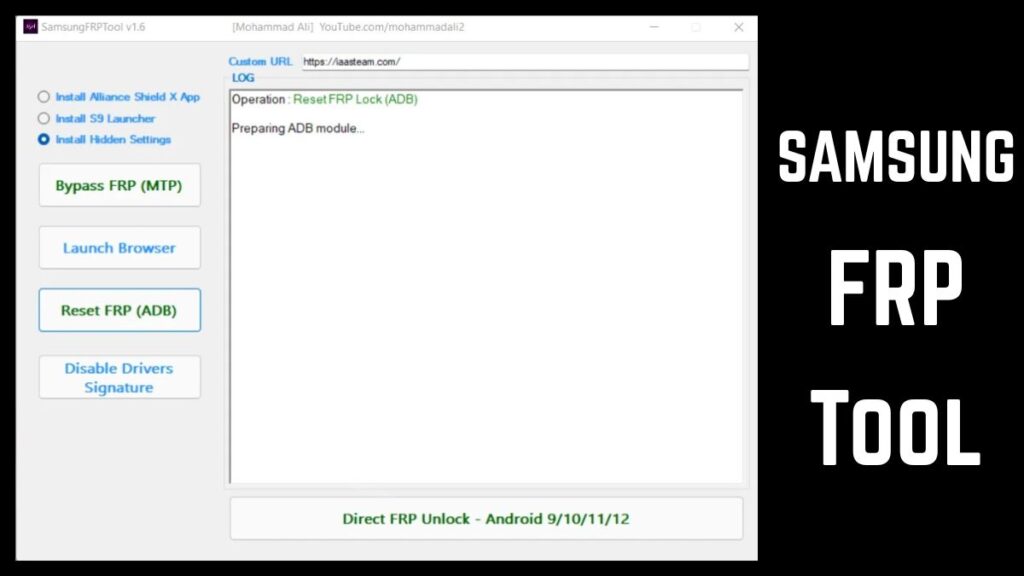
SamsungFrpTool V1.6 is a specialized Windows utility designed to help users handle Factory Reset Protection (FRP) locks on Samsung devices. I will tell you today how this tool works, what it can do, and how beginners can understand it easily. Those who don’t know much about Android security tools often feel confused by technical terms, so Within this article, I will try to explain everything in simple language while maintaining professional depth.
FRP is a security feature introduced by Google to protect Android devices from unauthorized access after a factory reset. When a user forgets their account credentials or buys a used phone with FRP enabled, tools like SamsungFrpTool V1.6 can assist in specific scenarios.
1. What Is SamsungFrpTool V1.6?
SamsungFrpTool V1.6 Version 2026 is a lightweight PC software built primarily for Samsung smartphones and tablets. Its main function is to help technicians and advanced users manage FRP locks, perform basic device communication tasks, and access diagnostic features.
Key Concept Explained
- Factory Reset Protection (FRP): A security layer that requires the original Google account after a reset.
- ADB Mode: Android Debug Bridge allows communication between a computer and device.
- Download Mode: A Samsung diagnostic state used for firmware operations.
Why It Matters
By reading this article, you will understand when the tool is appropriate to use and why it remains popular among repair technicians.
2. Core Features of SamsungFrpTool V1.6
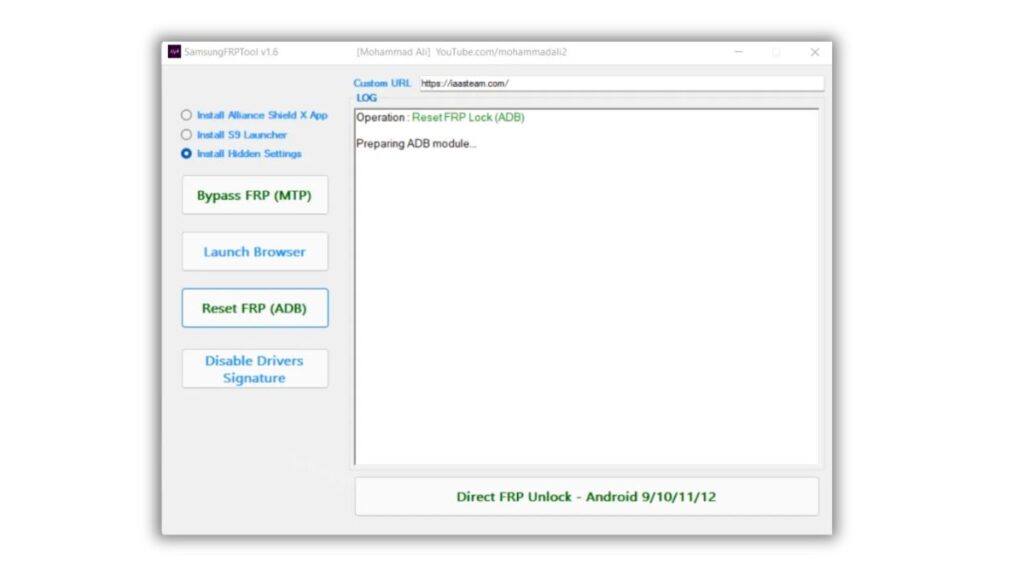
FRP Reset Functions
The primary feature of SamsungFrpTool V1.6 is its ability to assist with FRP lock management in supported scenarios.
Benefits
- Helps regain device access after forgotten credentials
- Useful for legitimate device recovery workflows
Device Information Reading
The tool can read basic device details such as:
- Model number
- Android version
- Device status
Practical Example:
A technician can verify device compatibility before performing any action.
ADB Enable/Disable Utilities
ADB functions allow communication between the PC and the device for troubleshooting.
Why It’s Useful
- Enables advanced diagnostics
- Helps prepare the phone for service operations
Download Mode Assistance
Samsung devices rely heavily on Download Mode for firmware interactions. SamsungFrpTool V1.6 simplifies switching into this mode.
Benefit
- Saves time during repair workflows
User-Friendly Interface
The interface remains simple and button-based, which makes it accessible even for beginners.
Good For Beginners
Those who don’t know much about mobile repair tools can navigate it without deep technical experience.
3. What’s New in SamsungFrpTool V1.6 Version 2026
The 2026 release focuses on compatibility improvements and stability rather than drastic feature changes.
Improvements
- Better support for newer Android security patches
- Improved device detection
- Faster response during operations
These updates align with modern Android security practices and evolving device firmware protections.
4. System Requirements
Before installing, make sure your PC meets these requirements:
Minimum Specs
- Windows 7 / 8 / 10 / 11
- 2–4 GB RAM
- USB cable
- Samsung USB drivers installed
Recommended Specs
- Windows 10 or 11
- 8 GB RAM for smoother performance
This ensures stable communication between the tool and your device.
5. How SamsungFrpTool V1.6 Works (Beginner Workflow)
You to follow this simplified process when using the tool.
Step-by-Step Overview
- Install Samsung USB drivers on your PC
- Launch SamsungFrpTool V1.6
- Connect your Samsung device via USB
- Select the required function
- Follow on-screen instructions
Tried by many beginners, this workflow is straightforward and does not require programming knowledge.
6. Safety and Best Practices
Backup Data First
Some operations may affect device storage, so always create a backup if possible.
Verify Device Ownership
Only use the tool on devices you own or have permission to service.
Download from Trusted Sources
Using unofficial or modified versions can introduce security risks.
7. When Should You Use SamsungFrpTool V1.6?
Here are common scenarios:
- You forgot your Google account after reset
- You’re repairing a customer device with authorization
- You need diagnostic access for troubleshooting
This clarity helps avoid misuse and ensures responsible usage.
Video Tutorial: How To Use SamsungFrpTool V1.6 2026
SamsungFrpTool V1.6 Latest Free 2026
( TOOL )
8. Limitations You Should Know
No unlocking tool works in every situation. SamsungFrpTool V1.6 may not support:
- Very new security patch levels
- Certain carrier-locked models
- Devices with hardware issues
Understanding these limits prevents unrealistic expectations.
9. Understanding FRP and Android Security
To Give you complete information, it’s important to understand why FRP exists.
Why Google Introduced FRP
- Protects user data
- Discourages device theft
- Prevents unauthorized resets
This means any tool interacting with FRP must be used responsibly and legally.
10. Tips for Beginners Using Unlock Tools
Those who don’t know much about this field should follow these tips:
- Always read instructions carefully
- Keep drivers updated
- Use original USB cables
- Avoid interrupting processes
These simple practices reduce the chance of errors.
(Q&A)
1. What does SamsungFrpTool V1.6 do?
SamsungFrpTool V1.6 helps manage FRP locks and basic device diagnostics on supported Samsung devices.
2. Is SamsungFrpTool V1.6 safe?
It is generally safe when downloaded from trusted sources and used correctly on authorized devices.
3. Does SamsungFrpTool V1.6 work on all Samsung phones?
No. Compatibility depends on the model and Android security patch level.
4. Do I need technical skills to use it?
Basic computer knowledge is enough, as the interface is simple and guided.
5. Can the tool erase my data?
Some processes may affect stored data, so backing up is recommended.
Trusted Resource
For a deeper understanding of Android security and Factory Reset Protection:
https://source.android.com/security
Conclusion
SamsungFrpTool V1.6 Version 2026 remains a practical utility for specific Samsung device recovery and diagnostic tasks. By reading this article, you now have a clear understanding of its features, workflow, and limitations. Within this article, I will try to ensure you gained both beginner-friendly clarity and professional insight so you can decide when and how to use the tool responsibly.
If you approach it with the right expectations and safety practices, SamsungFrpTool V1.6 can be a helpful addition to your Android troubleshooting toolkit.



1 thought on “SamsungFrpTool V1.6 Free Latest Version Download”