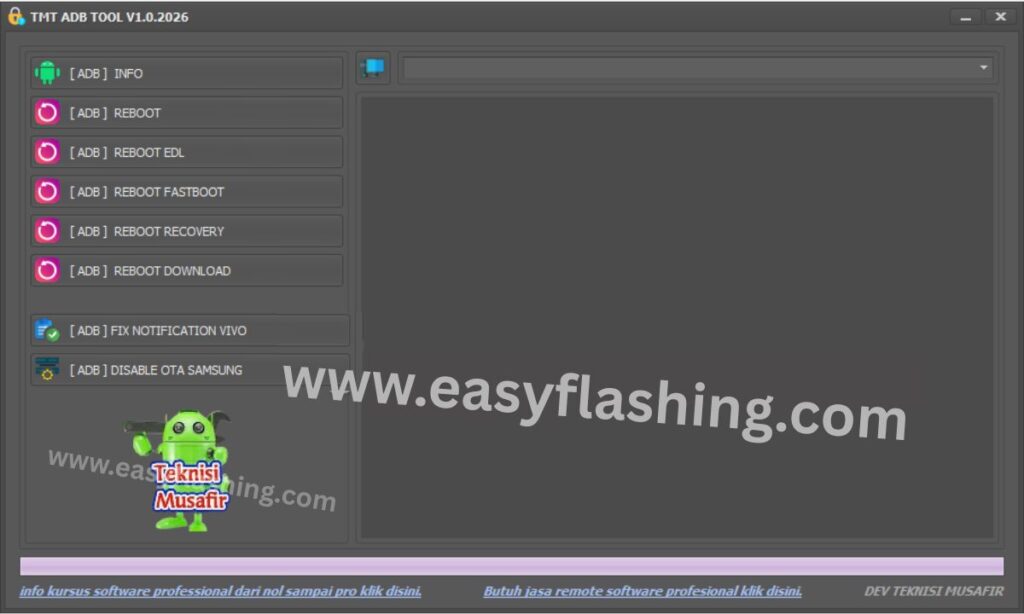
TMT ADB TOOL V1.0 Latest Version is a powerful yet beginner-friendly mobile utility designed to work with ADB (Android Debug Bridge) commands. It helps users manage, repair, and control Android devices using a Windows computer. This tool is especially popular among mobile technicians, Android learners, and users who want to fix common phone issues without deep technical knowledge.
In 2026, TMT ADB TOOL V1.0 has become more refined, stable, and easier to use. It combines multiple ADB-based functions into one clean interface, allowing beginners to perform advanced Android operations with just a few clicks. No complex command-line typing is required.
What Is ADB and Why Is It Important?
ADB stands for Android Debug Bridge. It is an official Android communication tool that allows a computer to talk to an Android phone.
In simple words, ADB helps you:
- Send commands from PC to phone
- Fix software-related problems
- Access hidden Android system functions
- Manage apps and system settings
Normally, ADB works through command prompt, which is difficult for beginners. TMT ADB TOOL V1.0 solves this problem by providing a graphical interface where users can perform tasks easily.
What Makes TMT ADB TOOL V1.0 Latest Free 2026 Special?
The popularity of TMT ADB TOOL comes from its balance of power and simplicity. Unlike many complex mobile tools, it focuses on essential ADB functions and presents them in a clear, organized way.
Key highlights include:
- No advanced technical skills required
- Works with most Android brands
- Clean and lightweight software
- Beginner-focused options
- Free to use (no license activation)
Read More: Vivo Fingerprint & Redmi Errors Fix Tool
TMT ADB TOOL V1.0 Latest Version – Key Features
Below is a detailed, numbered list of the most important features of TMT ADB TOOL V1.0 Latest Free 2026, explained clearly for beginners.
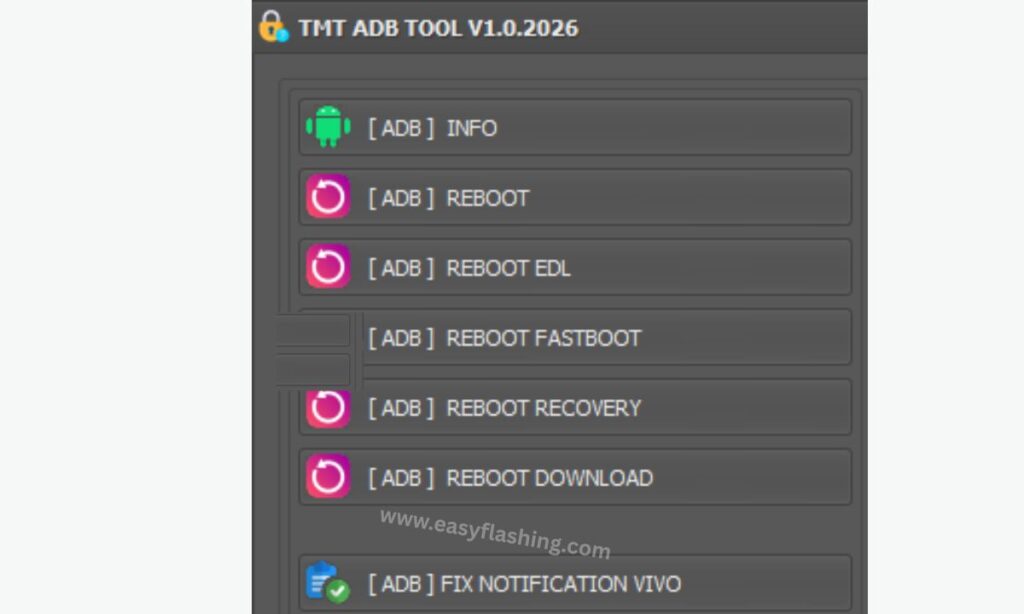
One-Click ADB Device Connection
This feature allows the tool to automatically detect your Android phone once it is connected to the computer.
How it helps beginners:
- No need to check device IDs manually
- Reduces connection errors
- Shows device status clearly
Once USB debugging is enabled, the tool recognizes the phone instantly.
Read Device Information Easily
TMT ADB TOOL V1.0 can display important device details such as:
- Android version
- Device model
- Brand name
- Build number
- Security patch level
This is useful for:
- Mobile repair work
- Software compatibility checks
- Learning about your device
All information appears in simple text without technical confusion.
Safe App Management (Install / Uninstall)
The tool allows you to manage Android apps using ADB.
You can:
- Install APK files
- Uninstall system or user apps
- Remove bloatware (with caution)
- Reinstall disabled apps
This is very helpful when:
- Apps cannot be removed normally
- Phones have unwanted pre-installed apps
- Storage space is low
Enable or Disable System Apps Without Root
One of the most powerful features of TMT ADB TOOL V1.0 Latest Version is controlling system apps without rooting the phone.
Benefits:
- No warranty risk
- No permanent system damage
- Reversible actions
Beginners can disable unused apps safely and enable them again if needed.
ADB-Based Screen Lock Removal (Limited Use)
In some supported cases, the tool can help remove:
- Screen lock (PIN/Pattern)
- Forgotten lock issues (software-level only)
Important note:
- This depends on Android version
- Data loss may occur
- Works only in certain scenarios
Always use this feature responsibly and legally.
Reboot Options (Normal, Recovery, Fastboot)
TMT ADB TOOL V1.0 provides easy reboot modes:
- Normal reboot
- Recovery mode reboot
- Fastboot mode reboot
This is extremely useful for:
- Flashing firmware
- System troubleshooting
- Advanced Android learning
No button combinations are required—just one click.
Logcat and Debugging Access
ADB logcat helps view system logs. The tool simplifies this by:
- Showing readable logs
- Allowing basic filtering
- Avoiding command-line complexity
This feature helps beginners understand:
- App crashes
- System errors
- Performance issues
Lightweight and Fast Performance
The latest 2026 version of TMT ADB TOOL V1.0 is optimized for:
- Low RAM usage
- Fast startup
- Stable operation on Windows
It runs smoothly even on older computers.
Simple and Clean User Interface
The interface is designed with beginners in mind:
- Clear buttons
- Logical sections
- No confusing technical terms
- Easy navigation
This reduces mistakes and increases confidence for new users.
Free Tool With No Forced Registration
Unlike many mobile utilities, TMT ADB TOOL V1.0 Latest Free:
- Does not require account creation
- Does not force paid activation
- Does not lock features behind licenses
This makes it ideal for students and learners worldwide.
System Requirements for TMT ADB TOOL V1.0
Before using the tool, make sure your setup meets these basic requirements.
Computer Requirements
- Windows 7 / 8 / 10 / 11 (64-bit recommended)
- Minimum 2 GB RAM
- At least 200 MB free storage
Android Device Requirements
- Android 6.0 or above (varies by feature)
- USB cable
- USB Debugging enabled
How to Enable USB Debugging
USB debugging is required for ADB tools to work.
Steps:
- Open Settings on your phone
- Go to About Phone
- Tap Build Number 7 times
- Go back to Developer Options
- Enable USB Debugging
Once enabled, connect your phone to the PC and allow permission.
How to Use TMT ADB TOOL V1.0 Latest Version
A simple beginner workflow looks like this:
- Install required USB drivers
- Open TMT ADB TOOL V1.0
- Connect Android device via USB
- Enable USB debugging permission
- Select desired function
- Click execute and wait for completion
The tool shows clear success or error messages.
Is TMT ADB TOOL V1.0 Safe to Use?
Yes, TMT ADB TOOL V1.0 Latest Free 2026 is generally safe when used correctly.
Safety tips:
- Always backup data
- Do not remove critical system apps
- Avoid unknown APK files
- Use official ADB drivers
ADB itself is an official Android technology, which increases trust and reliability.
Who Should Use This Tool?
This tool is suitable for:
- Android beginners
- Mobile repair learners
- Phone technicians
- Students studying mobile technology
- Users fixing software issues at home
It is not meant for illegal unlocking or misuse.
Advantages and Limitations
Advantages
- Beginner-friendly
- No root required
- Free to use
- Lightweight
- Supports many Android brands
Limitations
- Limited advanced flashing options
- Some features depend on Android version
- Not a full replacement for professional service tools
TMT ADB TOOL V1.0 Latest Version 2026
Free (Tool)
(Helpful References)
For learning more about ADB and Android:
- Official Android Developer documentation
- Android USB driver support pages
- Android Debug Bridge overview on Android platform resources
These resources help users understand how ADB works at a deeper level.
(Q&A)
Q1. What is TMT ADB TOOL V1.0 Latest Version used for?
TMT ADB TOOL V1.0 Latest Version is used to manage Android devices through ADB. It helps with app management, device info, reboot modes, and basic troubleshooting without complex commands.
Q2. Is TMT ADB TOOL V1.0 free to use in 2026?
Yes, TMT ADB TOOL V1.0 Latest Free 2026 is available without paid activation and can be used globally.
Q3. Do I need root access to use TMT ADB TOOL?
No. Most features of TMT ADB TOOL V1.0 work without rooting the Android device.
Q4. Can beginners use TMT ADB TOOL safely?
Yes. The tool is designed for beginners with a simple interface and clear options. Following basic safety steps is enough.
Q5. Does TMT ADB TOOL support all Android phones?
It supports most Android brands, but some features may vary depending on Android version and device security level.
Q6. Can this tool remove Google account or FRP?
This depends on Android version and security updates. The tool is not guaranteed for FRP removal and should be used legally.
Q7. Why is my device not detected by the tool?
Common reasons include:
- USB debugging not enabled
- Missing USB drivers
- Faulty USB cable
Fixing these usually solves the issue.
Final Thoughts
TMT ADB TOOL V1.0 Latest Free 2026 is a reliable, beginner-friendly Android utility that simplifies ADB operations for users worldwide. With its clean interface, essential features, and free access, it stands out as a practical tool for Android management and learning.
When used responsibly, it can save time, reduce frustration, and help users gain confidence in handling Android software tasks—without needing advanced technical skills.


