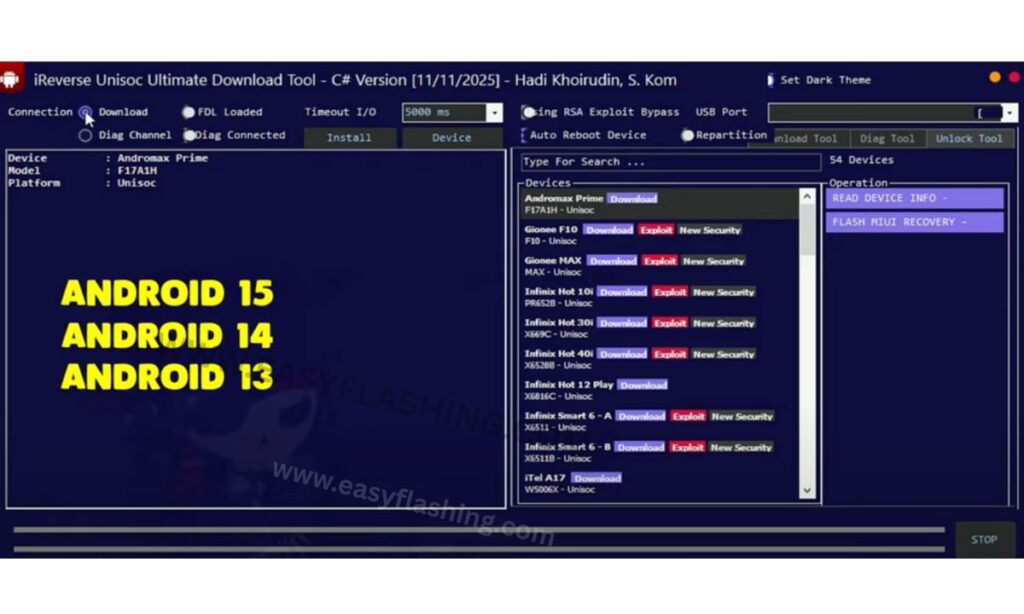
The iReverse UniSPD FRP Tool latest version offers a simple way to handle Factory Reset Protection challenges on Android devices. This tool helps users regain access when locked out after a reset. In 2026, its updates keep it relevant for modern Unisoc chipsets, making it a go-to option for beginners facing Google account verification issues.
Factory Reset Protection, or FRP, acts as a security layer from Google. It requires account details after a reset to prevent theft. However, forgotten credentials can lock you out. Tools like this one step in to bypass that hurdle safely on supported phones.
Unisoc, once known as Spreadtrum, powers many affordable Android devices. Brands such as Infinix, Realme, and Tecno use these chipsets. The tool targets these, providing recovery and erase options without complex steps.
Beginners find it approachable. You run it on Windows, connect your device, and select functions. No coding skills needed. This article covers everything from basics to advanced tips, ensuring you use it effectively.
What FRP Means and Why You Need a Bypass Tool
You encounter FRP when resetting your Android phone. Google introduced this feature in Android 5.1 to protect data. It links the device to your Google account. After a reset, you must sign in with those details. Problems arise if you forget the password or buy a used phone with old accounts. FRP locks the setup process. Without bypass, the device stays unusable.
Bypass tools address this. They remove the lock, letting you set up anew. The iReverse UniSPD FRP Tool focuses on Unisoc devices, where general methods often fail. Unisoc chipsets appear in budget smartphones worldwide. They offer good performance at low costs. However, their security protocols differ, needing specialized software. This tool stands out for its focus. It uses download mode to interact with the chipset directly. You avoid risky exploits that could brick your phone.
Overview of the iReverse UniSPD FRP Tool
Developers created this tool for educational and repair purposes. Hadi Khoirudin, a software engineer, built it in C# language. It runs as a graphical interface on Windows, no console commands required.
The tool targets Spreadtrum, now Unisoc, processors. SPD stands for Spreadtrum Platform Design. These power entry-level phones in emerging markets. Key strength lies in its simplicity. You download, extract, and launch. It detects connected devices in specific modes.
In 2026, the latest version builds on 2025 updates. It adds stability for newer Android versions like 14 and 15. No activation needed, keeping it free. Users praise its speed. Operations complete in minutes, reducing downtime.
Key Features That Simplify FRP Bypass
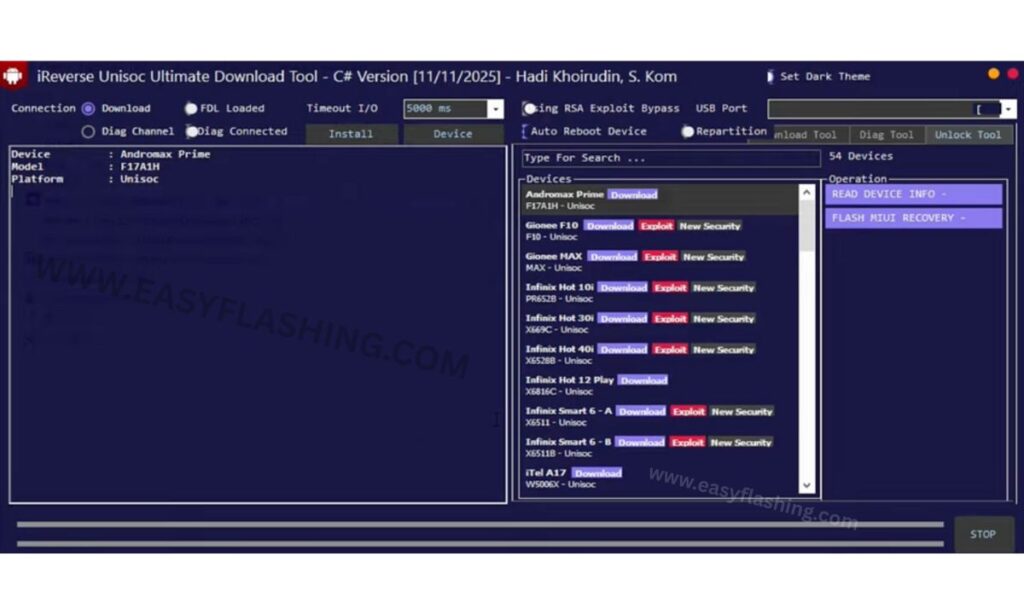
Features make this tool versatile. You choose from several options based on your needs.
- Recovery Wipe Data I + FRP: Wipes basic data and removes FRP. Ideal for light cleans.
- Recovery Wipe Data II + FRP: Handles Android 11 and similar. Addresses version-specific locks.
- Recovery Format Data + FRP: Formats storage fully while bypassing protection.
- Recovery Wipe App Data + FRP: Targets app-related data, preserving others.
- Recovery Wipe Data Only + FRP: Erases all data alongside FRP removal.
- Erase Data + FRP: Combines erasure with bypass in one go.
- Erase FRP Only: Removes lock without touching data. Best for minimal changes.
FDL Loaded supports factory data loading. This helps in recovery scenarios. The graphical user interface shows progress clearly. You monitor steps in real time.
Benefits for Beginners in Mobile Unlocking
Beginners tackle mobile issues with ease using this tool. It skips technical jargon. Connect your phone, select an option, and proceed. You learn as you go. Built-in logs explain actions.
This builds confidence for future repairs. Safety features prevent errors. It checks device compatibility first. No accidental wipes on unsupported models.
Global users benefit from its free access. No subscriptions or hidden fees. Download from trusted sources keeps it secure. It promotes ethical use. Repair shops use it legally for customer devices. Home users fix personal phones.
Supported Devices and Chipsets
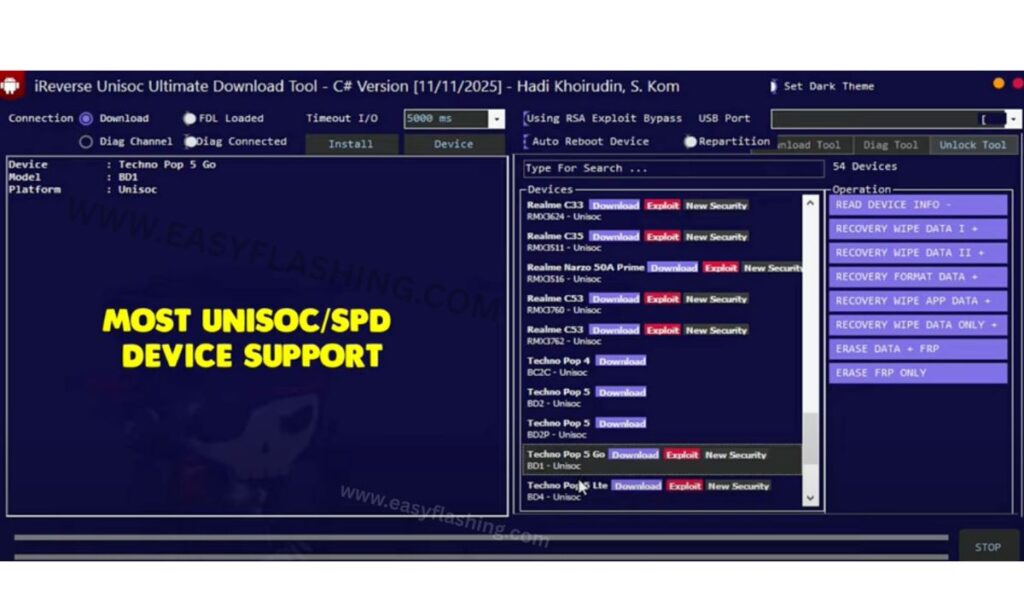
Compatibility covers many models. Unisoc chipsets power these.
Infinix devices include Hot 10 PR652B, Hot 12 Play X681C, Hot 12 Play NFC X6816D, Smart 6 X6511A, Smart 6 X6511B.
Realme options feature C11 RMX3231, C21Y RMX3261, C21Y RMX3263, C25Y RMX3265, C25Y RMX3269, C30 RMX3581, C31 RMX3501, C35 RMX3511, Narzo 50A Prime RMX3516.
Tecno models encompass Pop 4 ECZ, Pop 5 BD2, Pop 5 BD2P, Pop 5 Go BDI, Pop 5 LTE BD4, Pova Neo LESH, Spark 7 PR651, Spark 7 PR651E, Spark 7 PR651H, Spark C KG5K.
Other brands like Itel, Lava, Micromax, and Nokia with SPD chips work too. Check official lists for updates. In 2026, support extends to newer releases. Unisoc’s latest processors integrate seamlessly.
How to Download the Latest Version Safely in 2026
Downloading requires caution. Use official or verified sites to avoid malware.
- Visit the GitHub repository at (Github.com). It hosts source code for building.
- For pre-built versions, check forums like Martview at (martview-forum).
- Scan files with antivirus. Verify checksums if provided.
- The 2026 latest version, based on 2025 releases, sizes around 9-20 MB. Extract with tools like WinRAR.
- Enable updates through community channels. Telegram groups share news.
Step-by-Step Installation Guide
- Installation sets you up quickly. Follow these on Windows.
- Download the ZIP file. Extract to a folder on your desktop.
- Disable antivirus temporarily. It may flag the tool falsely.
- Run “iReverse UniSPD FRP Tool.exe” as administrator. Right-click and select the option.
- Install USB drivers if prompted. Use Unisoc drivers from [https://androidmtk.com/download-unisoc-spd-usb-driver](https://androidmtk.com/download-unisoc-spd-usb-driver).
- Launch the interface. It loads features automatically.
- Test by connecting a powered-off device. Hold volume buttons for boot mode.
- This takes 5-10 minutes. Re-enable antivirus after.
Preparing Your Device for Bypass
Preparation ensures success. Back up data first. Use Google Drive or external storage.
- Charge your phone to 50%. Low battery interrupts processes.
- Enable USB debugging if possible. Go to Settings > About Phone > Tap Build Number seven times. Then Developer Options > USB Debugging.
- Install proper drivers on PC. Unisoc ones match SPD chipsets.
- Put device in download mode. Power off, hold volume down, connect USB.
- The tool detects it. Proceed with caution.
Detailed Tutorial for FRP Bypass
- Start the tool. Connect in download mode.
- Select “Erase FRP Only” for minimal impact. Click start.
- Watch progress bar. It communicates with chipset.
- Reboot device after. Set up without old account.
- For data wipe, choose “Recovery Wipe Data + FRP”. It clears storage too.
- Test on models like Infinix Hot 12. It works in under 5 minutes.
Video Tutorials, How To Install Ireverse FRP Tool 2026
The iReverse UniSPD FRP Tool 2026
Free Tool: (iReverse)
Advanced Usage Tips for Better Results
Advanced users optimize further. Use logs to debug issues.
- Batch process multiple devices in shops. Queue operations.
- Combine with flashing tools. After bypass, update firmware via (Sammobile) for Samsung-like experiences.
- Customize via source code. GitHub allows modifications under GPL-3.0 license.
- Monitor device temperature. Long sessions heat up.
- Join communities on Facebook at (Facebook Groups) for tips.
Troubleshooting Common Problems
- Issues happen. Tool not detecting device? Check cables and drivers.
- Reinstall drivers from official sources.
- Operation fails? Ensure download mode. Retry with different USB port.
- Antivirus blocks? Add exceptions.
- Black screen after? Reflash stock firmware.
- Forums like XDA Developers at (forum.xda-developers) help.
Safety Measures and Legal Advice
- Safety protects your device. Always back up.
- Use on owned phones. Bypassing on others needs permission.
- Laws vary by country. In the US, right-to-repair supports it. Check local rules.
- The tool follows ethical standards. Developers stress educational use.
- Avoid sharing modified files without credit.
- In 2026, enhanced security in Android makes safe tools crucial.
The History Behind Unisoc and Spreadtrum Tools
Unisoc started as Spreadtrum in 2001. It focused on mobile chipsets. By 2018, it rebranded to Unisoc. It partners with brands for 4G/5G tech. Tools evolved with chipsets. Early ones handled flashing. Now, they tackle FRP. This tool builds on open-source projects like spreadtrum_flash. Future holds AI-assisted bypasses, but security tightens.
Why This Tool Fits Global Users in 2026
- Global appeal comes from free access. No region locks.
- Supports multilingual interfaces indirectly via Windows.
- Trending in 2026 with more Unisoc devices. Affordable 5G phones rise.
- Evergreen features keep it useful. Updates address new Android builds.
- Users in Asia, Africa benefit most. Budget phones dominate there.
Community Resources and Further Learning
Communities enhance experience. GitHub issues discuss improvements.
- YouTube channel (Visit) offers videos.
- Telegram at (Visit) shares downloads.
- Learn more about Unisoc at (unisoc.com).
The iReverse UniSPD FRP Tool latest version empowers beginners worldwide. It delivers reliable bypass solutions with user-friendly design.
(FAQ)
What does the iReverse UniSPD FRP Tool latest version do?
It bypasses Factory Reset Protection on Unisoc devices. You remove Google account locks after resets, regaining access easily.
How do I download iReverse UniSPD FRP Tool for free in 2026?
Get it from GitHub or trusted forums like Needrom. Scan for safety and extract the file.
Which devices work with iReverse UniSPD FRP Tool?
It supports Infinix Hot series, Realme C series, Tecno Pop and Spark models, plus other SPD-based phones.
Is using iReverse UniSPD FRP Tool safe for my phone?
Yes, with backups and proper steps. It avoids damage but follow legal guidelines.
What new updates come in iReverse UniSPD FRP Tool 2026?
Updates improve compatibility with Android 15, add stability, and enhance speed for newer Unisoc models.


