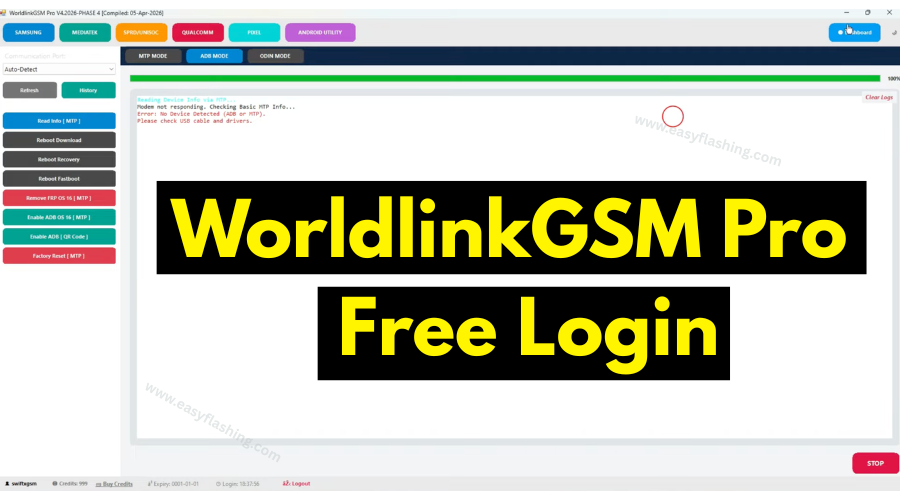
WorldlinkGSM Pro Tool is one of the most talked-about mobile repair software packages available for free in 2026. I will tell you today everything you need to know about this powerful Android tool, from its core features to how to download and use it correctly.
Those who don’t know much about mobile servicing tools often struggle to find reliable software that works without expensive subscriptions. This guide gives you complete information about WorldlinkGSM Pro, including how the free login system works, what devices it supports, and what you can actually accomplish with it.
Within this article, you will find a full breakdown of the tool’s supported chipsets, connection modes, key functions, and step-by-step installation instructions. By reading this article, you will know exactly how to get started without purchasing any credits. The latest version tested and confirmed working is the Tester Release V1.2026.3, and it runs as a Windows tool that connects to your Android phones via USB.
What Is WorldlinkGSM Pro?
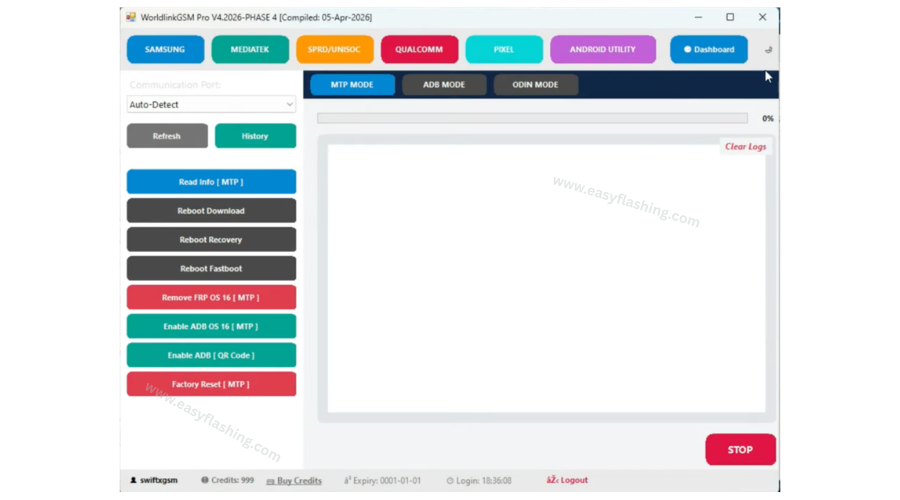
WorldlinkGSM Pro Tool is a mobile tool built for Android phone repair and servicing. It runs on Windows and communicates with your connected device through a USB cable. Repair technicians use it to remove FRP locks, bypass Knox Guard restrictions, flash firmware, unlock network carriers, and manage device partitions.
The tool supports many brands including Samsung, MediaTek-based Android phones, Qualcomm-powered devices, Google Pixel, and SPRD/Unisoc chipsets. Each chipset platform has its own dedicated tab inside the interface, keeping operations organized and reducing the chance of user error.
This is not just a single-function unlock tool. It functions as a full Android tool suite covering multiple repair scenarios from a single interface on your Windows PC.
[How To Fix Android Phone Not Turning On After Flash]Supported Chipsets and Brands
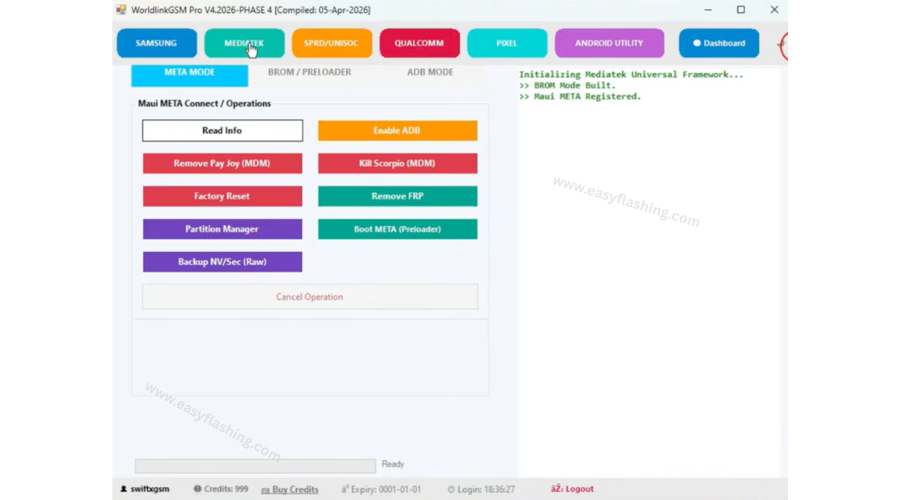
WorldlinkGSM Pro supports the following hardware platforms:
- Samsung — Qualcomm Snapdragon and Exynos models
- MediaTek (MTK) — A wide range of budget to mid-range Android phones
- Qualcomm (Snapdragon) — Flagship and mid-range Android devices
- SPRD / Unisoc — Affordable Android phones common in Asian and African markets
- Google Pixel — Covered under the dedicated Pixel tab
This range of chipset support is what separates WorldlinkGSM Pro from tools that only handle one brand. A repair shop working on mixed stock can use this single mobile tool across most of the devices they receive.
Key Connection Modes Explained
WorldlinkGSM Pro uses different connection modes depending on the task and device type. Beginners often get stuck here, so here is a clear explanation of each mode:
MTP Mode Media Transfer Protocol. The phone connects as a storage device. Used for reading device info, rebooting into other modes, removing FRP on OS 16, and enabling ADB via QR code.
ADB Mode Android Debug Bridge. The most widely used mode. It lets the tool talk directly to the running Android system. Samsung unlock functions, Knox Guard bypass, and premium OS 16 bypass all operate through ADB.
META Mode Specific to MediaTek devices. The phone enters a diagnostic state that allows the tool to read info, enable ADB, remove MDM locks, and perform factory resets without needing full BROM access.
BROM / Preloader Mode Boot ROM mode for MediaTek devices. This is the deepest access level. Used for flashing firmware, formatting flash storage, locking or unlocking the bootloader, and backing up critical partitions. The phone must be powered off and entered into preloader mode by holding Volume Down while plugging in the USB cable.
Odin Mode Samsung-specific download mode. Recognized by the tool for firmware and system-level operations on Samsung Android phones.
Complete Feature Breakdown by Category
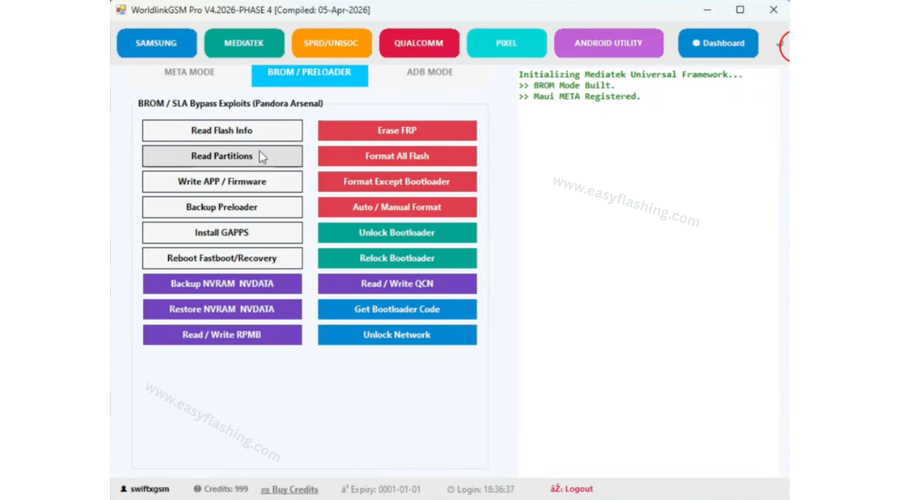
Rather than listing feature names without context, here is what each key function actually does for you:
Samsung and Qualcomm Features
- Samsung Unlock 2025 / New Patch 2026 — Removes carrier SIM lock on Samsung devices using the latest updated bypass method.
- Knox Guard (KG) Bypass 2026 — Knox Guard is a Samsung mobile device management lock placed by carriers or enterprise accounts. This function removes that restriction so the device can be used freely.
- KG Direct Injection and KG Completed (ADB) — Alternative KG removal methods for devices where the standard approach does not apply.
- Premium Bypass OS 16 (4CR) — Handles FRP removal on Android OS 16 devices using a four-corner bypass method.
MediaTek META Mode Features
- Remove PayJoy (MDM) — PayJoy is a financing lock that restricts phone usage until payments are completed. This removes that lock.
- Kill Scorpio (MDM) — Removes another type of device management restriction found on certain MediaTek Android phones.
- Partition Manager — View, read, and manage individual partitions on MediaTek devices.
MediaTek BROM / Preloader Features
- Write APP / Firmware — Flash a new firmware file directly to the device’s main storage partition.
- Backup and Restore NVRAM / NVDATA — NVRAM contains your device’s IMEI and network calibration data. Always back this up before flashing to prevent IMEI loss.
- Format All Flash / Format Except Bootloader — Full device wipe options. Format Except Bootloader keeps the bootloader intact for safer recovery.
- Unlock and Relock Bootloader — Enables or disables custom ROM and root access at the firmware level.
- Read / Write RPMB and QCN — Advanced partition operations for experienced technicians.
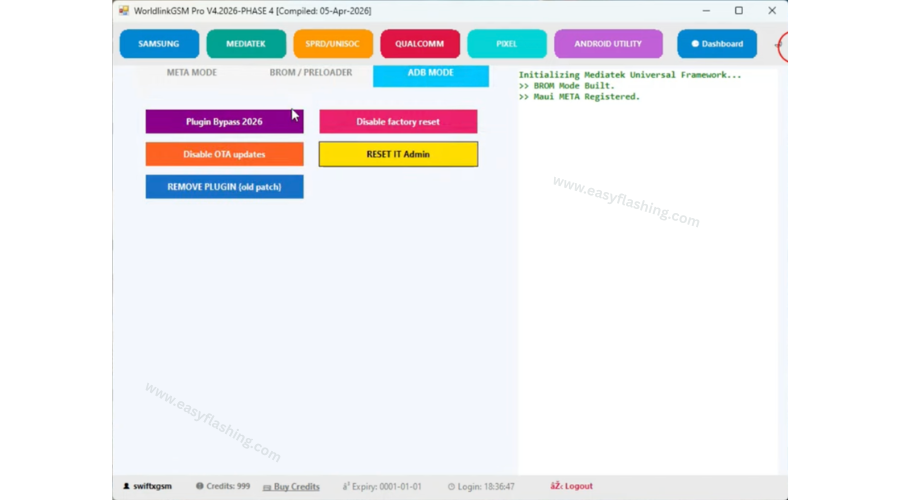
- Plugin Bypass 2026 — MediaTek ADB mode function that removes plugin-based device locks.
Android Utility Engine
- SuperPatcher EROFS Ablation — Patches the system partition on EROFS file system devices, often required before root or modification.
- MDM Knox Integration — Handles Samsung MDM scenarios within the Android Utility tab.
- Universal Patch VBMeta — Patches the VBMeta partition to disable Android Verified Boot, a common requirement before installing custom software.
How the Free Login and Unlimited Credit System Works
Normally, mobile repair software charges per operation through a credit system. WorldlinkGSM Pro with login and unlimited credit eliminates that requirement through an included loader file.
Here is exactly how it works:
- Run the main tool file: WorldlinkGSMpro_Tester_Release_V1.2026.3.exe as Administrator.
- When the login screen appears, do not type anything yet.
- Run the loader file: WORLDLINK_GSM_TOOL_Loader.exe as Administrator.
- The loader creates a local authentication route and loads unlimited credits into the session.
- Return to the main tool login screen and enter any username and password. All credentials are accepted.
- Your credit balance will display as unlimited, and every feature will be fully accessible.
This free download 2026 version has been tested and confirmed working. If someone asks you to pay to activate this program, that request is not legitimate. The tool is completely free with lifetime use.
System Requirements
WorldlinkGSM Pro is a Windows tool. Confirm your PC meets these requirements before downloading:
| Requirement | Minimum |
| Operating System | Windows 7, 8, 10, or 11 |
| Architecture | 64-bit recommended |
| RAM | 2 GB minimum (4 GB recommended) |
| Storage | 500 MB free disk space |
| USB Port | Required |
| USB Drivers | ADB, MTK VCOM, or Samsung USB drivers |
| Internet | Not required after setup |
Step-by-Step Download and Installation Guide
Follow these steps carefully for a successful setup:
- Download the WorldlinkGSM Pro ZIP file using the download link provided.
- Extract all files by right-clicking the ZIP and choosing Extract All. Place the folder on your Desktop.
- Open the extracted folder.
- Right-click WorldlinkGSMpro_Tester_Release_V1.2026.3.exe and select Run as Administrator.
- Wait for the tool interface to load and reach the login screen.
- Right-click WORLDLINK_GSM_TOOL_Loader.exe and select Run as Administrator.
- Allow the loader to finish its process completely.
- Go back to the main tool, enter any username and password, and click Login.
- Verify that unlimited credits appear in your account area.
- Connect your Android device via USB and select the correct mode for your task.
Download Link: WorldlinkGSM Pro Tool 2026
Android Utility Tool New Update 2026
Download Link: All Android Version Bypass Free Tool 2026
File Password : mfdl
Expert Tips for Getting the Most Out of WorldlinkGSM Pro
Always run as Administrator. Not doing so is the single most common reason the loader fails to apply credits. Windows restricts system-level operations without admin rights.
Install chipset-specific USB drivers before connecting your phone. MediaTek devices need MTK VCOM drivers, and Samsung devices need Samsung USB drivers. Without the correct driver, the tool will not detect the connected phone regardless of what mode you use.
Use a quality USB cable. A damaged or low-quality cable can cause the connection to drop mid-operation. Interrupting a firmware write or format process can leave your device unresponsive.
For BROM mode on MediaTek devices, power the phone off completely, then hold the Volume Down button while plugging in the USB cable. This forces the device into preloader mode, which the tool requires for BROM-level operations.
Back up NVRAM and NVDATA before any flash or format operation. Losing NVRAM data removes the device IMEI, which disables all cellular network functions. This backup takes less than a minute and protects you from a serious repair complication.
If your antivirus flags the loader file, add an exception for the extracted folder or temporarily disable real-time protection before running the loader. Loader files commonly trigger false positive detections because of how they patch authentication processes.
[Android Developers — Official ADB Documentation][Android Open Source Project — Bootloader Unlocking Overview ](FAQ)
Q1: Does WorldlinkGSM Pro work on Mac or Linux? No, WorldlinkGSM Pro is a Windows-only tool. It requires a Windows operating system to install and run.
Q2: Can WorldlinkGSM Pro be used on a phone that is stuck in a bootloop? Yes. If the device is MediaTek-based, you can access it through BROM mode even when it cannot boot normally. This allows you to flash a working firmware and recover the phone.
Q3: What does “Tester Release” mean in the file name? Tester Release means the version is a publicly available build that has been tested for stability before a final official release. It is fully functional for all listed features.
Q4: Will the unlimited credit loader stop working after a future tool update? A new version of the tool may require an updated loader to match. Always use the loader file that was packaged with the specific tool version you downloaded.
Q5: Is it safe to use WorldlinkGSM Pro on a phone that is still under manufacturer warranty? Using repair software on a device typically voids the manufacturer warranty. Proceed only on devices you own or have received permission to service.
Q6: Can this tool remove FRP on Android 14 or 15 devices? The tool includes FRP removal for OS 16 in both MTP and ADB modes. Compatibility with specific Android versions depends on the chipset platform of the device.
Q7: Does WorldlinkGSM Pro support Samsung One UI 7 or newer models released in 2026? The Samsung ADB section includes a New Patch 2026 and Knox Guard Bypass 2026 option, which are designed to address newer Samsung software versions. Check the tool’s latest update notes for confirmed device compatibility.
Conclusion
WorldlinkGSM Pro is a fully capable mobile repair software that handles Samsung, MediaTek, Qualcomm, Pixel, and Unisoc Android phones within one organized interface. The free login system backed by unlimited credit removes every financial barrier, making this Android tool accessible to repair shops and individual users alike.
By reading this article, you now have a clear picture of every mode, every key function, and how to install and activate the tool correctly. The latest version has been tested and confirmed working as a free download in 2026.
Download the tool using the link in the installation section, run both files as Administrator, and confirm your USB drivers are installed before connecting your phone. Share this guide with anyone working in mobile repair who needs a reliable and free mobile tool for their Windows setup.
[Easy Flashing FRP Free Tool (All Versions) 2026]