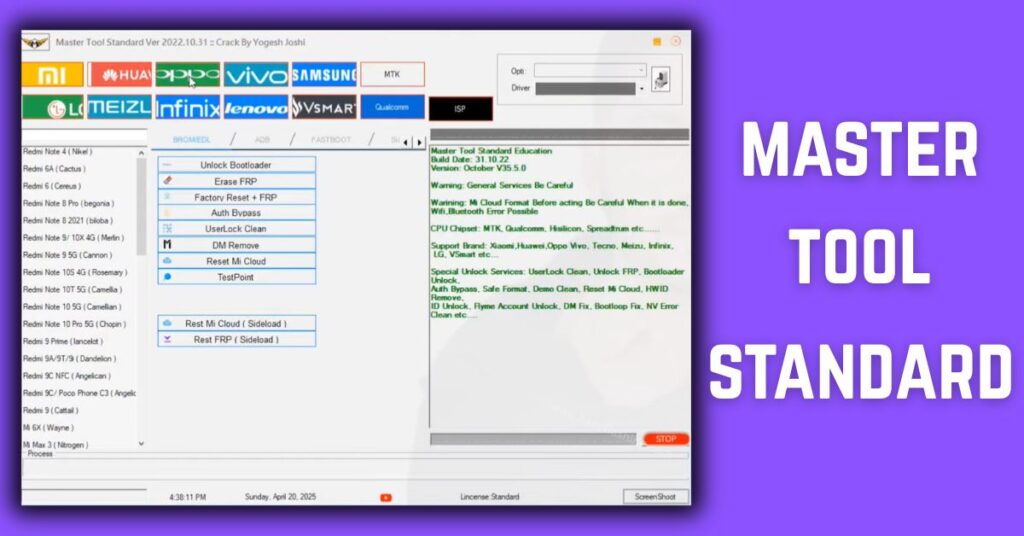
Master Tool Standard Latest Version is a must-have Windows mobile unlock tool for anyone who wants to do pattern unlock, FRP bypass, remove password, and perform IMEI repair on Android devices easily and safely. I will tell you today how this mobile unlock software works, who it helps, and what features it includes. Within this article, I will give you complete information about supported device brands, essential functions like factory reset + FRP, and how to use it securely. Those who don’t know much about Android repair tools will find this guide simple because it uses beginner-friendly language and clear steps.
What is Master Tool Standard and Why It Matters
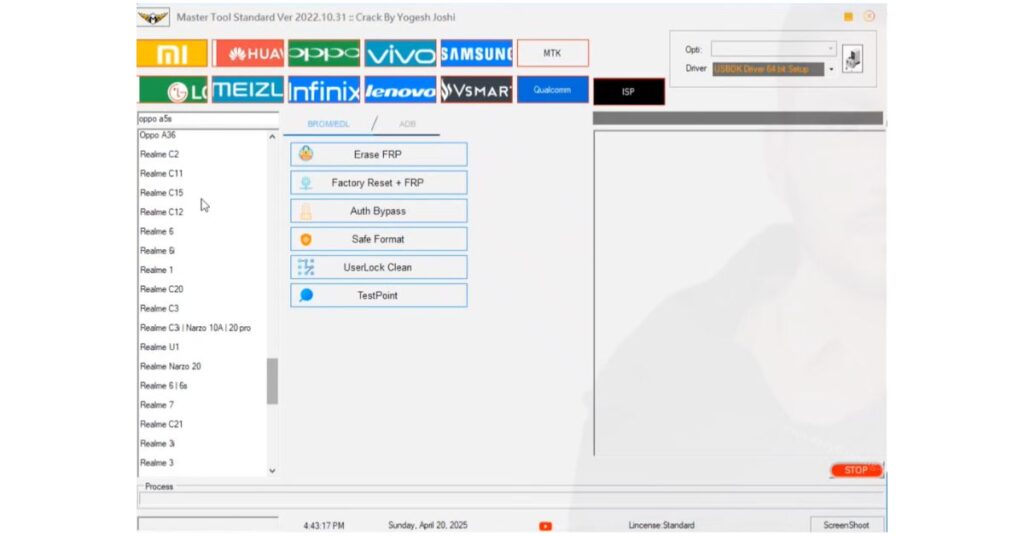
Master Tool Standard download gives you access to a powerful mobile unlock software for Windows PC. This tool supports USB-only connection and works without any dongle hardware. At its core, this software is built to help users bypass authentication, remove locks, and repair common software faults on Android phones.
Key Benefit: Lets beginners fix key software issues on Android devices without complex setup or advanced technical knowledge.
How to Download and Install Master Tool Standard
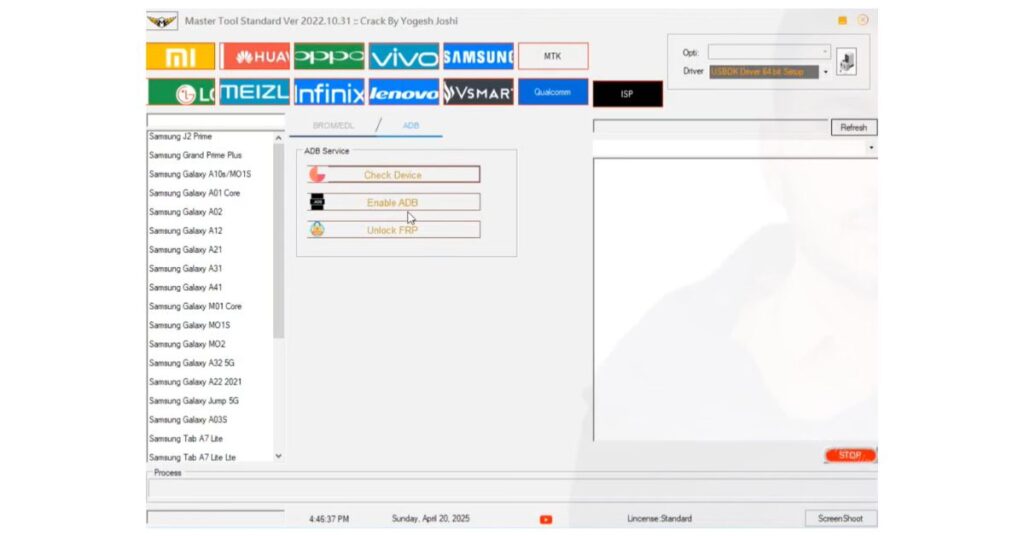
To start using Master Tool Standard, first download the software installer. Make sure you get a safe Master Tool Standard free download from a reputable source. Once downloaded:
- Extract the tool on your Windows PC (32-bit and 64-bit OS support).
- Install [Master Tool Standard Latest Version 2026]
- Connect your Android device via USB only.
- Launch the program with the provided loader included.
Real Benefit: Quick setup in minutes even for beginners with no technical skills.
Video Tutorial: How to Install Master Tool Standard Update 2026
Supported Android Brands You Can Repair
Master Tool Standard supports a wide range of Android brands so you can work on most popular devices:
- Xiaomi
- Samsung
- Huawei
- OPPO
- VIVO
- Infinix
- Lenovo
- LG
- Meizu
- Vsmart
- Qualcomm devices
- MTK devices
Real Benefit: Broad compatibility makes this tool useful for both personal and professional device repair.
Core Functions Explained
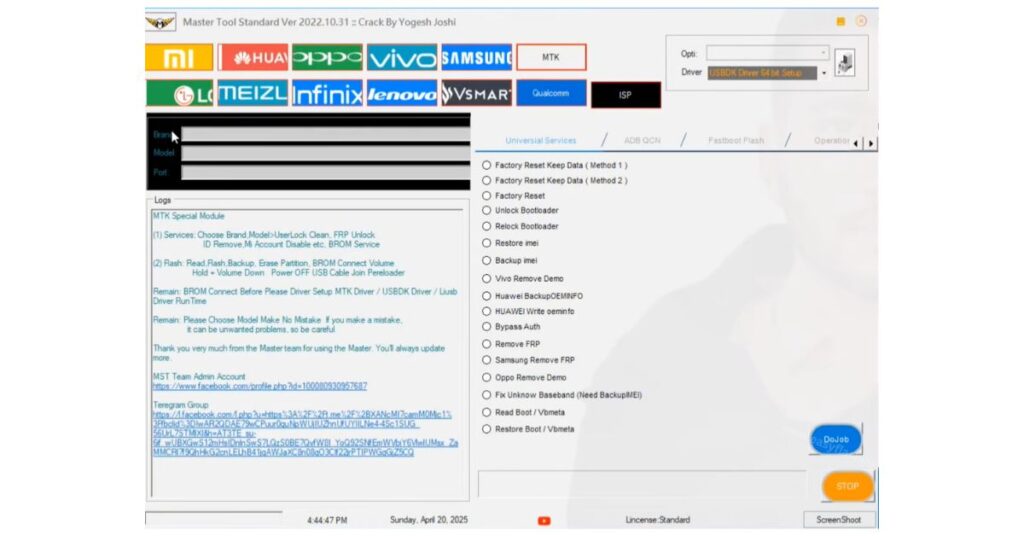
Pattern / PIN / Password Unlock
Remove screen locks when you forget your password or pattern with ease. This helps you regain access to your device.
Benefit: Saves time and avoids professional repair costs.
FRP Bypass (Google Account Lock)
Erase Factory Reset Protection (FRP) so you can access a phone linked to a previous Google account.
Benefit: Lets you quickly regain control of your Android device after a factory reset.
Factory Reset + FRP
Perform a full factory reset while removing FRP lock simultaneously.
Example: If a phone is stuck on the Google activation screen, this function clears it.
IMEI Repair Tool
Fix corrupted or invalid IMEI numbers to restore network connectivity and signal strength.
Benefit: Essential for phones showing network errors after software changes.
Unlock Bootloader
Unlock bootloader safely for advanced customizations or firmware updates.
Benefit: Lets users install custom recoveries or ROMs.
Safe Format & User Lock Clean
Remove internal locks and clean user data partitions without damaging system files.
Example: This can help unbrick phones after failed updates.
Read Partition / EMMC, Read Full Image
Advanced features for technicians to read specific partitions or complete device information.
Benefit: Useful for in-depth diagnostics or firmware work.
Backup IMEI & Restore IMEI
Back up original IMEI numbers before repairs and restore them as needed.
Benefit: Prevents accidental loss of network identity.
Expert Tips for Beginners
- Always backup important data before using any unlock or reset function.
- Use USB only; avoid any wireless or Bluetooth connection for device stability.
- Ensure your Windows PC drivers are installed properly before connecting the phone.
- If you see an unknown error, restart both the PC and the Android device and reconnect.
- Master Tool Standard with loader works best when antivirus software is temporarily disabled to avoid interference.
Master Tool Standard Latest Version 2026
Free ( Tool )
Password: (Watch/Video Tutorial: How to Install Master Tool Standard)
FAQs
Q1: Can Master Tool Standard remove FRP on Android 14 devices?
A1: It can bypass FRP on many devices, but results vary by model and security patch.
Q2: Do I need a dongle to use this mobile unlock software?
A2: No, it works with USB only and does not require hardware dongles.
Q3: Is it safe to use on my personal phone?
A3: Yes, if you back up data first and follow proper steps.
Q4: Can this tool repair IMEI numbers?
A4: Yes, it supports backup and IMEI repair functions.
Q5: Do I need internet or login for activation?
A5: No login required if you use the loader included.
Q6: Is Windows compatibility limited?
A6: It supports both 32-bit and 64-bit Windows OS.
Q7: Can it unbrick dead phones?
A7: Yes, dead recovery can revive phones in many scenarios.
Q8: Is this a free download?
A8: Yes, you can get a Master Tool Standard free download from trusted sources.
Conclusion
By reading this article, you now have complete information on how to download and use Master Tool Standard Latest Version safely on your Windows PC. This tool combines essential functions like FRP bypass, pattern unlock, IMEI repair, and bootloader unlock in one place. For users who need reliable results without complexity, this software is a practical choice. Don’t forget to back up your data before each operation and always follow the steps carefully. Ready to fix your Android issues easily? Start with the download link above and keep your device secure and functional.


