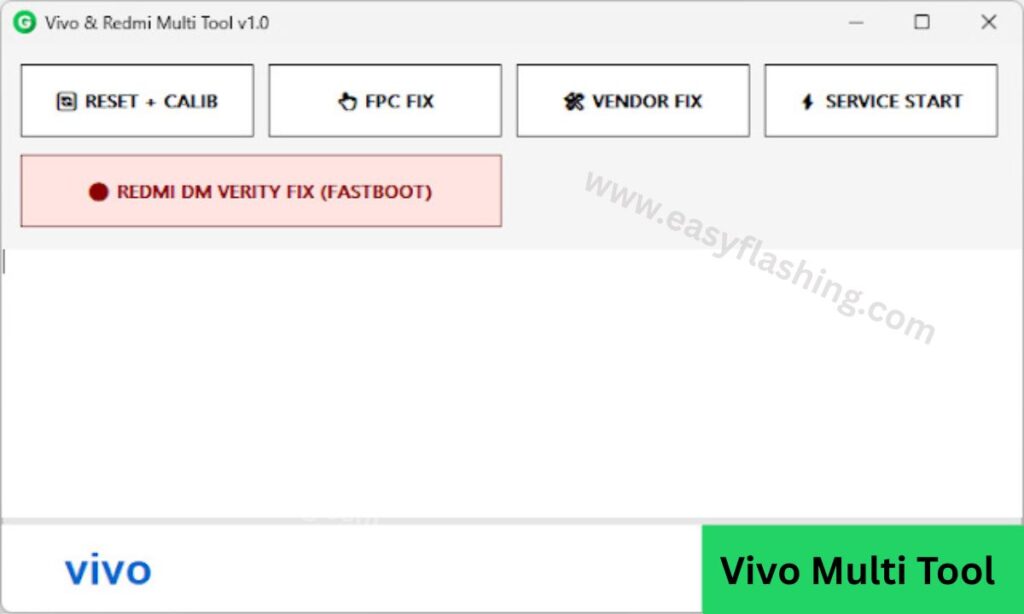
Vivo Multi Tool Or Vivo Fingerprint & Redmi Errors Fix Tool is one of the most searched solutions by Android users who are facing fingerprint issues on Vivo devices or system-related errors on Redmi smartphones. These problems usually appear after software updates, firmware flashing, or system changes, and they can confuse beginners who do not have technical experience.
Many users think their phone is damaged, but in reality, most Vivo fingerprint issues and Redmi errors are caused by software-level problems, not hardware failure. The Vivo Multi Tool V1.0 is designed specifically to help users fix these issues safely and correctly.
Read More: Vivo adb Format Tool
What Is Vivo Multi Tool V1.0?
The Vivo Multi Tool V1.0, also known as Vivo Fingerprint & Redmi Errors Fix Tool, is a Windows-based mobile repair utility that focuses on fixing specific software-related issues on Vivo and Redmi smartphones.
This tool is mainly used to:
- Fix Vivo fingerprint not working issues
- Repair Redmi software errors after updates or flashing
- Restore system functions affected by firmware problems
- Help beginners troubleshoot common Android errors
It does not perform security unlocking or account removal. Its purpose is to repair system-level bugs that stop features like fingerprint or normal booting from working correctly.
Why Vivo Fingerprint Issues Occur
Vivo fingerprint problems are very common and usually appear suddenly. Below are the most common reasons:
1. Software Update Bugs
Sometimes official OTA updates contain bugs that break fingerprint services.
2. Incompatible Firmware Installation
Installing firmware that does not match your exact Vivo model can disable fingerprint functionality.
3. Corrupted System Files
System file corruption can prevent fingerprint services from loading.
4. Fingerprint Service Crash
Background fingerprint services may stop working due to system instability.
5. Android Version Upgrade Issues
Upgrading Android versions without proper compatibility can affect biometric features.
The Vivo Fingerprint & Redmi Errors Fix Tool addresses these software-level causes, not hardware damage.
Why Redmi Errors Appear
Redmi phones may show different system errors due to software reasons such as:
1. Incomplete Flashing Process
Interrupted flashing can break system files.
2. Wrong Firmware Package
Using incorrect ROM files creates boot and system errors.
3. Driver Communication Failure
PC drivers not detecting the device correctly.
4. Update Installation Failure
OTA updates may fail and leave the system unstable.
5. System App Crashes
Core system apps may crash repeatedly after updates.
The Vivo Multi Tool V1.0 helps fix these Redmi software errors in supported scenarios.
Key Features of Vivo Multi Tool V1.0
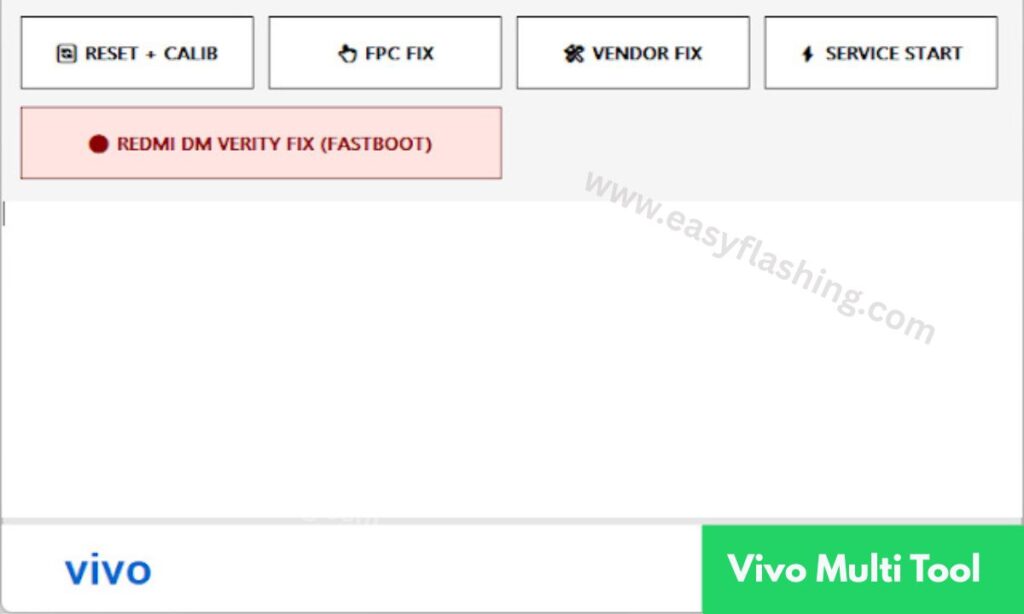
1. Fix Vivo Fingerprint Not Working Issue
- Restores missing fingerprint option
- Repairs fingerprint service errors
- Fixes fingerprint enrollment failure
- Works after software updates
2. Fix Redmi Software Errors
- Repairs system bugs after flashing
- Fixes update-related boot problems
- Resolves system instability
3. Firmware Repair Assistance
- Helps reinstall official firmware
- Fixes update failed issues
- Restores normal system behavior
4. Beginner-Friendly Interface
- Simple menu options
- No command-line usage
- Clear steps for beginners
5. Fast and Safe Operation
- Minimal risk when used correctly
- Designed for supported models
Supported Devices Overview
Supported Vivo Devices
- Vivo Y Series
- Vivo V Series
- Vivo S Series
- Vivo X Series
- iQOO (limited support)
Supported Redmi Devices
- Redmi Note Series
- Redmi Number Series
- Redmi A and C Series
Support depends on Android version, chipset, and firmware compatibility.
System Requirements
To use Vivo Multi Tool V1.0:
- Windows 7, 8, 10, or 11
- Minimum 4GB RAM
- Proper USB cable
- Required USB drivers installed
How to Fix Vivo Fingerprint Not Working
Step 1: Prepare Your Device
- Charge phone above 50%
- Backup important data
- Power off the device
Step 2: Install USB Drivers
- Install Vivo USB drivers
- Restart PC after installation
Step 3: Open Vivo Multi Tool V1.0
- Run tool as administrator
- Close background applications
Step 4: Connect Your Vivo Phone
- Use the correct connection mode
- Ensure device is detected
Step 5: Select Fingerprint Fix Option
- Click on Vivo fingerprint repair
- Start the repair process
Step 6: Wait for Completion
- Do not disconnect USB cable
- Process completes automatically
Step 7: Reboot and Test
- Reboot phone
- Add fingerprint again from settings
How to Fix Redmi Errors Using Vivo Multi Tool V1.0
Common Redmi Errors Fixed
- System crash after update
- Flashing incomplete errors
- Boot issues caused by firmware
Repair Steps
- Connect Redmi device
- Select Redmi error fix option
- Start repair process
- Reboot device
Important Things to Know Before Using the Tool
- Works only on software-related issues
- Hardware problems cannot be fixed
- Always use correct firmware
- Follow steps carefully
Advantages of Vivo Fingerprint & Redmi Errors Fix Tool
- Beginner-friendly
- Saves repair cost
- No technical commands required
- Accurate software repair
Limitations of the Tool
- Limited device support
- Cannot fix physical damage
- New Android updates may limit functions
Best Tips for Beginners
- Always verify device model
- Use original firmware files
- Avoid interrupting the process
- Keep system backups
Resources for Learning
Vivo Multi Tool V1.0 Latest Version Free
Click Tool
FAQs
Q1: Can this tool fix fingerprint hardware issues?
No, it only fixes software-related problems.
Q2: Is this tool safe for beginners?
Yes, when used correctly.
Q3: Does it work worldwide?
Yes, supported globally.
Final Words
The Vivo Fingerprint & Redmi Errors Fix Tool using Vivo Multi Tool V1.0 is a reliable and beginner-friendly solution for fixing fingerprint issues on Vivo devices and software errors on Redmi smartphones. When used properly, it helps restore normal functionality without unnecessary risks.
This guide is written to help users clearly understand the tool, avoid confusion, and fix their devices correctly.



1 thought on “Vivo Fingerprint & Redmi Errors Fix – Vivo Multi Tool V1.0”