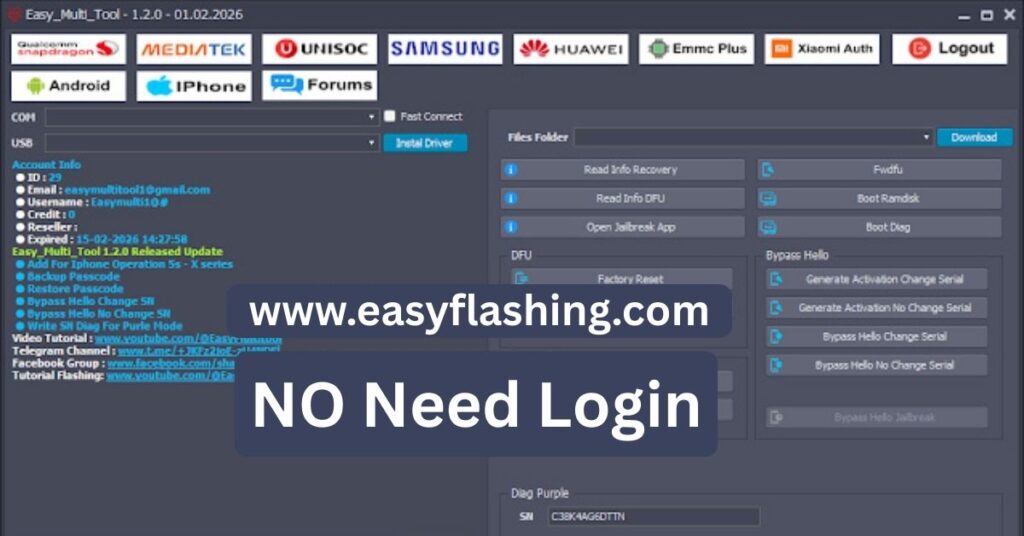
Easy Multi Tool v1.2.0 is a versatile Android utility developed to support flashing, unlocking, and system-level servicing for devices powered by Qualcomm Snapdragon, MediaTek (MTK), and Unisoc (SPD) chipsets. Within this article, I will try to explain its capabilities in a way that is simple and easy to understand, especially for beginners.
This tool is commonly used for tasks such as factory reset operations, FRP handling, firmware flashing, and account-related servicing across popular Android brands including Samsung, Xiaomi, Huawei, Oppo, Vivo, and others. One of the reasons many users prefer this tool is its AUTO based workflow, which reduces the need for manual commands and complex technical steps.
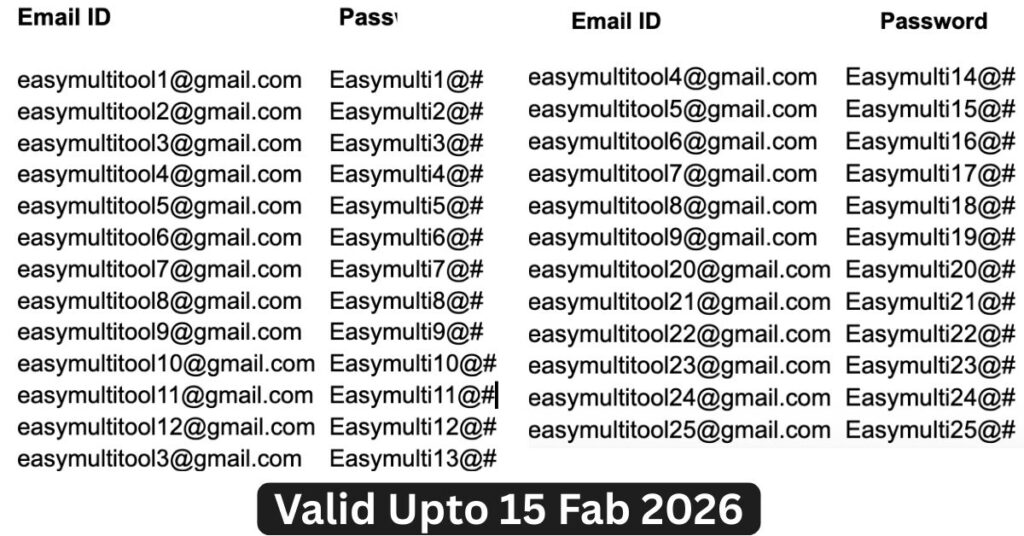
Easy Multi Tool Free Login 2026
1 | easymultitool1@gmail.com | Easymulti1@# |
| 2 | easymultitool2@gmail.com | Easymulti2@# |
| 3 | easymultitool3@gmail.com | Easymulti3@# |
| 4 | easymultitool4@gmail.com | Easymulti4@# |
| 5 | easymultitool5@gmail.com | Easymulti5@# |
| 6 | easymultitool6@gmail.com | Easymulti6@# |
| 7 | easymultitool7@gmail.com | Easymulti7@# |
| 8 | easymultitool8@gmail.com | Easymulti8@# |
| 9 | easymultitool9@gmail.com | Easymulti9@# |
| 10 | easymultitool10@gmail.com | Easymulti10@# |
| 11 | easymultitool11@gmail.com | Easymulti11@# |
| 12 | easymultitool12@gmail.com | Easymulti12@# |
| 13 | easymultitool3@gmail.com | Easymulti13@# |
| 14 | easymultitool4@gmail.com | Easymulti14@# |
| 15 | easymultitool5@gmail.com | Easymulti15@# |
| 16 | easymultitool6@gmail.com | Easymulti16@# |
| 17 | easymultitool7@gmail.com | Easymulti17@# |
| 18 | easymultitool8@gmail.com | Easymulti18@# |
| 19 | easymultitool9@gmail.com | Easymulti19@# |
| 20 | easymultitool20@gmail.com | Easymulti20@# |
| 21 | easymultitool21@gmail.com | Easymulti21@# |
| 22 | easymultitool22@gmail.com | Easymulti22@# |
| 23 | easymultitool23@gmail.com | Easymulti23@# |
| 24 | easymultitool24@gmail.com | Easymulti24@# |
| 25 | easymultitool25@gmail.com | Easymulti25@# |
Key Feature Categories in Easy Multi Tool v1.2.0
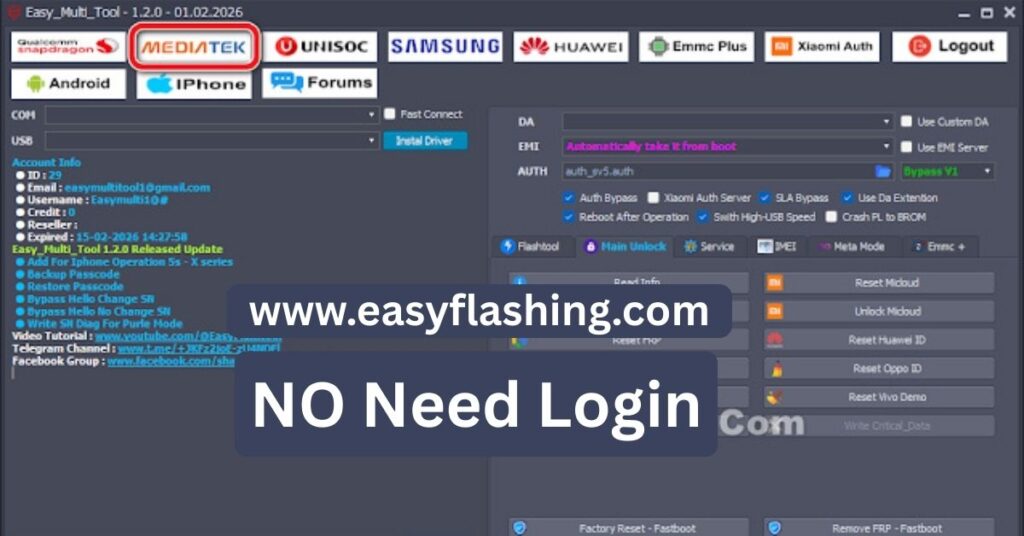
Instead of being limited to one brand or chipset, Easy Multi Tool organizes its functions into dedicated modules, making navigation easier for those who don’t know much about advanced Android servicing.
Qualcomm Snapdragon Module – Features Explained
The Qualcomm module focuses on devices running Snapdragon processors and includes a complete flashing and servicing toolkit.
Flashtool Functions
- Flash firmware using single raw images
- Flash firmware via XML configuration
- Advanced XML flashing options
- Reboot device automatically after operations
- Skip userdata or format all partitions when required
Partition Management
- Read, write, and erase partitions
- ReadBack partition data
- Partition manager for advanced use
- Boot information reading
Unlock and Reset Operations
- Factory reset
- Reset FRP
- Safe format methods (multiple levels)
- Reset and backup EFS
- Disable or unlock MiCloud
- Xiaomi AUTO operations for supported models
Service and IMEI Tools
- Backup, erase, and replace EFS
- Enable diagnostic modes
- Read and write IMEI, MEID
- QCN read/write and editor
- Repair IMEI, WiFi MAC, and Bluetooth MAC
- Generate and restore critical data
These features are designed to help resolve network issues, boot problems, and account-related restrictions when used responsibly.
(MTK) Module-Structured for Multiple Brands
The MTK module supports MediaTek-powered devices and provides auth bypass and flashing assistance where supported.
Core Unlock Functions
- Read device information
- Factory reset
- Reset FRP
- Safe format options
- Reset or unlock MiCloud
- Reset Huawei ID, Oppo ID, Vivo demo mode
Advanced Service Tools
- Backup, format, and replace RPMB
- Unlock and relock bootloader
- Fix red, orange, and verification states
- Repair DM-Verity corruption
- Remove PayJoy and security plugins
- Patch certificates where applicable
IMEI and Meta Mode Operations
- Write IMEI 1 and IMEI 2
- Patch certificates
- Access Meta and AT modes
- Read and manage EFS in Meta mode
These tools are mainly intended for repair scenarios, especially after failed updates or corrupted firmware.
Unisoc (SPD) Module – Basic Unlock and Flash Support
For Unisoc-based devices, Easy Multi Tool offers essential servicing options:
Main Unlock Options
- Factory reset
- Reset FRP
- Safe format operations
- Bootloader unlock
Flashtool Support
- PAC firmware flashing
- Partition manager
- NV backup and skip options
These features are suitable for entry level devices commonly found in budget Android smartphones.
Samsung Module – Dedicated Modes for Different Scenarios
Samsung devices are supported through multiple connection modes.
MTP Mode
- Read device information
- Remove FRP (multiple methods)
- Factory reset
- Reboot into download mode
ADB Mode
- Remove FRP
- Disable OTA updates
- Disable Knox and system services
- Remove Samsung account (data-preserving and data-loss methods)
- Remove screen lock
- Fix softbrick issues
Odin Flasher
- Flash BL, AP, CP, CSC files
- Flash MD5 packages
- NAND erase
- Automatic reboot after flashing
Huawei, Android ADB, and eMMC Modules
Huawei Module
- Factory reset
- Reset FRP
- Reset Huawei ID
- Bootloader unlock
- Fastboot operations
Android ADB Module
- Read device information
- Reset FRP
- Disable OTA updates
- Application manager (enable/disable apps)
eMMC Plus Module
- Read Android system info
- Manage partitions
- Erase and flash partitions
- MiCloud erase or patch methods
iPhone Utility Section (Limited Functions)
Easy Multi Tool also includes a small utility section for iOS-related servicing:
- Backup passcode
- Restore passcode
- Hello screen bypass (model-dependent methods)
- Serial number writing in diagnostic mode
These options are limited and depend heavily on device compatibility.
Easy Multi Tool v1.2.0 – Step-by-Step Setup Guide
I will tell you today how to install and start using the tool safely:
- Download the setup package from the official source.
- Extract the compressed file using a standard extraction tool.
- Install the required Eazfuscator.NET framework included with the package.
- After installation, launch Easy Multi Tool and run it as Administrator.
- On first launch, the tool will request login access.
- Once logged in, the tool interface will display the current access status.
- Connect your device using a compatible USB cable.
- Select the required operation based on your device chipset and model.
- If an error occurs, review the built-in support section or contact the developer.
If the current access limitations do not suit your needs, you can explore alternative tools based on your specific repair requirements.
Easy Multi Tool Latest Version 2026
FREE (TOOL)

Trusted Resource
For understanding official Android communication tools, refer to the Android Developers documentation.
FAQ
Q1: What is Easy Multi Tool v1.2.0 Latest Version used for?
It is used for Android servicing tasks such as flashing firmware, factory reset, FRP reset, and device maintenance across multiple chipsets.
Q2: Is Easy Multi Tool suitable for beginners?
Yes. Those who don’t know much about Android repair can use it due to its structured layout and AUTO features.
Q3: Does it support all Android phones?
Support depends on chipset, brand, and Android version. Not all models are supported.
Q4: Are AUTO features fully automatic?
AUTO features simplify detection and workflow, but user selection is still required for safety.
Q5: Should I use it without backup?
No. Always back up important data before performing reset or flashing operations.
Final Note
Within this article, I have tried to give you complete information about Easy Multi Tool v1.2.0 Latest Version in clear, that you can easily understand. I have written this article only to help you guys, with which any user can resolve the problem of their mobile phone. Use this tool at your own risk. In case of any error in the mobile, the (Easy Flashing) website does not take responsibility for it.



Hi, i cant login i get an error that says email or password incorrect.
Different emails and passwords are given, try them all.